

Awaio vs Microsoft Places: booking tool or workplace system?
Microsoft Places adds room and desk booking to Outlook and Teams. Awaio works with Microsoft 365 too, and also runs parking, lockers, door access and wayfinding in one system.
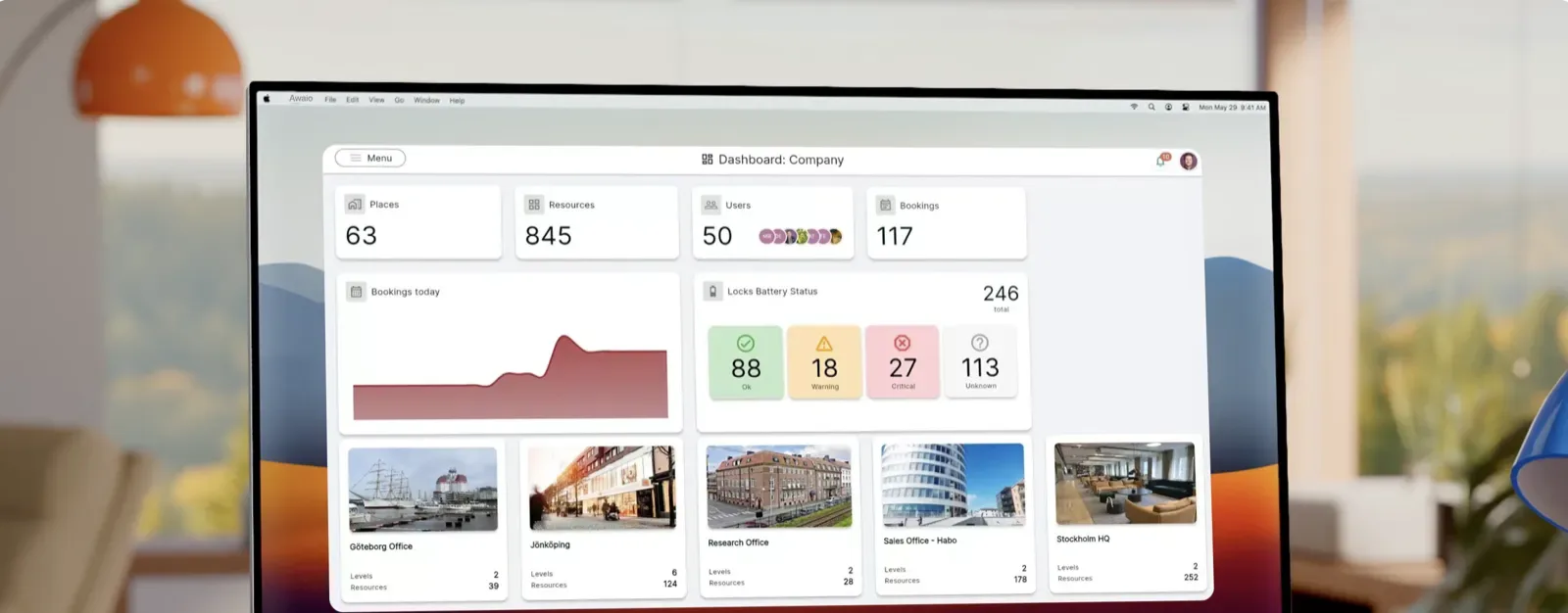
Awaio made this page to help you compare Awaio and Microsoft Places. It’s based on public sources such as each vendor’s website, documentation and app store listings. Brand and product names belong to their owners.
Last verified October 2026
Key differences
- One system: Microsoft Places covers rooms and desks. Awaio runs rooms, desks, parking, lockers and door access in one app.
- Simpler pricing: Places features depend on Microsoft 365, per-space Teams licences and Copilot. Awaio is priced per resource, with unlimited users.
- No new screens: Places checks people in through Teams panels, desk peripherals or email. Awaio uses QR codes and TapCards on the rooms and desks you already have.
- Works with what you have: Awaio retrofits existing doors, lockers and barriers, and works with both Microsoft 365 and Google Workspace.
Feature comparison
Booking
Meeting room booking
- Microsoft Places
- Yes In Outlook, Teams and the Places app[1]
- Awaio
- Yes
Both let people book meeting rooms from their calendar.
Desk booking
- Microsoft Places
- Yes Desk pools included. Booking a specific desk needs a per-space licence.[2]
- Awaio
- Yes
Check what booking a specific desk costs before you roll out.
Parking booking
- Microsoft Places
- Not in public documentation[3]
- Awaio
- Yes
With Awaio, parking is booked in the same app as desks and rooms.
Recurring bookings
- Microsoft Places
- Yes [4]
- Awaio
- Yes
Book a regular room or desk once instead of every week.
Book on behalf of others
- Microsoft Places
- Yes Through Outlook delegates[5]
- Awaio
- Yes Admins and reception book for others, and colleagues can share bookings
Both let the right people book for others. In Awaio, colleagues can also share a booking.
Interactive floor plans
- Microsoft Places
- Yes IMDF maps, usually prepared by a partner[6]
- Awaio
- Yes
Awaio admins draw and update floor plans themselves in the browser.
Indoor wayfinding
- Microsoft Places
- Partly Find nearby rooms and desks on the map[7]
- Awaio
- Yes Live map of rooms, desks and colleagues, with real-time occupancy
Awaio shows rooms, desks and colleagues on a live map, so people find their way and see what’s free.
Check-in and auto-release
- Microsoft Places
- Yes Auto-release needs a per-space licence[8]
- Awaio
- Yes
Unused bookings are released so others can use the space.
Payments for bookings
- Microsoft Places
- Not in public documentation[9]
- Awaio
- Yes Paid parking and other paid bookings
With Awaio, people pay for parking and other paid resources in the same app.
Custom booking forms
- Microsoft Places
- Not in public documentation[2]
- Awaio
- Yes Custom forms for rooms, pool cars and more
Awaio asks the right questions when someone books a room or pool car.
Events and registration
- Microsoft Places
- Partly In-person events and RSVP, no registration[9]
- Awaio
- Yes Events with registration in the app
Awaio runs events with registration in the same app as everything else.
Booking quotas
- Microsoft Places
- Partly Limits on who, how far ahead and how long. No cap per user.[18]
- Awaio
- Yes Quotas set in the booking rules
Awaio quotas share popular desks and parking fairly.
Lockers and access
Locker management
- Microsoft Places
- Not in public documentation[9]
- Awaio
- Yes
Awaio runs personal, shared and delivery lockers from the same app.
Digital locks
- Microsoft Places
- Not in public documentation[10]
- Awaio
- Yes Open with phone, RFID card, PIN or fingerprint
Awaio supplies locks that open with a phone, card or PIN.
Mobile access to doors
- Microsoft Places
- Not in public documentation[10]
- Awaio
- Yes
With Awaio, employees open doors and gates with their phone.
Access cards
- Microsoft Places
- Not in public documentation[11]
- Awaio
- Yes Locks read the RFID cards people already carry
Awaio locks read the RFID cards people already carry, so nobody needs a new card.
Access control hardware
- Microsoft Places
- Not in public documentation[12]
- Awaio
- Yes Smart Access Box
The Awaio Smart Access Box connects existing doors and barriers to the app.
Parcel and delivery handling
- Microsoft Places
- Not in public documentation[12]
- Awaio
- Yes Parcel lockers with a notice when the delivery is ready
Awaio parcel lockers tell people when their delivery is ready.
E-bike charging lockers
- Microsoft Places
- Not in public documentation[9]
- Awaio
- Yes Indoor and outdoor e-bike charging lockers
Awaio runs e-bike charging lockers indoors and outdoors.
NFC service points
- Microsoft Places
- Not in public documentation[2]
- Awaio
- Yes TapCard and TapDot: tap the phone to book or open
People tap their phone on a TapCard or TapDot to book or open a resource.
Integrations
Calendar sync
- Microsoft Places
- Yes Exchange Online only[9]
- Awaio
- Yes Outlook and Google Calendar
Awaio also works if your organisation uses Google Workspace.
Your own calendar in the app
- Microsoft Places
- Partly You book inside Outlook and Teams, next to your calendar[2]
- Awaio
- Yes Work and private calendars from Microsoft and Google, in the app and on the web
Places works where your Microsoft calendar is. Awaio also shows Google and private calendars in its own app.
Single sign-on
- Microsoft Places
- Yes Microsoft Entra ID[13]
- Awaio
- Yes Microsoft 365 and Google Workspace
Both let employees sign in with their work account.
Outlook add-in
- Microsoft Places
- Yes Built into Outlook and Teams[2]
- Awaio
- Yes Book desks, rooms, parking and lockers from Outlook
Both let people book from Outlook. With Awaio they can also book parking and lockers there.
Meeting room displays
- Microsoft Places
- Yes Teams panels with a separate licence[14]
- Awaio
- Yes Works with Microsoft Teams Rooms. QR codes and TapCards replace door displays.
Awaio uses QR codes and TapCards at the door, so you don’t need a screen for every room.
Mobile app
- Microsoft Places
- Partly Inside Outlook and Teams mobile[15]
- Awaio
- Yes
Awaio has its own app for booking, doors, lockers and maps.
Building system integrations
- Microsoft Places
- Partly Occupancy data for analytics[12]
- Awaio
- Yes Access control systems through Inlet
Awaio brings sensor, climate and access data into one system.
API and webhooks
- Microsoft Places
- Partly Graph API for places and maps. No Places webhooks documented.[19]
- Awaio
- Yes API and webhooks
Awaio’s API and webhooks connect bookings to your other systems.
Sensor integrations
- Microsoft Places
- Partly Occupancy sensors for analytics[12]
- Awaio
- Yes Occupancy and indoor climate sensors, such as BLDNG and Swegon
Awaio brings occupancy and indoor climate data into the same view.
Communication
Notifications
- Microsoft Places
- Partly Mainly email around desk check-in and release[8]
- Awaio
- Yes Push and email
Awaio reminds people by push and email.
Messages to everyone in the workplace
- Microsoft Places
- Not in public documentation[9]
- Awaio
- Yes
With Awaio, you can reach everyone in a building from the app.
Booking confirmations
- Microsoft Places
- Yes Through Exchange calendar replies[18]
- Awaio
- Yes A confirmation for every booking
Both confirm bookings, so people know their space is theirs.
Admin and analytics
Utilisation analytics
- Microsoft Places
- Yes Occupancy reports need a per-space licence[11]
- Awaio
- Yes
See how rooms and desks are actually used before you change the office.
Multi-tenant buildings
- Microsoft Places
- Not in public documentation[13]
- Awaio
- Yes
Property owners can run shared spaces for every tenant in one Awaio system.
User roles and permissions
- Microsoft Places
- Yes [16]
- Awaio
- Yes
Give admins the access they need, and nothing more.
Security, support and pricing
EU data hosting and GDPR
- Microsoft Places
- Yes EU Data Boundary[13]
- Awaio
- Yes Hosted in the EU. GDPR compliant, DPA on request.
Both keep data in the EU and support GDPR.
Support
- Microsoft Places
- Microsoft 365 support and Places partners[12]
- Awaio
- Chat and email in English, Swedish and Norwegian. Weekdays 08–17 CET.
Awaio support answers in English, Swedish and Norwegian.
Pricing model
- Microsoft Places
- Included in most Microsoft 365 licences. Premium features need per-space licences.[9][17]
- Awaio
- Per resource, not per user. Unlimited users.
Count licences per user, per space and for Copilot when you compare cost.
Not in public documentation: we found no mention of it on the Microsoft Places website, help centre or app store listings.


Why teams choose Awaio over Microsoft Places
One app for the whole workplace
Rooms, desks, parking, lockers and doors in one app, instead of a booking tool plus separate systems.
Less hardware, not more
QR codes and TapCards replace room screens, and Awaio retrofits the doors and lockers you already have.
Pricing that doesn’t grow with headcount
Pay per resource, with unlimited users. No per-user, per-space or AI licences to add up.
One system for the whole workplace
Start with one module. Add the rest when you need them.
- Room booking Book meeting rooms from the app, Outlook or a QR code.
- Desk management Book desks, see who’s in and plan the week.
- Locker management Assign and open lockers from the phone.
- Parking Book parking and share spaces fairly.
- Mobile access Open doors with the phone instead of a card.
- Wayfinding Find rooms, desks and colleagues on the map.
- Workplace communication Reach everyone in the workplace with one message.



FAQ
Questions about Awaio and Microsoft Places
Sources
- [1] learn.microsoft.com/en-us/microsoft-365/places/room-desk-booking/rooms · accessed 2026-10-08
- [2] learn.microsoft.com/en-us/microsoft-365/places/room-desk-booking/desks · accessed 2026-10-08
- [3] learn.microsoft.com/en-us/microsoft-365/places/configuring-places/add-services-to-buildings · accessed 2026-10-08
- [4] learn.microsoft.com/en-us/microsoft-365/places/what-is-places/admin-web-app · accessed 2026-10-08
- [5] mc.merill.net/message/MC1124563 · accessed 2026-10-08
- [6] learn.microsoft.com/en-us/microsoft-365/places/end-user/configure-floorplans-maps · accessed 2026-10-08
- [7] learn.microsoft.com/en-us/microsoft-365/places/day-to-day-admin/administration-portal · accessed 2026-10-08
- [8] learn.microsoft.com/en-us/microsoft-365/places/room-desk-booking/enable-checkin-desks · accessed 2026-10-08
- [9] learn.microsoft.com/en-us/microsoft-365/places/what-is-places/license-requirements · accessed 2026-10-08
- [10] learn.microsoft.com/en-us/microsoft-365/places · accessed 2026-10-08
- [11] learn.microsoft.com/en-us/microsoft-365/places/enable-places-analytics/building-analytics · accessed 2026-10-08
- [12] learn.microsoft.com/en-us/microsoft-365/places/places-integration-partners · accessed 2026-10-08
- [13] learn.microsoft.com/en-us/microsoft-365/places/compliance-privacy-security-in-places · accessed 2026-10-08
- [14] learn.microsoft.com/en-us/microsoftteams/devices/overview-teams-panels · accessed 2026-10-08
- [15] learn.microsoft.com/en-us/microsoft-365/places/frequently-asked-questions · accessed 2026-10-08
- [16] learn.microsoft.com/en-us/microsoft-365/places/day-to-day-admin/enable-others-as-places-admins · accessed 2026-10-08
- [17] mc.merill.net/message/MC1235124 · accessed 2026-10-08
- [18] learn.microsoft.com/en-us/powershell/module/exchange/set-calendarprocessing · accessed 2026-10-08
- [19] learn.microsoft.com/graph/api/resources/places-api-overview · accessed 2026-10-08
Further reading
More comparisons
- Awaio vs Kadence
- Awaio vs Robin
- Awaio vs Envoy
- Awaio vs Skedda
- Awaio vs Deskbird
- Awaio vs Archie
- Awaio vs Officely
- Awaio vs anny
- Awaio vs Welcome Workdays
- Awaio vs Life@Work
- Awaio vs Flexlock
- Awaio vs Vecos
- Awaio vs Flowscape
- Awaio vs Humly
- Awaio vs MazeMap Workplace
- Awaio vs GoBright
- Awaio vs Eptura Engage
- Awaio vs KiiOn
- Awaio vs Tidaro
- Awaio vs Parkable
- Awaio vs Joan
- Awaio vs Wayleadr
- Awaio vs Ronspot
- Awaio vs Parkalot
- Awaio vs Tactic
- Awaio vs YAROOMS
- Awaio vs Sharvy
- Awaio vs Mapiq
- Awaio vs OfficeRnD Workplace
- Awaio vs OfficeSpace
- Awaio vs Smartway2
- Awaio vs Modo Labs
- Awaio vs Matrix Booking
- Awaio vs Appspace
- Awaio vs Yoffix
- Awaio vs Spacent
- Awaio vs Flexopus
- Awaio vs Comeen
- Awaio vs Equiem
- Awaio vs HqO
- Awaio vs Keynius
- Awaio vs Parakey
- Awaio vs Unloc
- Awaio vs Spaceflow
- Awaio vs Chainels
- See all comparisons


The intelligence behind better workplaces.
Connecting people, spaces and services to simplify everyday work.