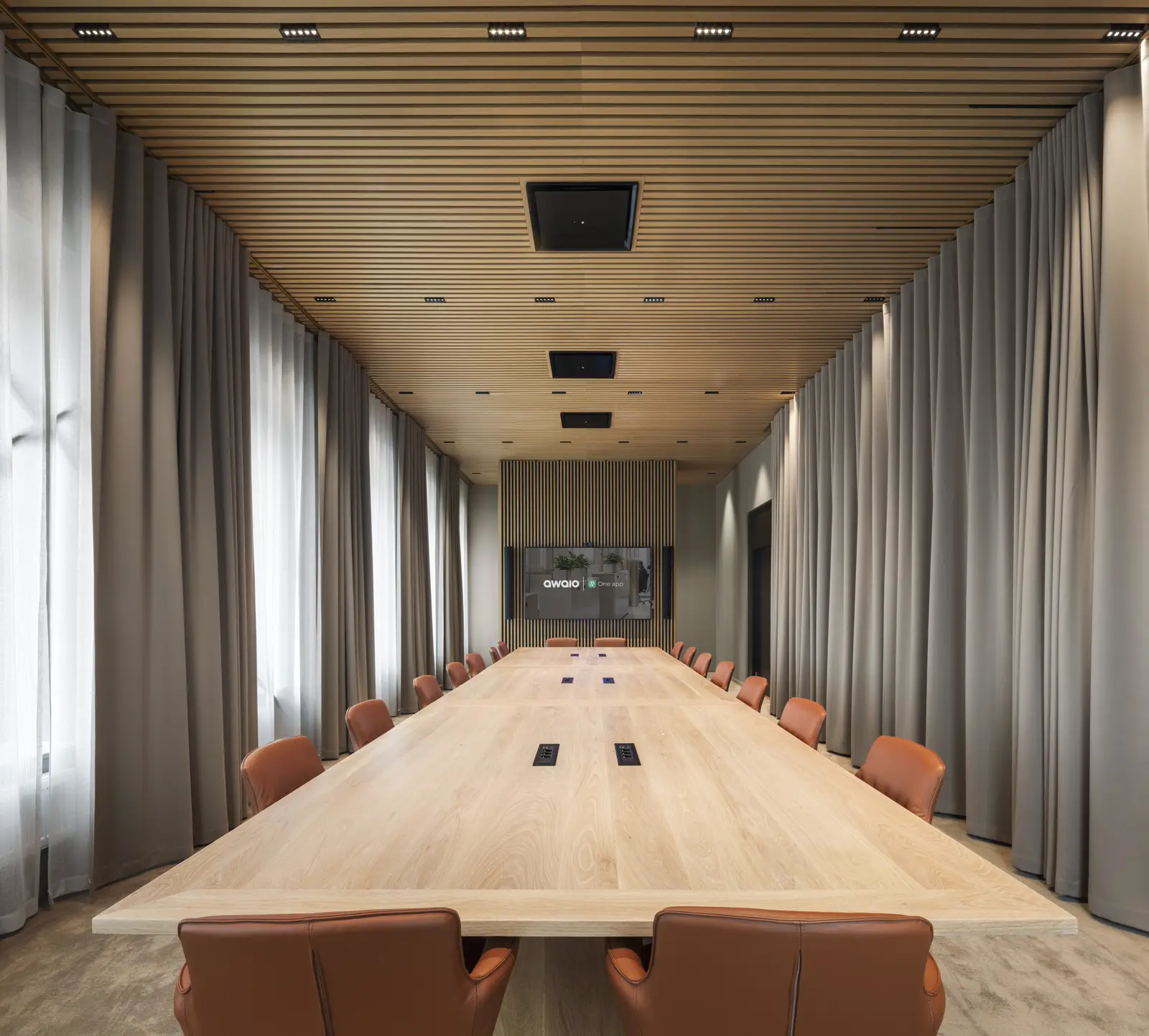
40% of meeting rooms sit empty
Some rooms are booked but never used. Others do not fit what employees need. With Awaio, unconfirmed rooms are released automatically, and the data shows which rooms to change.
Free rooms in real time and booking in seconds, in the app, in Outlook or in Google Calendar. You get a full overview of how rooms are used.
Full overview and control of every room in the building, whether you have five meeting rooms or five hundred. Add desks, lockers and parking to the same platform whenever you want.
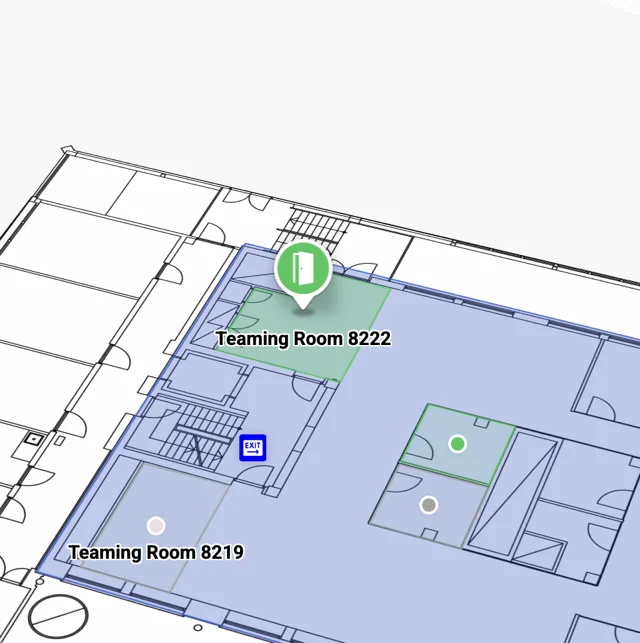
Find free rooms on the map. Book in the app, in the browser, with a TapCard or with the QR code by the door.
Explore the office map feature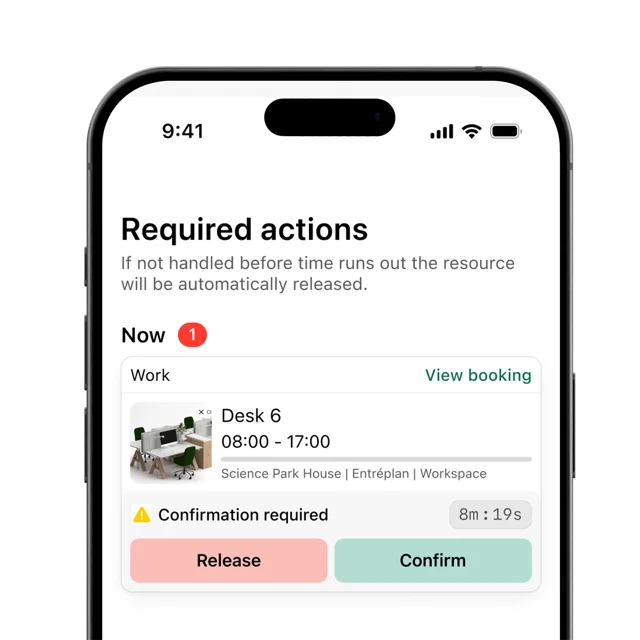
The user confirms the booking in the app. If nobody confirms, the room is released automatically so others can book it.
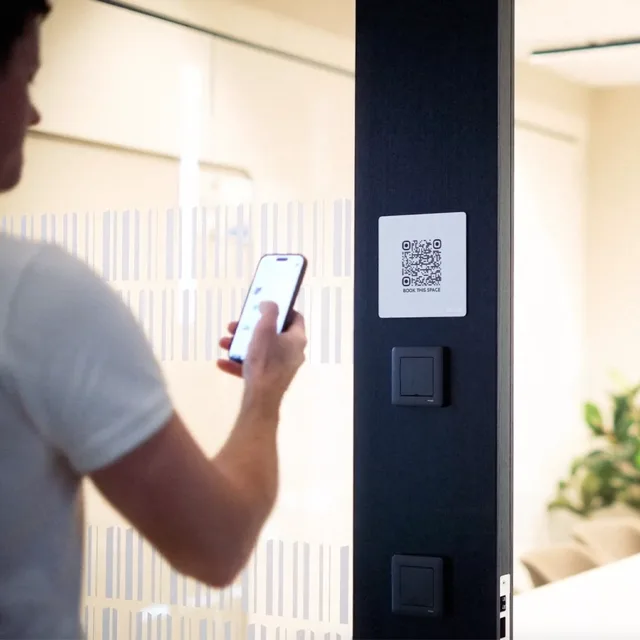
Instead of screens, use our signs with a QR code or TapCard. Employees book with the phone they already carry.

See how rooms are actually used over time. Use the insight to adapt the workplace to new needs, so decisions rest on data, not gut feeling.
Some rooms are booked but never used. Others do not fit what employees need. With Awaio, unconfirmed rooms are released automatically, and the data shows which rooms to change.
ONE PLATFORM
Add any type of room, from focus rooms to event spaces. Every room is searchable in real time and can have its own rules.

Small rooms for 1 to 2 people, for focused work or private calls. Bookable by the hour and released automatically if nobody turns up.

Rooms for 4 to 6 people, for team stand-ups and client calls. Add amenities like screens and whiteboards.

Rooms for leadership meetings with 10 or more people and full AV. Set booking rules and approval requirements.

Video-first rooms built for remote-friendly meetings. Awaio integrates with your calendar and Microsoft Teams Rooms (MTR).

Flexible spaces for town halls, workshops, and larger internal gatherings. Manage capacity limits, setup rules, and bookings from the same platform.
Booking rules & quotas
Set the rules once. Awaio enforces them everywhere.
Example: boardroom rules
DATA & INSIGHTS
Real occupancy, not just reservations. Awaio surfaces booking patterns and check-in data automatically, so you know which rooms to act on without digging through reports.
01
Every booking, check-in, and auto-release event feeds live room utilisation data automatically, across every room, floor, and site.
02
Utilisation dashboards show exactly which rooms are overbooked, which sit idle, and which time slots have the most unmet demand.
03
Awaio gives specific suggestions for getting more out of your rooms: fewer no-shows, floor space that matches demand, and clear savings to show your property and finance teams.
WHAT'S INCLUDED
No add-ons, no separate licences. See the full list below.
See every room, every floor, every site, live.
From web, mobile, or the QR code outside the door.
Check in without installing a display outside every room.
Ghost bookings are freed automatically, no admin required.
Set up a repeating booking once instead of re-booking every week.
Guests get a calendar invite automatically when you book a room.
Awaio suggests rooms sized to your group automatically.
Find your room the moment it's booked.
Find and reserve the right room without leaving the meeting invite.
Claim an available room on the spot with a quick scan.
Book a locker alongside your room, desk, and parking.
FAQ
If you're evaluating room booking software, these cover the questions that matter most.
Meeting room booking software lets employees reserve conference rooms, focus pods, and event spaces in advance. Awaio goes beyond basic booking by combining real-time availability, automatic no-show release, and utilisation analytics in one platform. It replaces the mix of calendar workarounds and manual tracking most organisations rely on today.
In most office buildings, 40% of booked meeting time goes to ghost meetings: rooms reserved but never used. That translates directly into wasted real estate and reduced availability for the rest of the team. Awaio's utilisation data helps you identify and reclaim that space without adding square metres.
Awaio detects scheduling conflicts in real time and blocks overlapping reservations before they are confirmed. If a booked room has no check-in activity after a set period, Awaio automatically releases it, making the space available immediately for others.
No. Awaio integrates with both. Bookings made in Awaio appear in Outlook or Google Calendar instantly, and cancellations sync in both directions. Existing reservations import automatically, so there is no manual migration on day one.
Employees can book from the Awaio app, a browser, or by scanning the QR code or tapping the Tapcard outside the room. Available rooms are shown in real time by floor, capacity, and amenities. Confirmation lands in their calendar automatically.
Awaio requires a check-in within a configurable window after the booking start time. If no check-in is registered, the room is automatically released and becomes available to anyone else. No admin intervention is needed.
Yes. Each room in Awaio can have its own rules: maximum booking duration, advance booking window, approval requirements, and minimum notice period. Boardrooms can require manager approval while focus rooms stay open for walk-up booking.
Awaio Manager shows utilisation data per room, floor, and building, combining booking records with check-in data for actual occupancy, not just reservations. Facilities teams can see which rooms are overbooked, which are consistently empty, and where policy changes would have the most impact.
No. Awaio works with simple QR codes or battery-powered Tapcards mounted outside each room. No wiring, no contractors, no ongoing maintenance costs. Most organisations are up and running in a day.
Yes, and this is where Awaio's full value comes in. Employees can book a desk, a locker, a parking spot, and a meeting room in a single flow from the app. Admins manage all resources from one platform, with shared reporting and access control.
Yes. Awaio's office map gives employees a live view of the floor plan so they can see exactly where their booked room is before they leave their desk. Combined with QR codes and Tapcards outside each room, navigating to the right space takes seconds, not a loop around the building.
Connecting people, spaces and services to simplify everyday work.