

Awaio vs Humly: which workplace platform fits you?
Humly makes its own room displays and desk booking devices that sit on top of Microsoft 365, Exchange or Google, with sensors and a self-hosted option. Awaio also books rooms and desks, and adds parking, lockers and doors that open with the phone, all in one system with apps for iOS and Android.
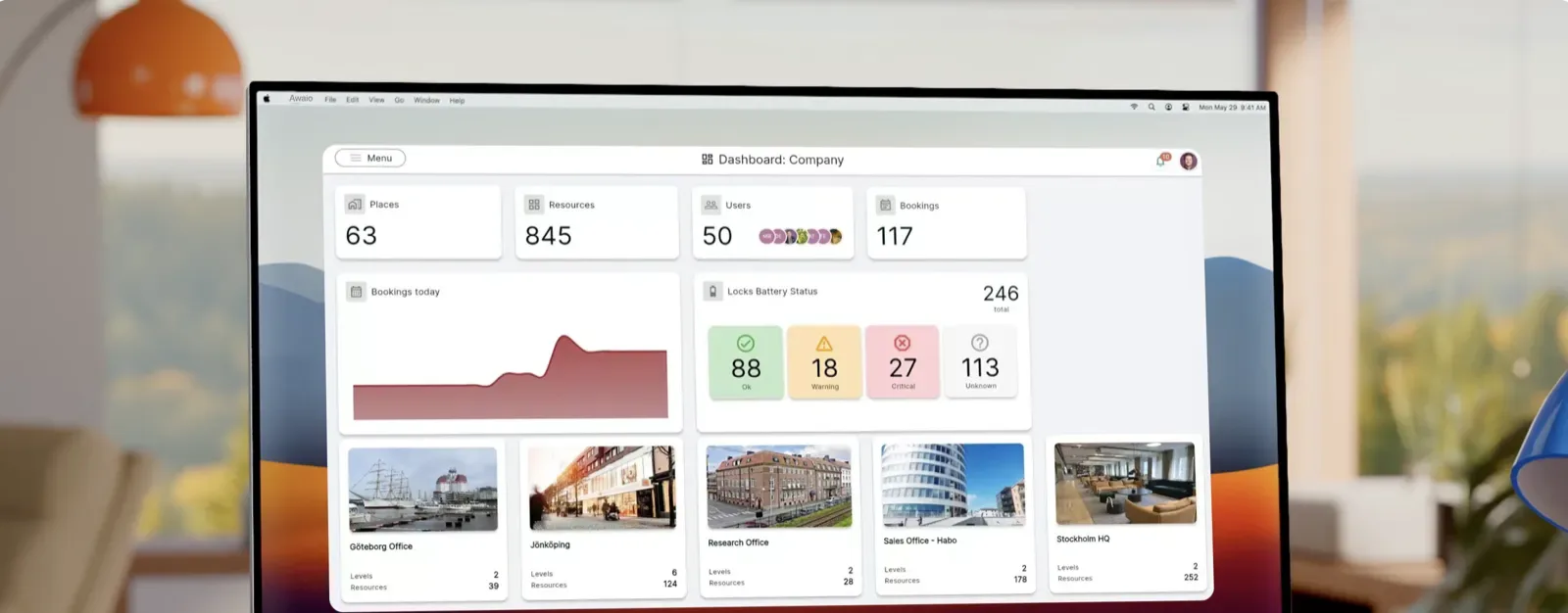
Awaio made this page to help you compare Awaio and Humly. It’s based on public sources such as each vendor’s website, documentation and app store listings. Brand and product names belong to their owners.
Last verified October 2026
Key differences
- Hardware or app: Humly is built around its own door panels and desk devices. Awaio uses QR codes and TapCards at the door, and apps for iOS and Android.
- One system: Humly books rooms, desks and shared resources. Awaio adds digital locks, door access and lockers that open with the phone.
- How you buy: Humly sells only through resellers and publishes no prices. Awaio is priced per resource, with unlimited users.
- Shared buildings: Humly guests can book selected rooms. In Awaio, several companies share one building, each managing their own part.
Feature comparison
Booking
Meeting room booking
- Humly
- Yes At the door panel, in the web app, by QR code or in Teams[1]
- Awaio
- Yes
Both let people book meeting rooms that sync with Microsoft 365 or Google calendars.
Desk booking
- Awaio
- Yes
Both let people book desks from a floor plan.
Parking booking
- Humly
- Partly Parking is a bookable resource type. No parking-specific features found.[4]
- Awaio
- Yes
With Awaio, parking bays, EV bays and bikes are booked in the same app.
Recurring bookings
- Humly
- Yes Since release 2.5[2]
- Awaio
- Yes
Book a regular room or desk once instead of every week.
Book on behalf of others
- Humly
- Not in public documentation[5]
- Awaio
- Yes Admins and reception book for others, and colleagues can share bookings
In Awaio, admins and reception book for others, and colleagues can share bookings.
Interactive floor plans
- Humly
- Yes Humly maps your drawings. Needs a Floor Plan licence.[6]
- Awaio
- Yes
Awaio admins draw and update floor plans themselves in the browser.
Indoor wayfinding
- Humly
- Partly Screens list meetings with building, floor and directions[7]
- Awaio
- Yes Live map of rooms, desks and colleagues, with real-time occupancy
Awaio shows rooms, desks and colleagues on a live map with real-time occupancy.
Check-in and auto-release
- Humly
- Yes At the door panel or desk device, by RFID card or by sensor[8]
- Awaio
- Yes
Unused bookings are released so others can use the space.
Payments for bookings
- Humly
- Not in public documentation[4]
- Awaio
- Yes Paid parking and other paid bookings
With Awaio, people pay for parking and other paid bookings in the same app.
Custom booking forms
- Humly
- Not in public documentation[4]
- Awaio
- Yes Custom forms for rooms, pool cars and more
Awaio adds custom forms to bookings for rooms, pool cars and more.
Events and registration
- Humly
- Not in public documentation[9]
- Awaio
- Yes Events with registration in the app
Awaio runs events with registration in the same app as everything else.
Booking quotas
- Humly
- Partly Booking-limit settings in the floor plan editor[6]
- Awaio
- Yes Quotas set in the booking rules
Awaio sets quotas in the booking rules, so popular spaces are shared fairly.
Integrations
Calendar sync
- Humly
- Yes Microsoft 365, Exchange Server and Google Workspace[13]
- Awaio
- Yes Outlook and Google Calendar
Both sync with Microsoft 365 and Google Workspace. Humly also supports on-premise Exchange.
Your own calendar in the app
- Humly
- Not in public documentation[1]
- Awaio
- Yes Work and private calendars from Microsoft and Google, in the app and on the web
In Awaio you see your own meetings next to your bookings, on your phone too, so you plan the office day without switching apps.
Single sign-on
- Humly
- Yes Azure AD and ADFS[14]
- Awaio
- Yes Microsoft 365 and Google Workspace
Awaio signs people in with the Microsoft 365 or Google Workspace account they already use.
Outlook add-in
- Humly
- Partly Room bookings sync through Outlook room calendars. The add-in is for inviting visitors only.[15]
- Awaio
- Yes Book desks, rooms, parking and lockers from Outlook
With Awaio, people book desks, rooms, parking and lockers from Outlook.
Meeting room displays
- Awaio
- Yes Works with Microsoft Teams Rooms. QR codes and TapCards replace door displays.
Humly’s panels suit teams that want a screen at every door. Awaio works with Microsoft Teams Rooms and uses QR codes and TapCards instead.
Mobile app
- Humly
- Partly Web app, Teams app and QR booking in the mobile browser. No native booking app found.[12][17]
- Awaio
- Yes
Awaio has apps for iOS and Android, plus a web app.
Building system integrations
- Humly
- Partly Q-SYS and Xyte. No access control or building management systems found.[18]
- Awaio
- Yes Access control systems through Inlet
Awaio connects to access control systems through Inlet.
Sensor integrations
- Humly
- Yes Disruptive Technologies, Haltian and Q-SYS sensors[19]
- Awaio
- Yes Occupancy and indoor climate sensors, such as BLDNG and Swegon
Both bring occupancy and indoor climate data into the booking system.
API and webhooks
- Humly
- Partly An open API is named. No public developer docs or webhooks found.[4]
- Awaio
- Yes API and webhooks
Awaio connects to your other systems through an API and webhooks.
Communication
Notifications
- Humly
- Partly Email and paid SMS. No push notifications found.[2]
- Awaio
- Yes Push and email
Awaio sends push and email notifications.
Messages to everyone in the workplace
- Humly
- Partly Custom message on wayfinding screens[7]
- Awaio
- Yes
With Billboards in Awaio, you reach everyone in the app, with a push notification if you want one.
Booking confirmations
- Humly
- Yes Calendar invitation, set per resource type[2]
- Awaio
- Yes A confirmation for every booking
Both confirm bookings, so people know their space is theirs.
Admin and analytics
Utilisation analytics
- Humly
- Yes Meeting room statistics with scheduled reports[20]
- Awaio
- Yes
Awaio shows bookings against real occupancy, so you see which spaces are actually used.
Multi-tenant buildings
- Humly
- Guest users who can book selected rooms. No separate tenant companies found.[21]
- Awaio
- Yes
Property owners can run shared spaces for every tenant in one Awaio system.
User roles and permissions
- Humly
- Yes [22]
- Awaio
- Yes
Both let you give admins the access they need, and nothing more.
Security, support and pricing
EU data hosting and GDPR
- Awaio
- Yes Hosted in the EU. GDPR compliant, DPA on request.
Both keep your data in the EU. Humly can also run on your own servers.
Support
- Humly
- Knowledge base in English, AI chat and support form[25]
- Awaio
- Chat and email in English, Swedish and Norwegian. Weekdays 08–17 CET.
Awaio support answers in English, Swedish and Norwegian.
Pricing model
- Awaio
- Per resource, not per user. Unlimited users.
Compare Humly’s licences and hardware with Awaio’s price per resource, with unlimited users.
Lockers and access
Locker management
- Humly
- Partly Lockers can be booked as a shared resource. No lock hardware found.[4]
- Awaio
- Yes
Awaio lockers open with the phone, card or PIN, with no keys to hand out.
Digital locks
- Humly
- Not in public documentation[10]
- Awaio
- Yes Open with phone, RFID card, PIN or fingerprint
Awaio supplies locks that open with a phone, RFID card, PIN or fingerprint.
Mobile access to doors
- Humly
- Not in public documentation[10]
- Awaio
- Yes
With Awaio, employees open doors and gates with their phone.
Access cards
- Awaio
- Yes Locks read the RFID cards people already carry
Awaio locks read the RFID cards people already carry, so nobody needs a new card.
Access control hardware
- Humly
- Not in public documentation[9]
- Awaio
- Yes Smart Access Box
The Awaio Smart Access Box connects existing doors and barriers to the app.
NFC service points
- Humly
- Not in public documentation[12]
- Awaio
- Yes TapCard and TapDot: tap the phone to book or open
People tap their phone on a TapCard or TapDot to book or open a resource.
Parcel and delivery handling
- Humly
- Not in public documentation[9]
- Awaio
- Yes Parcel lockers with a notice when the delivery is ready
Awaio parcel lockers tell people when their delivery is ready.
Not in public documentation: we found no mention of it on the Humly website, help centre or app store listings.


Why teams choose Awaio over Humly
Start with one module
Begin with desks or rooms, then add parking, lockers or mobile access when you’re ready, in the same system.
Doors and lockers in the same app
Open doors, gates and lockers with the same app people use to book desks and rooms.
No screen on every door
QR codes and TapCards at the door replace room displays, and admins draw floor plans in the browser.
One system for the whole workplace
Start with one module. Add the rest when you need them.
- Room booking Book meeting rooms from the app, Outlook or a QR code.
- Desk management Book desks, see who’s in and plan the week.
- Locker management Assign and open lockers from the phone.
- Parking Book parking and share spaces fairly.
- Mobile access Open doors with the phone instead of a card.
- Wayfinding Find rooms, desks and colleagues on the map.
- Workplace communication Reach everyone in the workplace with one message.



FAQ
Questions about Awaio and Humly
Sources
- [1] support.humly.com/humly-room-booking-user-guide · accessed 2026-10-26
- [2] support.humly.com/release-notes-2.5 · accessed 2026-10-26
- [3] www.humly.com/humly-booking-device · accessed 2026-10-26
- [4] www.humly.com/humly-reservations · accessed 2026-10-26
- [5] support.humly.com/humly-reservation-management-mode · accessed 2026-10-26
- [6] support.humly.com/humly-floor-plan-admin-guide · accessed 2026-10-26
- [7] www.humly.com/humly-wayfinding · accessed 2026-10-26
- [8] support.humly.com/humly-booking-device-user-guide · accessed 2026-10-26
- [9] www.humly.com · accessed 2026-10-26
- [10] www.humly.com/workplace-integrations · accessed 2026-10-26
- [11] www.humly.com/humly-room-display · accessed 2026-10-26
- [12] www.humly.com/humly-qr-booking · accessed 2026-10-26
- [13] support.humly.com/humly-room-display-technical-specifications · accessed 2026-10-26
- [14] support.humly.com/general-security-qa · accessed 2026-10-26
- [15] www.humly.com/humly-visitor · accessed 2026-10-26
- [16] www.humly.com/humly-room-display-maxsecurity · accessed 2026-10-26
- [17] apps.apple.com/se/app/humly-device-provisioning/id6450535407 · accessed 2026-10-26
- [18] www.humly.com/workplace-insights-and-integrations · accessed 2026-10-26
- [19] www.humly.com/humly-sense · accessed 2026-10-26
- [20] support.humly.com/statistics-in-humly-control-panel · accessed 2026-10-26
- [21] support.humly.com/humly-reservations-guests-a-multi-tenant-solution · accessed 2026-10-26
- [22] support.humly.com/accounts-and-users-in-hcp · accessed 2026-10-26
- [23] www.humly.com/security-and-compliance · accessed 2026-10-26
- [24] www.humly.com/cloud · accessed 2026-10-26
- [25] www.humly.com/support · accessed 2026-10-26
- [26] www.humly.com/how-to-buy · accessed 2026-10-26
- [27] support.humly.com/licenses · accessed 2026-10-26
More comparisons
- Awaio vs Microsoft Places
- Awaio vs Kadence
- Awaio vs Robin
- Awaio vs Envoy
- Awaio vs Skedda
- Awaio vs Deskbird
- Awaio vs Archie
- Awaio vs Officely
- Awaio vs anny
- Awaio vs Welcome Workdays
- Awaio vs Life@Work
- Awaio vs Flexlock
- Awaio vs Vecos
- Awaio vs Flowscape
- Awaio vs MazeMap Workplace
- Awaio vs GoBright
- Awaio vs Eptura Engage
- Awaio vs KiiOn
- Awaio vs Tidaro
- Awaio vs Parkable
- Awaio vs Joan
- Awaio vs Wayleadr
- Awaio vs Ronspot
- Awaio vs Parkalot
- Awaio vs Tactic
- Awaio vs YAROOMS
- Awaio vs Sharvy
- Awaio vs Mapiq
- Awaio vs OfficeRnD Workplace
- Awaio vs OfficeSpace
- Awaio vs Smartway2
- Awaio vs Modo Labs
- Awaio vs Matrix Booking
- Awaio vs Appspace
- Awaio vs Yoffix
- Awaio vs Spacent
- Awaio vs Flexopus
- Awaio vs Comeen
- Awaio vs Equiem
- Awaio vs HqO
- Awaio vs Keynius
- Awaio vs Parakey
- Awaio vs Unloc
- Awaio vs Spaceflow
- Awaio vs Chainels
- See all comparisons


Five tools for one building
are four too many
Awaio connects every resource in one platform.