After talking to dozens of office managers dealing with shared parking, the common problems they have tend to come down to the same root-causes:
- Spreadsheets don't offer real-time visibility. And without a self-serve reservation system, co-workers end up pinging each other to ask if a spot's available. If they forget, they're left guessing, risking a ticket, parking across the street in an unsecured lot, or rushing in early to beat everyone else.
- Ghost bookings make it worse. Someone's assigned spot sits empty all week because they forgot to mention they're working remotely, while others scramble to find one.
- And you're caught in the middle. Fielding last-minute requests, manually updating sheets, and dreading time off because no one else wants to touch the system. One wrong change to someone's schedule and the whole thing collapses.
It doesn't have to be this way. The right software handles reservations, releases unused spots automatically, and gives employees the visibility they need without any of it landing in your inbox.
I've reviewed ten of the best workplace parking management tools to help you find the right fit, starting with Awaio, an all-in-one solution for hybrid workplaces. Each tool is reviewed on the allocation model, hardware requirements, pricing, and how well it handles an office where headcount changes every day. There's also a decision framework at the end to help you choose which tool is best for you.
Here's a quick overview before we get into the details:
| Solution | Best For | Hardware Required | Pricing | Reviews |
|---|---|---|---|---|
| Awaio | Hardware-free, all-in-one workplace parking | None | Smart parking €69/mo per module; modular add-ons for desks, rooms, locks | 5.0/5 on G2 |
| Parkable | Multi-site and tenant parking with revenue sharing | Optional | Not published | 4.9/5 on G2 |
| Wayleadr | Enterprise arrival management, AI allocation | Optional | Custom only; no published pricing, no free trial | 4.9/5 on G2 |
| Tidaro | Transparent pricing, fast SMB deployment | None | From €59/month for parking-only Basic (50 users) | 4.8/5 on G2 |
| Ronspot | Fairness-first allocation, Microsoft Teams | None | Custom; priced per space | 4.5/5 on G2 |
| Sharvy | Multiple space types, EU compliance | Optional (LPR) | Free LITE plan; FLEX €2–€4.20/space/month; Custom quote for Enterprise | 4.9/5 on Capterra |
| Deskbird | EU data residency, desk-first teams | None | From $3.75/user/month | 4.5/5 on G2 |
| YAROOMS | Microsoft-first, desk and parking in one action | None | Parking available on Enterprise plan, from $899/mo | 4.3/5 on G2 |
| Parkalot | Budget entry point, simple self-service | None | From $49/month (up to 15 spaces, 50 users) | 4.6/5 on G2 |
| Mapiq | Sensor-based space analytics | Optional (hardware-agnostic) | Available on request | 4.2/5 on G2 |
What Makes Great Workplace Parking Management Software?
Not every parking tool is built for a hybrid office. Some are built for apartment buildings. Some for university campuses. And some for offices that still run five days a week without exception.
So before you start comparing features, here are the six things that actually separate a good fit from a frustrating one.
Hybrid-ready allocation. Your headcount changes every day. A system built around static spot assignments (person A always gets spot 12) will leave spots empty on quiet days and cause queues on busy ones. Look for dynamic booking that adjusts to who's actually coming in.
Ghost booking prevention. Someone books a spot and doesn't show up. Without a confirmation window and an auto-release rule, that spot stays blocked all morning while people drive around looking for one. Ghost booking is one of the most common complaints about basic booking tools, and it's entirely preventable.
Fair-share rules. Without quota controls, parking goes to whoever opens the app first. That's fine until people start complaining. The ability to set allocation rules by employee tier, visitor type, or department is what keeps things fair without you having to step in every time.
Hardware requirements. Sensors, RFID readers, and wired displays require an installation project: hardware procurement, IT involvement, and, in most cases, a deployment timeline measured in months. Meanwhile, hardware-free tools use QR codes and a mobile app and can go live in days. Before you get too far into an evaluation, keep your workplace's hardware needs in mind.
Platform breadth. If you're already managing desks, rooms, and lockers across separate tools, adding another point solution for parking makes the fragmentation worse. A platform that handles all of it from one place reduces admin overhead, cuts vendor count, and gives you one set of data instead of three.
Integration with existing access control. Can it work with the barriers and gates already in your building, or does it require replacing infrastructure? For most offices, this determines whether deployment takes days or months.
Managing hybrid work across multiple resources? See how Awaio approaches hybrid work and why empty spaces cost more than you think.
How We Reviewed These Tools
This review was built on real experience in the workplace management space. Each tool was evaluated on the same criteria: ease of deployment, hardware requirements, allocation model, pricing transparency, and platform breadth. Those are the criteria that actually move the needle for a hybrid office manager, so that's what we focused on.
Here's what went into it:
- G2 and Capterra reviews were scanned for patterns that came up across multiple organisations, not just one or two opinions. For Ronspot specifically, reviews were cross-checked to confirm they relate to the parking product, not the desk booking module.
- Features and pricing were fact-checked against each vendor's current website. Where pricing is published, we included it. Where it requires a sales call, we say so and note what that typically means for your timeline. If you're six weeks from a deadline, knowing a tool takes two weeks just to quote is useful information.
- Customer evidence was used where available.
1. Awaio: Best for Hardware-Free, All-in-One Workplace Parking Management
Best for: Hybrid teams at 150–500+ employee companies who need parking live quickly, without a hardware project.
G2 rating: 5.0/5 | Pricing: Smart parking module €69/month, with modular add-ons for desks, rooms, and Bluetooth locks
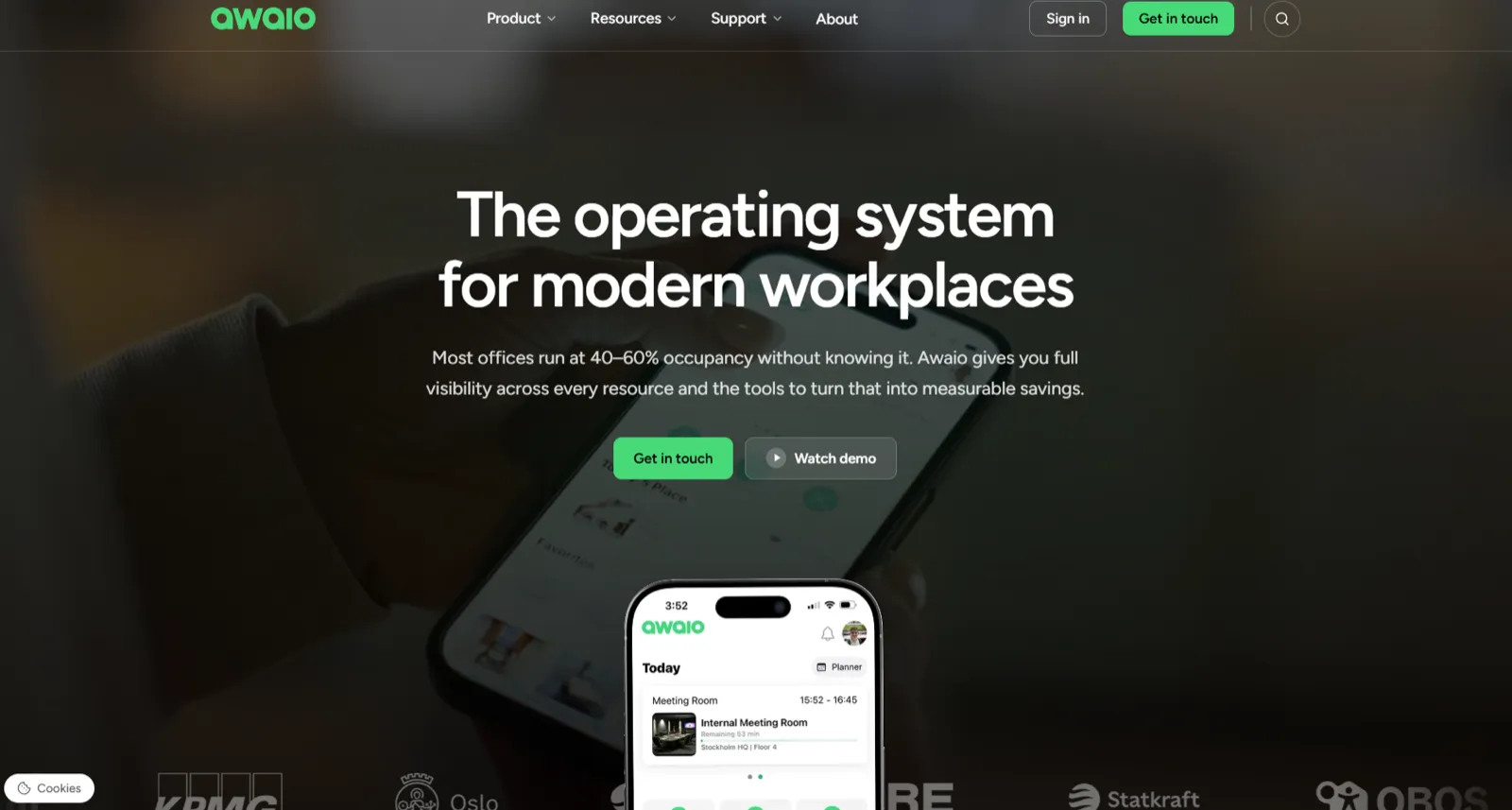
Awaio is a mobile-first platform for managing shared office resources: parking spaces, desks, meeting rooms, lockers, EV charging, and access control. Everything runs through a single interface. Employees can check what's available, book a parking spot, and open the garage barrier from their phone.
What makes Awaio unusual in this category is that there's no hardware involved. The entire system, including barrier and garage door access, runs on QR codes and the app. That matters because most parking tools on this list require sensors, RFID readers, or wired displays before they can go live. With those, you're looking at hardware procurement, IT involvement, and a deployment timeline that stretches into months. Awaio typically goes live in a matter of days.
How It Works in Practice
Getting rid of hardware entirely. DNB Oslo is probably the best example of this. They were running an RFID-based parking system that required ongoing admin support. After switching to Awaio, they removed the RFID infrastructure, eliminated the rush-hour queues that had been building outside the garage each morning, and cut the parking-related admin entirely. Four people in service and support were no longer needed just for parking questions. You can read the full case study here.
Handling hybrid allocation properly. If someone has an assigned spot but is working from home, they can release it so a colleague coming in that day can use it. Admins can set fair-share quotas by employee tier, visitor type, or department, which means the system handles the fairness question on its own rather than defaulting to first-come-first-served. Bookings that aren't confirmed get auto-released before the workday starts, so ghost spots don't accumulate. And because Awaio works from booking data rather than sensors, it can show you who's planning to come in tomorrow, not just who showed up today.
Managing everything from one place. If your office is like most, parking is just one of several shared resources you're managing. Desks, meeting rooms, and lockers usually live in separate tools that don't talk to each other. Awaio puts all of them on one platform with a shared analytics dashboard. Nina Nilsson, Office and Mood Manager at Olink Proteomics, put it simply: once they realised they could get a system that handles meeting rooms, desks, parking, and digital key management in one place, the decision was straightforward.
Cutting down admin time. Awaio customers have reported up to 95% reduction in administrative tasks. That's what happens when booking rules, confirmations, and auto-release all run without someone manually managing them. The day-to-day parking requests that used to land in your inbox just stop coming.
Key Features
- Barrier and garage door access through the app, no physical hardware needed
- Fair-share booking quotas that you can configure by employee tier, visitor type, or management level
- A planned data model that allocates based on who's booked for tomorrow, not who scanned in today
- Parking, desks, rooms, lockers, and access control are all managed from one platform
- A single analytics dashboard covering all resource types
What Awaio Users Say
"From the start, we wanted to move away from key and card management for lockers and storage [and parking spaces], which has traditionally been a burden in terms of flexibility and administration. Once we realized we could get a system that manages everything — from meeting rooms and desks to parking and digital key handling — the choice was clear."
Nina Nilsson, Office and Mood Manager, Olink Proteomics
Pros
- Awaio manages parking, desks, rooms, and lockers from one platform. DNB Oslo runs all of it for 5,000+ employees after replacing an RFID system that needed four support staff.
- Runs without hardware and goes live in days. Olink Proteomics consolidated parking, lockers, and storage with no sensors or RFID readers.
- Employees learn the booking and release flow without a tutorial.

- Awaio uses planned booking data so you can see what tomorrow looks like, not just what happened today.
- Fair-share quotas handle the allocation fairness question automatically.
- The platform charges per resource, not per user. For offices with variable headcount or fast-growing teams, the cost doesn't balloon when a new cohort joins.
- Customers report up to 95% reduction in admin tasks.
Cons
- No visitor management capability.
Pricing
Awaio prices each module separately, which means you only pay for the resources you actually manage.
| Plan | Price | What's Included |
|---|---|---|
| Smart parking | €69/month | Book, assign, and track parking spaces, EV chargers, pool cars, and shuttle seats; smartphone garage access; Microsoft 365 & Google Workspace integration |
| Office maps | €190 (one-off, per location) | Digital office map, wayfinding, setup from PDF or DWG file |
| QR signs (optional) | €39 per sign | Physical aluminum QR sign, no cabling required |
| Bluetooth locks for lockers and storage | €99 per lock (one-off) | Retrofit Bluetooth lock, mobile unlock via app, digital key sharing, no IoT wiring required |
| Room booking | €10.90/month | Unlimited users, all room types, Microsoft 365 & Google Workspace integration |
| Desk management | €69/month | Hot desks, hybrid scheduling, team zones, real-time map view, utilization analytics, Microsoft 365 & Google Workspace integration |
A 200-person office activating parking, desks, rooms, and a few locks ends up with a predictable monthly subscription and a one-off hardware spend in the low hundreds, since there's no garage hardware to install. Book a demo for a quote that includes your exact module mix and location count.
Verdict: Awaio is the strongest option here for hybrid teams that need parking running quickly and don't want to deal with a hardware installation. If you're also managing desks, rooms, or lockers across separate tools, the consolidation benefit is significant because no other platform on this list covers all of those at the same depth.
2. Parkable: Best for Multi-Site and Tenant Parking With Revenue Sharing
Best for: Organisations managing parking across multiple locations, or landlords handling tenant parking.
G2 rating: 4.9/5 | Pricing: Not published on parkable.com
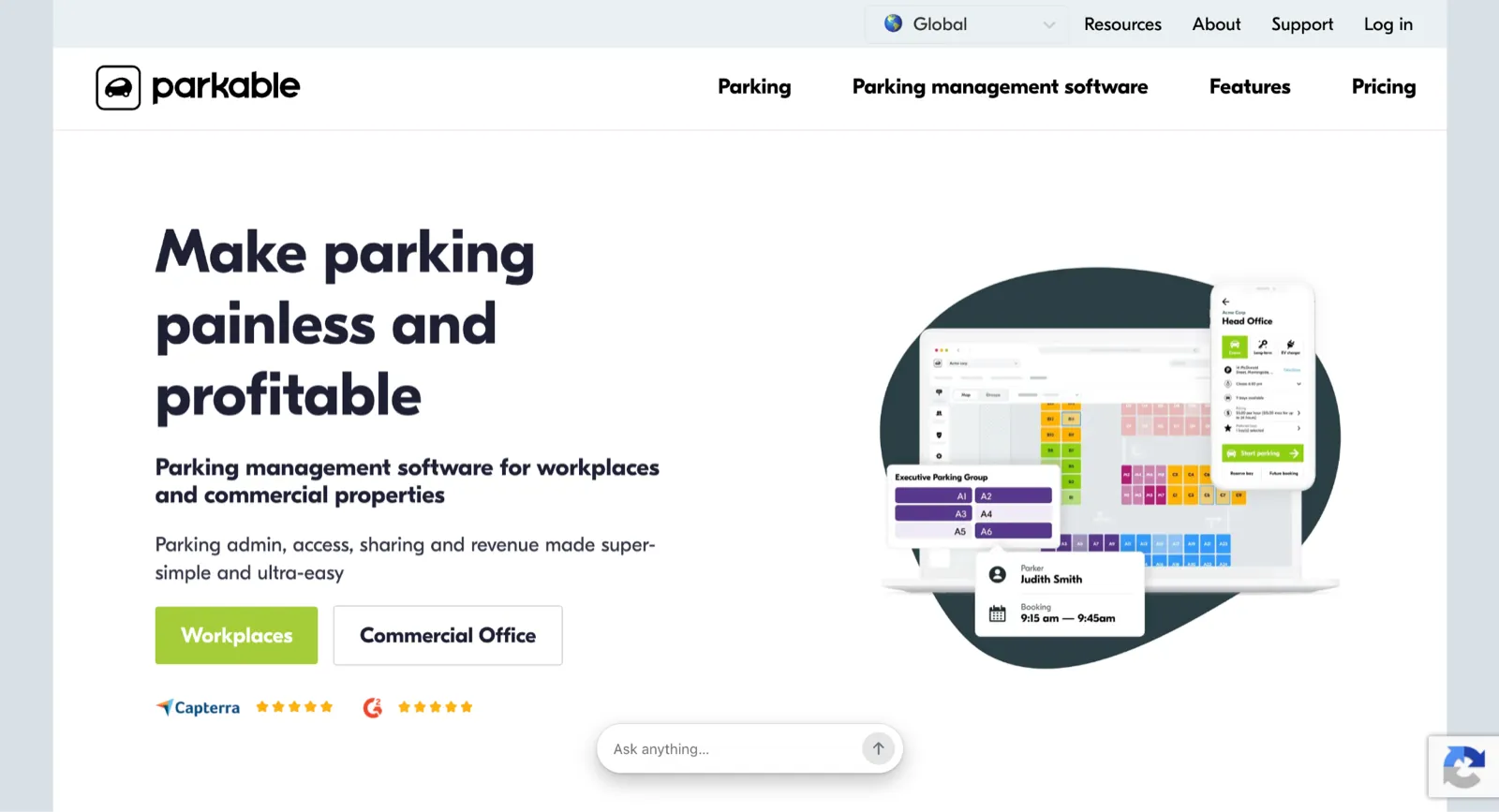
If you only manage parking at a single office, Parkable probably isn't for you. It's built for situations where you've got multiple buildings, shared garages with tenants, and parking capacity going unused at one site while another is overbooked.
The part that sets Parkable apart is the revenue-sharing model. When spots go unused, the platform can automatically redistribute them to tenants or monetise them. You don't have to manually track who's using what or move allocations around yourself. According to Parkable, around 93% of parking tasks are handled automatically through the platform.
How Allocation Works Across Sites
Parkable uses what they call a fair-chance allocation algorithm, which distributes spots equitably across users rather than giving them to whoever books first. In a multi-tenant building where different companies are sharing the same garage, that kind of structural fairness matters more than it would in a single-office setup.
One thing to check before you get too far into an evaluation: Parkable supports both software-only and sensor/RFID deployments, and the hardware requirements can vary from site to site. If running without hardware is important to you, confirm what's needed at each location before committing.
If you're managing a single hybrid office with one garage, Parkable's multi-site and tenant features are more than you need. But if you're dealing with multiple locations or shared parking across tenants, there are very few tools built for that specific problem.
Key Features
- A fair-chance allocation algorithm that distributes spots equitably across users
- Automated revenue-sharing for underutilised spots, with no manual redistribution
- Multi-site and multi-tenant management from a single platform
- A visitor parking module
- Free trial available
Pros
- Employees release a spot to the shared pool the moment they know they're out, and someone else claims it within minutes.

- Supports paid tenant and visitor parking with card payment, so some customers earn revenue from previously unused spots.
- Driver-focused app that new employees pick up without training.
- Reviewers on G2 and Capterra single out the hands-on support.

Cons
- Bay issue alerts go to Parkable first, not the on-site admin, creating a blind spot.

- Parking-only, so desks, rooms, and visitor sign-in still need separate tools.
- No published pricing, so budget on a one-to-two-week quoting cycle.
Pricing
Parkable doesn't publish its full pricing on parkable.com. Plan for a sales conversation and a one-to-two-week quoting window.
Verdict: Parkable makes the most sense for organisations dealing with parking across multiple sites or shared tenant buildings, especially if monetising unused spots is part of the picture. For a single hybrid office, it's probably more than you need.
3. Wayleadr: Best for Enterprise Arrival Management With AI-Driven Allocation
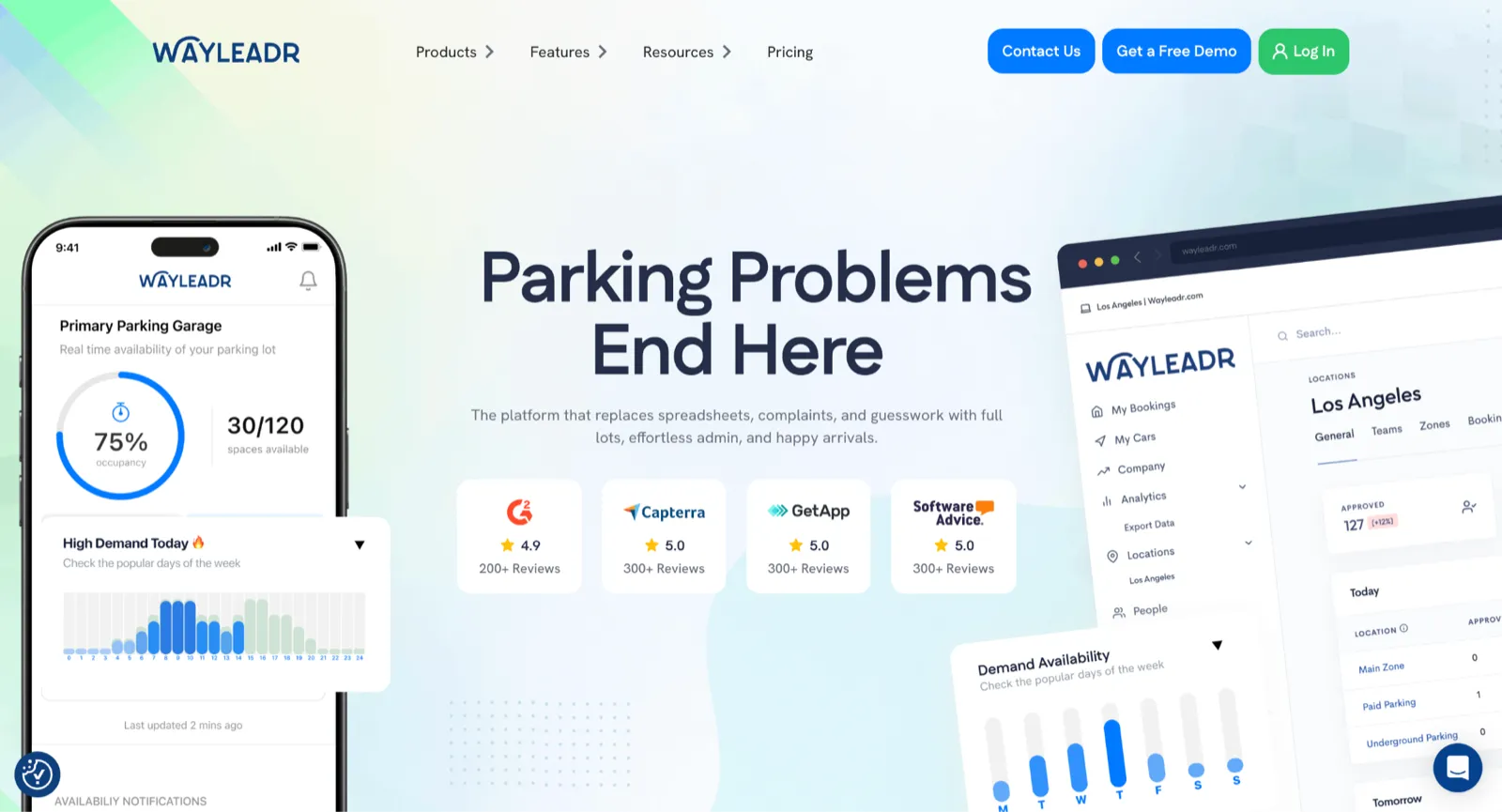
Best for: Large enterprises (500+ employees) with complex multi-site parking and commute management needs.
G2 rating: 4.9/5 | Pricing: Custom only; no published figures, no free trial
Wayleadr describes itself as an arrival platform, which is a broader framing than most parking tools. It combines parking allocation with commute planning and in-app navigation, so the parking piece is just one part of a wider system that manages how employees get to work. Their customer list includes OpenAI, Uber, and Sanofi.
Instead of employees reserving spots themselves, the system learns from historical attendance data and predicts who needs parking on any given day. It then auto-assigns spaces based on those patterns. Over time, the predictions get more accurate, which reduces both wasted spots and the admin work of managing allocation manually.
For large organisations managing thousands of daily commutes, the arrival platform framing adds value beyond just parking. Employees get their parking assignment, directions, and building navigation in one flow, which is a meaningfully different experience from logging into a separate booking tool.
Wayleadr also reports up to 22% carbon footprint reduction for customers, which is relevant if your organisation has ESG or sustainability reporting requirements.
On the practical side, there are a few things to know. There's no free trial. Getting a quote means going through a sales process that typically takes one to two weeks. And for most hybrid offices with fewer than 500 employees, the platform's scope is broader than what the situation calls for.
Key Features
- An AI allocation engine that learns from historical attendance and auto-assigns spaces
- Commute planning and in-app navigation integrated with the parking experience
- EV charging management
- Enterprise SSO and access control integration
- Carbon footprint tracking, with customers reporting up to 22% reduction
Pros
- Users say Wayleadr cuts parking admin by hours per week.

- Bundles commute planning, carpooling, and EV charging with parking, which suits sustainability programmes.
- Fast for an enterprise tool: 500+ employee companies report going live in under a month.
Cons
- Allocation can feel unfair. Reviewers say the priority logic isn't transparent enough for employees to trust.

- EV charging is thinner than the parking logic, so charger-heavy sites may hit gaps.
- No native SMS or Slack. Notifications run through email and the app.
- Setup cost runs steep for smaller budgets.

Pricing
Wayleadr doesn't publish pricing. You'll need to go through a sales conversation to get a quote, and that process typically takes one to two weeks from first contact. If your evaluation has a hard deadline, start that conversation early.
Verdict: Wayleadr is built for large enterprises managing complex, multi-site parking and commute logistics. If your office has fewer than 500 employees, it's likely more platform than you need.
4. Tidaro: Best for Transparent Pricing and Fast SMB Deployment
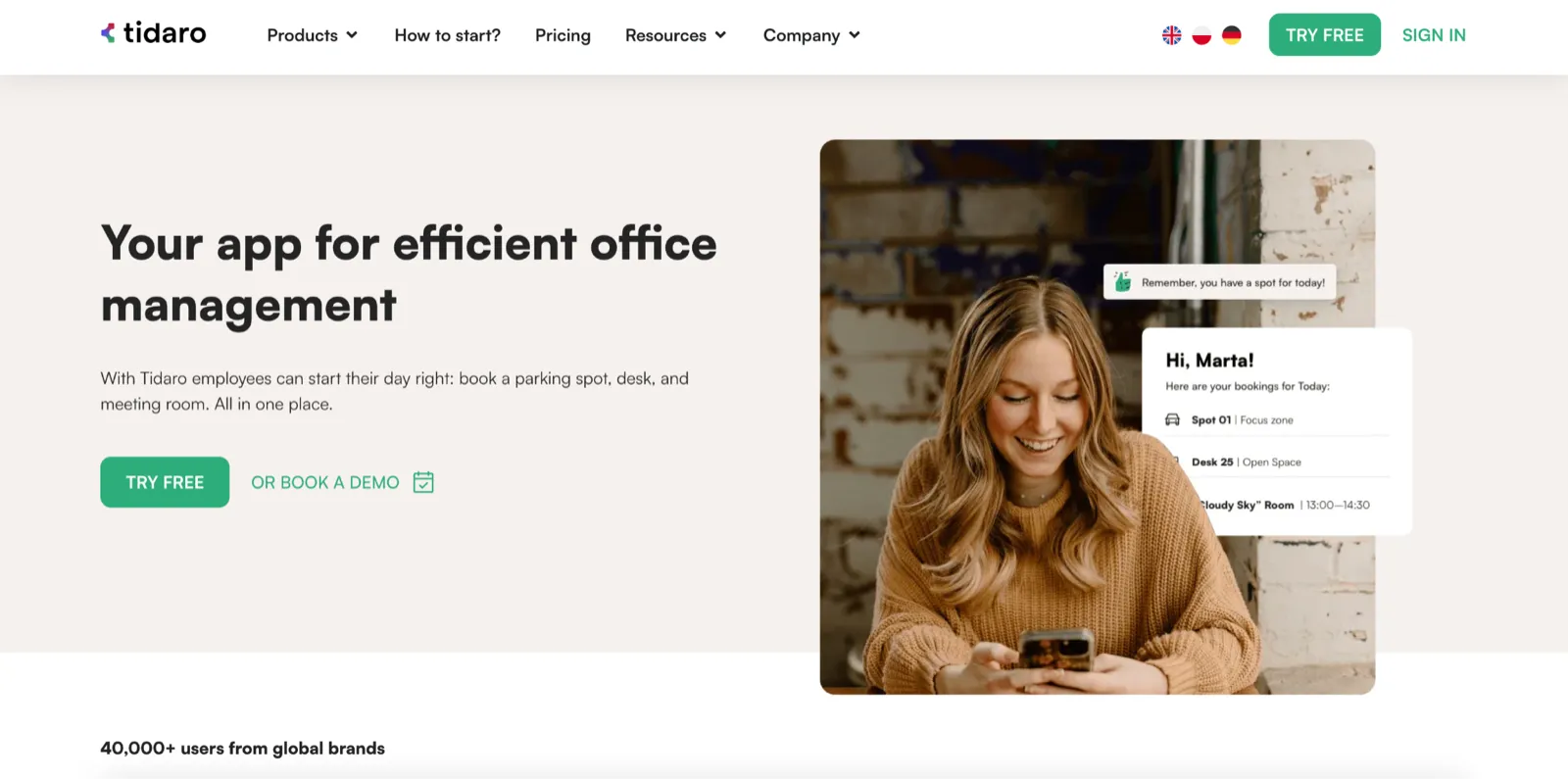
Best for: Small to mid-sized teams (up to 50 employees) looking for a straightforward booking tool with published pricing.
G2 rating: 4.8/5 | Pricing: From €109/month (parking-only Basic plan)
Tidaro handles desk, room, and parking booking for smaller workplace teams. It covers the core features you'd expect: reservations, allocation, spot-sharing, interactive lot maps, and hourly or full-day booking options.
What actually differentiates Tidaro is that pricing is on the website. You can open the pricing page, see the numbers, calculate the cost for your team, and make a decision without waiting for a sales rep to get back to you.
Tidaro covers desk, room, and parking in a single app, which is useful for smaller teams that need all three but don't want to manage a separate tool for each. Onboarding is self-service and doesn't require an IT project to get started.
One thing to be aware of: the admin functionality on the mobile app is more limited than the web version. If you typically manage things from your phone between meetings, you'll find you need the web interface for anything beyond basic tasks. It's not a reason to rule Tidaro out, but it's worth knowing before you sign up.
Tidaro has fewer integrations than the enterprise-tier tools on this list and isn't designed for multi-site management. For a smaller team with straightforward needs though, those gaps may not matter.
Key Features
- Published per-user pricing that you can evaluate without a sales call
- Desk, room, and parking booking managed in a single app
- Waitlists and spot-sharing
- Interactive lot maps
- Hourly or full-day booking options
Pros
- Pricing published on the website, so you can size the cost before booking a demo.
- The booking UI is simple enough to use without a tutorial.

- Real-time visibility into who's parked where, which cuts the "is this spot free?" messages.

- Free trial, so you can test it before committing.
Cons
- Mobile admin is thinner than desktop, so phone approvals often wait for the browser.
- Focused on parking and desks. Rooms, visitors, and lockers aren't in the core platform.
- Key hybrid features (waitlists, auto-release, hourly booking, no-show reports) sit on the €179/month Advanced plan.
Pricing
| Plan | Price (Parking only) | Price (Parking and Desks) | Room |
|---|---|---|---|
| Basic | €59/month | €109/month | €15/month per room |
| Standard | €89/month | €139/month | €15/month per room |
| Advanced | €119/month | €179/month | €15/month per room |
Tidaro publishes pricing in 50-user packages. There's a 14-day free trial, no setup fees, and a 10% discount for annual billing. Volume discounts kick in for larger user counts.
Verdict: Tidaro is a solid choice for SMB teams that want a dedicated parking and desk booking tool where they can see the cost upfront and get started without a sales process.
5. Ronspot: Best for Fairness-First Allocation With Native Microsoft Teams Integration

Best for: Mid-sized hybrid offices that want equitable parking allocation, managed inside Microsoft Teams.
G2 rating: 4.5/5 | Pricing: Custom only; priced per space (with a minimum of 20 spaces)
Ronspot handles desk and parking booking differently from most tools on this list. Instead of a standard first-come, first-served booking system, Ronspot uses a Parking Credits model. Every employee gets a credit budget. Using parking costs credits. If you park frequently, your balance goes down faster. If you rarely come in, credits accumulate, and you can use them on the days you do need a spot. The idea is that allocation balances itself over time without anyone having to manage it manually.
There's a feature called Colleague Finder that lets employees see who else is planning to come in before they book. For teams trying to coordinate hybrid days so people aren't coming into an empty office, that visibility is genuinely useful, and none of the other tools on this list offer it.
Ronspot also integrates natively with Microsoft Teams. Desk, room, and parking bookings all happen inside Teams without a separate app or login. If your organisation is already running on Microsoft 365, that integration removes friction in a way that standalone tools can't match. If you're not in the Microsoft ecosystem, this advantage doesn't apply.
For no-shows, Ronspot uses Wi-Fi check-in. If an employee has a booking but doesn't connect to the office Wi-Fi, the system detects that they haven't arrived and releases the spot automatically.
Key Features
- A Parking Credits system that distributes access fairly over time without manual admin
- Colleague Finder, which shows who else is planning to come in before you book
- Native Microsoft Teams integration for desk, room, and parking bookings
- Wi-Fi check-in that automatically detects no-shows and releases their spots
Pros
- Parking Credits is the strongest fairness model here: each employee gets a credit budget that draws down with use.
- Fast setup. Reviewers report going live within a week, including admin training.
- Colleague Finder shows who else is coming in before you book, and interactive maps let employees grab a spot straight off the lot view.

- Wi-Fi check-in releases the spot automatically when an employee doesn't show up within the booking window.

Cons
- Some users report occasional bugs when new features ship.

- Most of the integration depth is Microsoft-specific, so Google Workspace and Slack-first teams lose the edge.
Pricing
Ronspot uses custom pricing on a per-space basis (you only pay for spaces that are bookable in the system). Minimum 20 spaces. A one-off setup fee applies, billing is annual only, and there's a 7-day free trial. Pricing is not published, so expect to engage the sales team for a custom quote.
Verdict: Ronspot is the strongest option for hybrid offices where the fairness of parking allocation matters as much as the mechanics of it, and where employees already live inside Microsoft Teams. The Credits system and Colleague Finder do things that other tools on this list don't attempt.
6. Sharvy: Best for Multiple Space Types and EU Compliance

Best for: EU-based organisations managing diverse parking types, or those with GDPR and data residency requirements.
Capterra rating: 4.9/5 | Pricing: Free LITE tier (5 spaces); FLEX €2–€4.20/space/mo; Enterprise per-user (custom)
Sharvy is a French-origin workplace parking platform, and the thing that stands out immediately is how many types of parking it supports. Most tools on this list manage standard car parking. Sharvy handles cars, bicycles, motorbikes, EV charging, PRM (disabled access) spaces, and carpooling, all within one system. If your office has bike racks, EV chargers, and accessible spaces alongside the regular garage, you can manage all of them from the same platform.
For organisations with sustainability commitments or mobility policies that encourage cycling, carpooling, or electric vehicles, managing those space types in a standard car-parking tool either means workarounds or separate systems. Sharvy covers them natively.
The platform is built for the European market. It supports French, German, Spanish, and English, and the hosting is GDPR-compliant. For teams where data residency is a hard requirement, that's a meaningful consideration.
One thing to check: Sharvy offers licence plate recognition as an access control option in some configurations. That means, depending on how you set it up, hardware may be involved. If you specifically need a hardware-free deployment, confirm the configuration before going further.
Sharvy is less well-known outside of EU markets, and English-language support documentation may be thinner than what you'd get from a larger platform. Worth checking if that matters for your team.
Key Features
- Manages car, bicycle, motorbike, EV, PRM, and carpooling spaces in one system
- Multi-language interface covering French, German, Spanish, and English
- GDPR-compliant EU data hosting
- Licence plate recognition available as an access control option (hardware required in some configurations)
- Free trial available
Pros
- Handles the widest range of space types here: cars, bikes, motorbikes, EV, PRM (accessible), and carpool, all in one system.
- GDPR-compliant EU hosting is built in, which clears data-residency checks early in procurement.
- Native French, German, Spanish, and English support for multi-country offices.
Cons
- Licence plate recognition pulls in hardware in some configurations.
- Less established outside the EU, so US and APAC docs and integrations can be lighter.
- The multi-resource edge is wasted on a single-garage office with no bikes or EV chargers.
Pricing
| Plan | Price | What's Included |
|---|---|---|
| LITE | Free | Up to 5 parking spaces, 5 workstations, 2 other resources. Unlimited users. |
| FLEX | €2–€4.20/space/month (excluding VAT) | Unlimited resources. Price varies by volume and resource type. Billed monthly or annually. |
| ENTERPRISE | Custom (per user) | For organisations managing multiple resource types at scale. Custom-quoted. |
Add-ons like HRIS integration, access control, EV charging management, and SSO are charged separately on top of every plan.
Verdict: Sharvy makes the most sense for EU-based organisations that need to manage more than just car parking. If your office includes bike racks, EV chargers, accessible spaces, and carpool spots, Sharvy is the only tool on this list that handles all of those natively.
7. Deskbird: Best for EU-Compliant Teams Already Using Deskbird for Desk Management

Best for: European mid-size and enterprise teams with strict data residency requirements.
G2 rating: 4.5/5 | Pricing: From $3.75 per active user/month
Most organisations end up on Deskbird for its compliance module, not its parking features.
Deskbird is Switzerland-based, EU-hosted, GDPR-compliant, and ISO 27001 certified. In regulated industries like finance, healthcare, and the public sector, those credentials tend to narrow the shortlist before feature comparisons even begin. If your procurement team needs to check a compliance box before evaluating anything else, Deskbird checks it.
Parking is included as part of the wider workspace booking flow, but it's not the depth product here. Desk booking is. The parking module lets employees reserve a spot alongside their desk, which works well enough for offices where parking is a secondary concern. But if parking allocation is your primary problem, the depth isn't comparable to dedicated tools like Awaio, Parkable, or Ronspot.
The hybrid week planning feature shows employees who else is expected in the office when they're planning their schedule. The UX is clean and gets positive feedback consistently in reviews. And at $3.75 per active user per month for the Business plan, Deskbird's pricing is straightforward for hybrid teams looking for parking and desk management.
Key Features
- EU data hosting, GDPR compliance, and ISO 27001 certification
- Desk, room, and parking booking within one platform
- Hybrid week planning that shows who else is coming in before you book
- Automatic check-ins and no-show handling
- A free starter tier for smaller teams
Pros
- Planning a hybrid week takes a couple of minutes in the booking flow.

- Strongest compliance posture on this list. EU data hosting, GDPR compliance, ISO 27001 certification, and Swiss base clear regulated-industry procurement fast.
- Pricing starts at $3.75/active user/month, and the tiers are visible on the website before you commit to a demo.
Cons
- Parking is a secondary module, so allocation depth trails dedicated tools.
- Weak mobile app. Reviewers can't see who's in or what's booked, with no temporary desktop view.

Pricing
Business plan is approximately $3.75 per active user per month. Professional and Enterprise pricing plans are custom and will require contact with the sales team.
Verdict: Deskbird is the right fit for European organisations where data residency and compliance certifications are non-negotiable, and where parking is a secondary need rather than the primary problem. If parking allocation is your main issue, the parking module here won't go deep enough.
8. YAROOMS: Best for Microsoft-First Enterprises Booking Desks and Parking in One Action
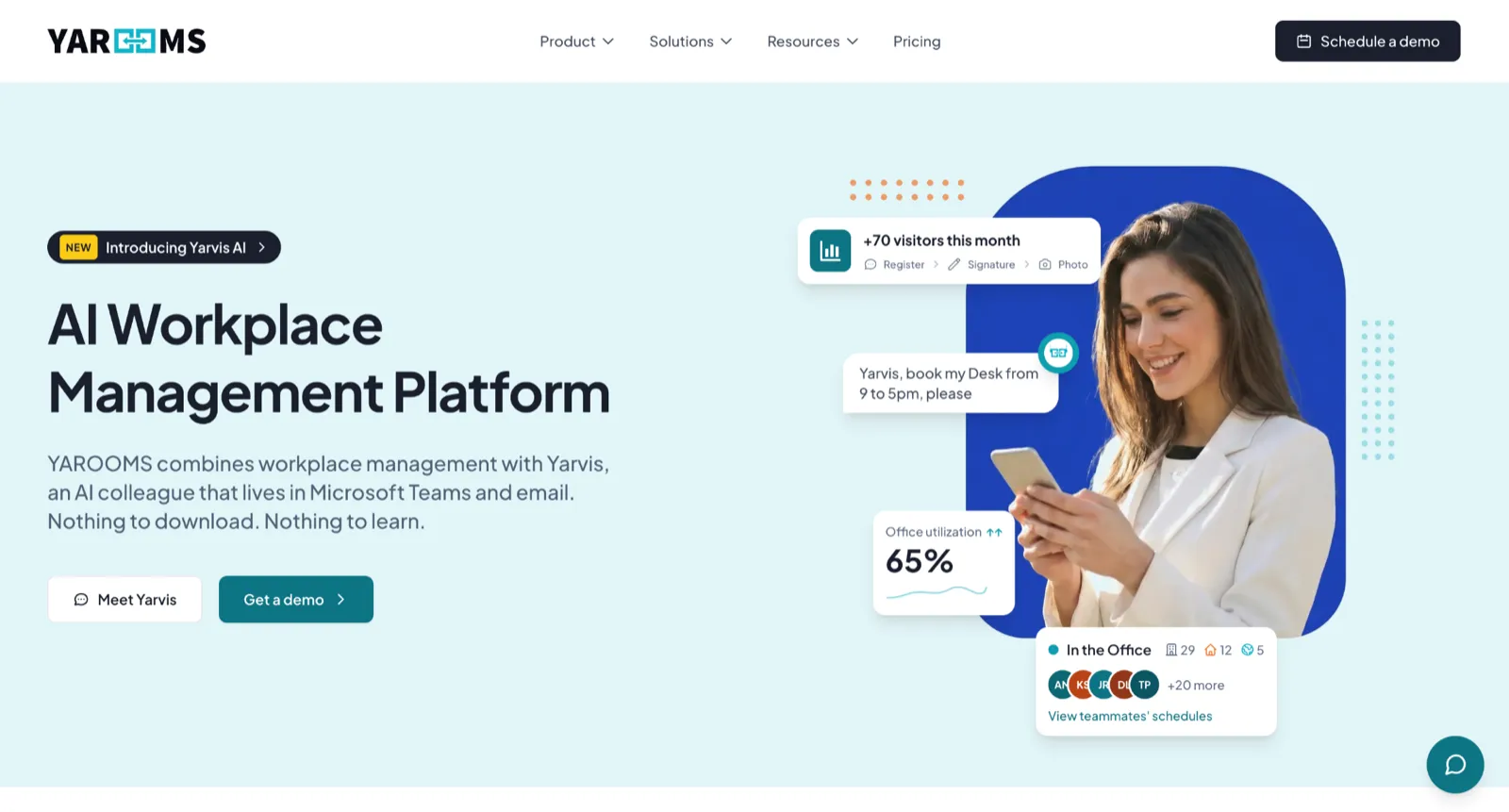
Best for: Microsoft 365-heavy enterprises wanting workplace management embedded in Outlook and Teams.
G2 rating: 4.3/5 | Pricing: Parking only on Enterprise plan, from $899/month (300 users)
YAROOMS is an enterprise workplace platform that's deeply integrated with Microsoft 365. The feature that gets the most attention is the single-action booking flow: when an employee books a desk, they can add a parking spot in the same step, in the same interface, without switching to a different tool. It also supports white-labelling, which means enterprises can customise it to look like an internal system.
The employee opens the flow, picks their desk, and parking is confirmed in the same step. For someone planning their office day on a Sunday evening, not having to open a second app and go through a second process is a real reduction in friction.
The white-labelling capability is relevant for larger organisations with IT governance policies or branding requirements. Some enterprise customers have customised YAROOMS to the point where it looks and feels like something built in-house, which helps with adoption in environments where adding external tools gets pushback.
Before you commit, it's worth understanding the pricing. YAROOMS has three tiers (Starter, Business, Enterprise), but parking is locked to the Enterprise plan which starts at $899 for a team of 300 users. If you're a smaller team, the cost and parking depth in YAROOMS might not be the best option.
Key Features
- A single-action booking flow where employees reserve a desk and parking spot together
- Deep integration with Microsoft 365, Outlook, Teams, and Azure AD
- White-labelling and enterprise-level configurability
- Visitor management
- Azure AD and enterprise SSO
Pros
- Employees pick their desk and parking spot in one step, inside Teams or Outlook.
- The Microsoft 365 integration (Calendar invites, Teams notifications, Outlook bookings, and Azure AD SSO) all flow through without manual reconciliation.
- White-labelling lets enterprises deploy YAROOMS as a branded internal tool.
- Visitor management is built into the same platform. For Enterprise customers managing parking, desks, rooms, and visitors, that's one tool covering four use cases.

Cons
- Parking is Enterprise-only, from $899/month for 300 users. The cheaper Starter and Business tiers don't include it.
- The 300-user Enterprise minimum prices out smaller 50 to 200-person offices.
- Some reviewers flag a poor in-app experience.

Pricing
Starter and Business plans don't include parking. Parking is locked to the Enterprise plan, which starts at $899/month for 300 users and can accommodate teams of 1000+ with additional costs.
Verdict: YAROOMS makes sense for Microsoft-first enterprises with 300+ users that want desk and parking booking handled together inside Teams and Outlook.
9. Parkalot: Best for Small Teams Replacing Spreadsheets With a Self-Service Booker
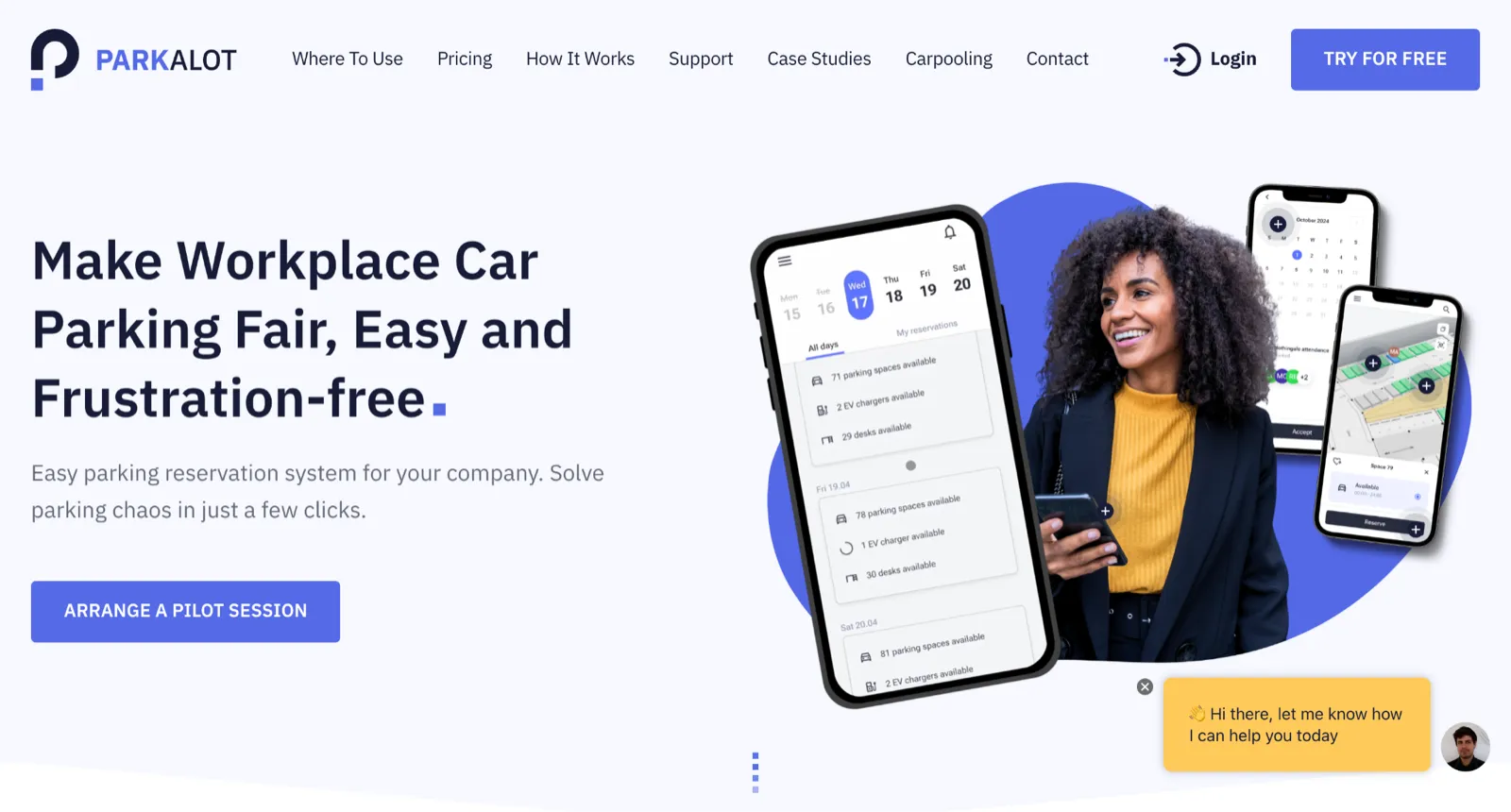
Best for: Small offices with straightforward parking needs and tight budgets.
G2 rating: 4.6/5 | Pricing: From $49/month (up to 15 spaces, 50 users)
Not every office needs allocation rules, platform breadth, or an enterprise rollout. Some teams just need something that works better than the spreadsheet they set up two weeks ago.
Parkalot is built for that. Employees open the app, see what's available, and book a spot. Admins set up the spaces, configure basic rules, and that's about it. There's no IT project involved, no hardware to install, and no onboarding programme to run.
Starting at $49/month for up to 50 users, it's the cheapest option on this list. For a small office where parking management is currently one person's side responsibility, spending less than $1 per user per month to remove that responsibility is an easy justification.
The limits are clear though. There's no desk or room integration, the allocation rules are basic, and it's designed for a single site. If your situation involves multiple buildings, complex hybrid patterns, or the need to manage other resources alongside parking, you'll outgrow Parkalot quickly. For a straightforward single-garage setup though, it does what it says.
Key Features
- Mobile-first parking reservation where employees book their own spots
- Real-time space availability
- Basic admin controls and space configuration
- Quick to set up with no hardware and no IT involvement
Pros
- At $49 per month for the entry tier, Parkalot costs less than $1 per user per month for a 50-person office.
- The self-service booking flow lets employees claim and release spots without involving the admin.
- Customer support is responsive enough that several reviewers name it as a reason to stay rather than upgrade to a more expensive platform.
- Seamless setup means teams can have a working booking system in place upon sign-up.

Cons
- The platform is parking-only and built for a single site. Teams that need more than parking can outgrow Parkalot quickly.
- Reviewers describe the mobile experience as functional but dated.

Pricing
Parkalot publishes three pricing tiers. Small Business is $49/month for up to 15 spaces and 50 users. Medium Business is $99/month for up to 40 spaces with unlimited users and admins. Large Business is $199/month for up to 100 spaces with unlimited users and priority support. Enterprise is custom-quoted for multi-site deployments. There's a 30-day free trial across all tiers.
Verdict: Parkalot is the simplest upgrade from a spreadsheet on this list. It works well for small offices with straightforward parking needs. For anything more complex than that, you'll want something with more depth.
10. Mapiq: Best for Large Enterprises Already Running on Microsoft 365

Best for: Multi-location enterprises with at least 250 employees per site that want desk, room, and parking booking inside Teams and Outlook.
G2 rating: 4.2/5 | Pricing: On request
Mapiq is a full workplace management platform. Employees book desks, meeting rooms, parking spots, and visitor passes from one app, and the same platform handles space analytics for workplace strategists. The AI assistant learns booking patterns over time and suggests where someone should sit or park next week based on their preferences and which colleagues will be in.
Parking sits inside the Workplace Experience module at no extra cost. You can set up parking lots tied to specific buildings, mark EV charging stations as their own zones with capacity limits, and track reservations in real time. Mapiq's API also lets you connect existing access control or wi-fi systems so parking gates open automatically when an employee with a valid booking arrives.
The platform is hardware-agnostic. Sensors aren't required to use it, but if your offices already have occupancy sensors installed (or you want to add them later), Mapiq integrates with most major brands without locking you into one vendor.
Per Mapiq's product page, the app rolls out in just a few days, with plug-and-play setup for calendars and other systems.
The catch is the customer profile. Mapiq's pricing page states the platform is designed for organisations managing multiple office locations with at least 250 employees per location. If you're a single-site office of 50 to 200 people, Mapiq isn't built for your tier.
Key Features
- Desk, room, parking, and visitor booking from one app, with a Microsoft Teams app and Outlook plugin
- AI-powered suggestions that learn from team booking patterns and propose desks, rooms, or parking for the week ahead
- EV charging zones with separate capacity limits
- Hardware-agnostic sensor integration for organisations that want occupancy data layered on top
- Weekly planner showing which colleagues are coming in and when
- 3D interactive office maps for wayfinding
- API for connecting access control, wi-fi, and existing parking management systems
Pros
- Parking is included in the Workplace Experience module at no additional cost.
- Deploy without sensors and add them later if you want, meaning parking can be live in days.
- Full-featured Microsoft Teams app and Outlook plugin, so employees can book with tools they already use.
- Multi-location deployments are well-supported.
- Implementation engineers and dedicated customer success managers keep rollouts smooth.

Cons
- Built for 250+ employees per location, so smaller offices aren't the intended buyer.
- Parking is one module in a broader platform, so parking-only buyers pay for more than they need.
Pricing
Mapiq doesn't publish pricing. A demo is required for a quote that reflects your specific configuration.
Verdict: Mapiq makes sense for multi-location enterprises with 250+ employees per site that want one platform covering desks, rooms, parking, and visitors inside Microsoft 365. For smaller offices, single-site deployments, or parking-only buyers, the platform's enterprise focus and module pricing make it the wrong starting point.
How to Choose the Right Parking Management Software
With ten tools on this list covering different situations, the most useful place to start is getting clear on what's actually broken in your current setup.
Here's how I'd approach it:
Figure out the root cause. Is the problem manual admin, unfair allocation, hardware cost, too many tools, or just not being able to find out what something costs without a phone call? These are different problems, and different tools solve them. If you skip this step you'll probably end up fixing the wrong thing.
Decide on the hardware question early. Do you have existing RFID or sensor infrastructure that you want to keep using, or would you rather start clean without an installation project? This one question eliminates about half the tools on this list. Mapiq and sensor-based setups need hardware. Awaio, Tidaro, Ronspot, and Parkalot don't.
Be realistic about your team size and complexity. For small teams with one garage and a clear scope, Tidaro, Parkalot, and Ronspot get you running quickly. If you're managing parking alongside desks, rooms, or lockers and need it running fast, Awaio covers all of those without hardware. Wayleadr is built around parking and commute planning at 500+ employees. YAROOMS only includes parking on its Enterprise plan (300-user minimum), so it fits Microsoft-first enterprises at that scale.
Do the cost calculation properly. Per-user models scale with every new hire, even people who barely come in. Per-resource pricing holds steady regardless of how many employees are using it, which usually wins out over a year. And if a tool requires a sales conversation for pricing, add one to two weeks to your evaluation timeline.
Try it before you sign anything. Most tools on this list offer a free trial or at least a demo. Go through the booking flow as both an admin and an employee. You'll spot the friction points before they become a contract problem.
Frequently Asked Questions
Do I need hardware for workplace parking management to work?
Not always. Tools like Awaio handle everything through QR codes and a mobile app, including barrier and garage door access. Sensor-based tools like Mapiq take a different approach and do need physical infrastructure in the building. Which one fits your situation depends on whether you already have hardware installed and how quickly you need the system running. A hardware-free setup can go live in days, while sensor-based deployment typically takes months.
How does parking management software integrate with existing access control?
Most software-first tools connect to existing barriers and access control systems through an API or app-based triggers. Awaio, for example, opens garage doors through the app without requiring changes to the barrier hardware that's already there. RFID-based tools need existing readers in place, or new hardware if you don't have them. Before shortlisting, check whether the tool works with what's already in your building.
Can one platform handle parking, desks, and rooms, and is consolidation worth it?
For most hybrid offices managing more than one type of shared resource, yes. Running parking, desks, rooms, and lockers on separate tools creates fragmented data, duplicated admin work, and gaps that someone ends up patching manually. A platform that handles all of them from one interface removes that overhead. The more separate tools you're currently holding together, the more the consolidation pays off.
How do we prevent ghost bookings?
You need two things: a confirmation window before the booking starts, and an auto-release rule that frees the spot if the person doesn't confirm in time. Without both of those, a no-show keeps the spot blocked for the entire reservation period while someone else can't find a space. Most tools on this list support ghost booking prevention, but the configuration options vary. Check how granular the confirmation and release settings are before making a decision.
Can employees share their assigned spot when they're working remotely?
With the right tool, yes. Awaio's dynamic sharing model lets employees with assigned spots make them available to colleagues on days they're not coming in. That's how a pool of 40 assigned spots can serve 100 employees with different hybrid schedules, without anyone having to coordinate it manually. Not every tool on this list supports this, so check the allocation settings before assuming the feature is included.
Which Parking Management Software Is Right for You?
If you manage a hybrid office and parking is just one of several shared resources you're trying to consolidate, Awaio is the strongest option on this list. It's the only tool here that covers parking, desks, rooms, lockers, and access control from one platform, without any hardware installation. If that sounds like the problem you're trying to solve, book a demo here.
If your team is smaller and you need something with published pricing you can evaluate without a sales call, Tidaro is worth a look. It covers parking and desk booking from €109/month for up to 50 users, with a 14-day free trial.
And if budget is the primary constraint and you just need something better than a spreadsheet, Parkalot starts at $49/month for up to 50 users and gets you up and running quickly.