Here are 7 cost-effective Skedda alternatives that provide all the features you need to manage your workspace efficiently.
Skedda prices by the space: every desk, room, locker, and parking spot you add counts toward your plan limit. For a lot of growing offices, that's exactly the problem. Costs climb as you add resources, and the features you need to actually run the place — detailed utilization data, check-in confirmations, SSO — only unlock on the pricier Plus and Premier tiers. Even visitor management is a $99/month add-on.
So if you're looking for an alternative, you're likely after one of three things: pricing that scales with how you use your space, essentials included instead of gated, or a single platform that handles more than just desks and rooms.
We put seven workplace management tools up against Skedda on exactly those terms — features, pricing, and how each behaves as you grow. Here's how they compare.
| Tool | Best for |
|---|---|
| Awaio | Managing a variety of shared resources in a hybrid workplace |
| Whatspot | Small offices that want per-spot pricing, not per-user |
| Kadence.co | Coordinating teams and finding where colleagues sit |
| Deskbird | Microsoft 365– and Google-centric hybrid teams |
| Deskly | Small teams that want a free tier |
| Tactic | Per-workspace pricing with visitor management built in at Pro |
| Condeco (now Eptura Engage) | Large enterprises needing advanced visitor security |
When selecting, we first considered how effectively they provide the essential features you'd expect from workplace management software.
Next, we reviewed their pricing model to assess how well they deliver value for money as you scale or change your office layout. Finally, we considered why individuals like you might be searching for a Skedda alternative.
Let's break it down:
Why Do Offices Search for Skedda Alternatives?
There's no denying that Skedda excels as a booking management software for rooms and desks. However, admins looking for alternatives often find that its pricing doesn't really accommodate offices with changing needs.
These are the key challenges users face with Skedda:
Its per-space pricing climbs as you grow. Every desk, room, locker, and parking spot counts as a "space," and each plan includes a fixed number — 15 on Starter ($99/mo), 20 on Plus ($149/mo), 25 on Premier ($199/mo). Add more resources and you're pushed into the next tier, paying for features you may not need just to unlock more space.
Essential features are restricted to higher tiers. Check-in confirmations, booking rules, and detailed utilization dashboards — the features you need to actually run a workspace — only unlock on Plus and Premier. Without them, it's harder to prevent scheduling conflicts or understand how employees use office resources.
These drawbacks are enough to search for and try alternatives to Skedda. Check out the table below summarizing the top Skedda alternatives we'll explore.
Comparison: The Top 7 Cost-effective Skedda Alternatives
| Feature | Skedda (baseline) | Awaio | Whatspot | Kadence.co | Deskbird | Deskly | Tactic | Condeco* |
|---|---|---|---|---|---|---|---|---|
| Starting price | $99/mo (Starter, 15 spaces, priced per space) | €10.90/room/mo, unlimited users | Free (3 spots); ~€19.50/mo | Quote-only (active-user billing) | $3.75/user/mo | €1.65/user/mo | $3/workspace/mo | Custom quote |
| Pricing model | Per space | Per resource module | Per spot | Per active user (quote-only) | Per user | Per user | Per workspace (Core/Pro) | Custom |
| Hardware required | None (optional tablet displays) | None (optional QR signs) | None (QR codes) | None | None | None | None | Yes |
| Visitor management | $99/mo add-on (all plans) | ❌ | ❌ | ✅ (in Standard) | Paid add-on | Guest booking (Enterprise) | In Pro ($4/workspace) | ✅ (advanced) |
| Detailed analytics | Limited on Starter; full on Plus ($149) & Premier ($199) | ✅ all modules | ❌ | ✅ | ✅ | ✅ | ✅ | ✅ |
| Check-in | Plus & Premier only | ✅ | Ultimate only | ✅ | ✅ | ✅ | ✅ | ✅ |
| SSO | Premier only | ✅ | Ultimate only | ✅ | Higher tiers | ✅ (Corporate) | Pro tier | ✅ |
| Smart locker/storage | Bookable as a "space"; no smart locks | ✅ Smart lock system | ❌ | ❌ | ❌ | ❌ | ❌ | ❌ |
| Parking management | ✅ | ✅ | ✅ | ✅ | ✅ | ✅ | ✅ | ✅ |
| Interactive floor plans | ✅ | ✅ full bookable overview | Paid add-on | ✅ | ✅ | ✅ | ✅ | ✅ |
| Outlook & Google Calendar | ✅ | ✅ | ✅ (Premium+) | ✅ | ✅ | ✅ | ✅ | ✅ |
Would you prefer to see how Awaio compares to Skedda? Schedule a call for a one-on-one demonstration of how our platform works.
Awaio — cost-effective and comprehensive workplace management software
Awaio is a cost-effective Skedda alternative for three reasons:
First, it does not require any hardware installation. No sensors, no cables, no extra screens. When you need to book a space, scan the QR code, review its availability, and book—all done in three clicks. If you're on the bus and need a meeting room, log in to the app, search "meeting room", pick your preference, and lock in access.
Secondly, Awaio combines that flexibility and ease of use with a modular pricing structure. You can pay for only the features you need today and adjust your subscription as your workplace evolves.
In addition to desk and room booking, Awaio's smart locker system enhances cost-effectiveness. It allows you to transform existing cabinets into digitally managed lockers that you don't need to replace. You won't have to buy pricey smart cabinets, set up complicated IT systems, or deal with the headache of managing physical keys, tags, and RFID cards—things that are easy to lose and can create security issues.
For these reasons, Awaio stands out as a complete workplace management solution that adapts to your business's changing needs, promotes employee well-being, and reduces costs.
Whether you've just moved to new offices or are implementing a hybrid working model for a sizable number of employees, you'll enjoy the following benefits with Awaio:
Manage all office and workplace resources from a single platform
Easily scale your workplace management system without worrying about cost escalations or adding complex IT infrastructure
Obtain real-time data on all trends related to workplace resource usage from a branded admin portal.
Let's explain how it works.
Manage all office and workplace resources from a single platform
Awaio allows you to manage all resources and make them shareable by attaching QR code stickers. No hardware is needed. Unlike Skedda, which limits QR code functionality to check-ins, employees who scan QR code stickers linked to Awaio can:
Book any resource—meeting rooms, desks, phone booths, parking spaces, etc.,
Check-in and share access to booked resources such as rooms, desks, and lockers,
Find, secure, and manage parking spots, charging stations, and other mobility-associated resources.
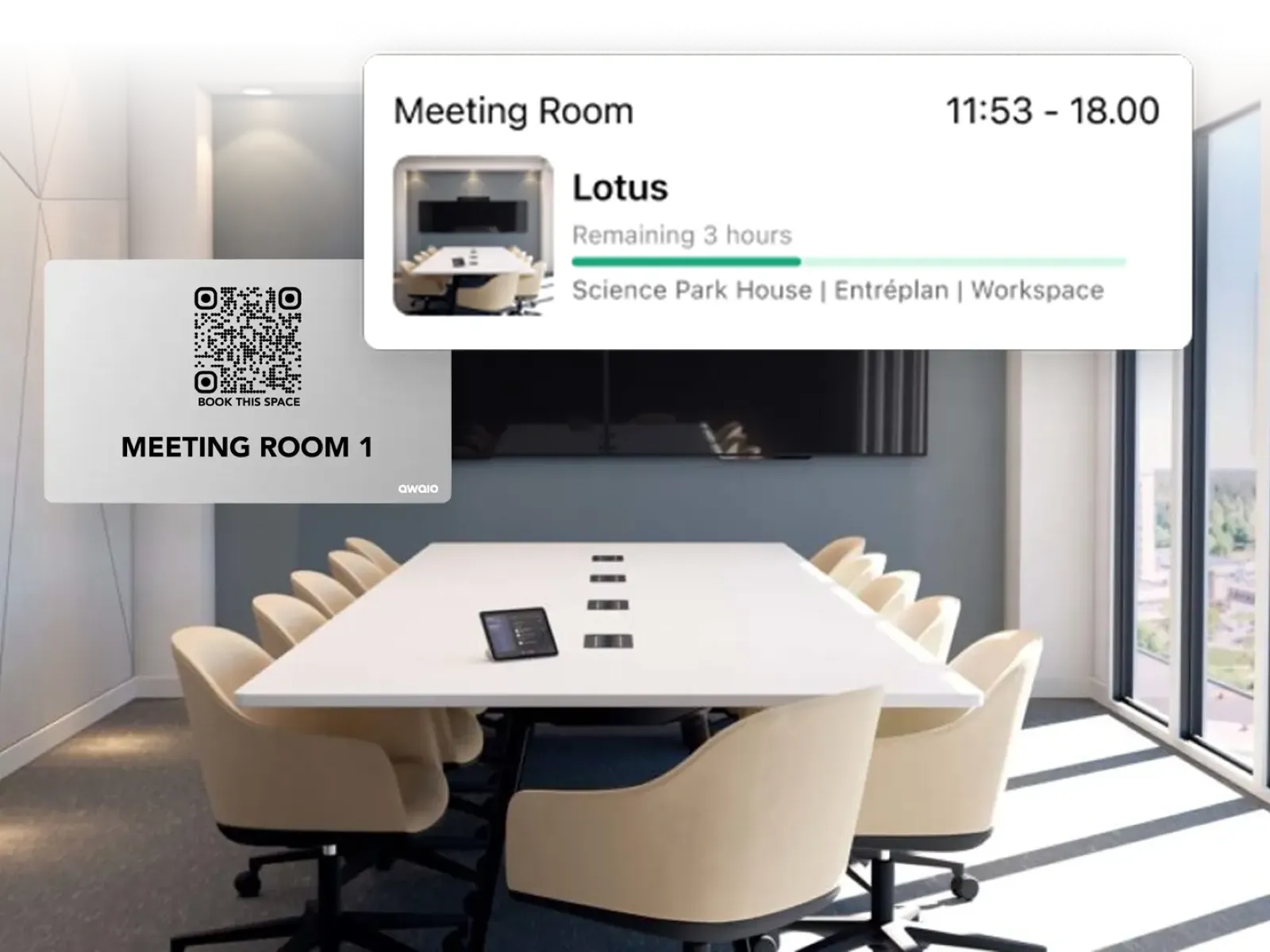
Awaio's space management capability is further extended by a unique smart lock that can be easily installed in old and new cabinets—ideal for personal and team lockers, parcel and delivery handling, locker rooms, bike battery charging, and IT & equipment storage.
This upgrade turns your cabinets into shared digital resources accessible to assigned individuals, teams, departments, or those who reserved them—all without keys, code locks, or RFID tags.
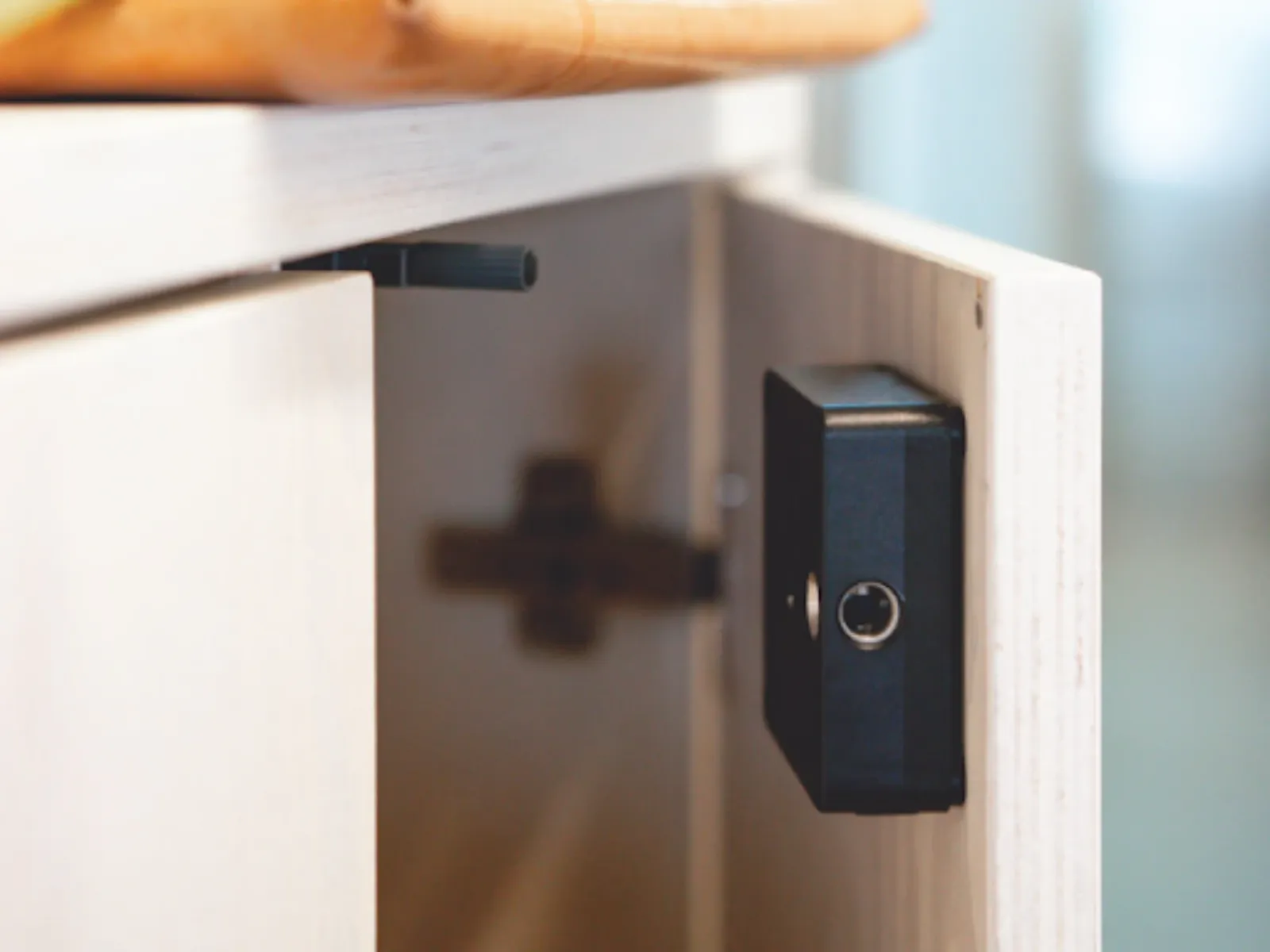
After keylocks are installed, individuals or teams assigned to the cabinet can open them with a single click in the application and share their keys with teammates from anywhere, all without the intervention of an administrator.
A valuable use case for our smart lock feature is when employee A is unavailable and needs to give a team member access to their locker to retrieve a vital document.
All employee A needs to do is find the team member from their list of favorites and add them to the locker. The team member will then be notified of the locker they've been given access to and receive the digital keys on their mobile device to open it.
This is just one way Awaio gives your employees more control over the workspace—going beyond just booking rooms.
Easily scale your workplace management system without worrying about cost escalations
We understand that the ideal workplace management systems should provide total flexibility to adapt to changes in space. That's why we've adopted a modular model by dividing Awaio into four standalone products, each equipped with functionalities that are just as powerful as what is found in Skedda's most expensive package:
Moderate access to lockers with Smart Lockers: Retrofit battery-operated locks on drawers and lockers, which unlock once booking holders click "open" on their mobile devices. Since these locks are non-IOT, they can easily be relocated to new floors and buildings.
Manage static resources with Room Booking: Convert any room/space into a bookable resource without installing costly display tablets or running cables.
Optimize desk use with Desk Management: Allow employees to book desks from anywhere in the world using their mobile devices or on-site by scanning the QR code attached to them.
Oversee parking spots, chargers, and bikes with Smart Parking: Enable employees to reserve, share, and locate parking, chargers, and bike storage via their smartphones. Simply connect the parking entrance to Awaio, and open the front door with your phone.
This pricing approach allows you to scale your workspace up or down as needed. You pay for only features related to a resource you want to increase to accommodate your expansion or reduce your investment in a resource you discover is underutilized.
For example, let's say you need to expand your workspace's desks (or bookable resources) from 15 to 25 (or bookable spaces) to accommodate new employees hired after a successful seed round. With Awaio, you simply need to add 10 more desk management modules, and you'll be ready to go. Conversely, in Skedda, you'll have to upgrade to a new package and pay for extra features.
This flexibility also lets you reconfigure your office layout to optimize space usage on a whim while keeping costs low. For example, repurposing a meeting room into a shared workspace is as simple as moving furniture and updating the space's label and description in the software. No need to bring in IT experts or reinstall or modify hardware systems.
Adopting a modular pricing model and completely eliminating all hardware makes Awaio a fully scalable and flexible workplace management platform that adapts to your needs.
Gain insight on all trends related to workplace resource usage from a branded admin portal
Awaio's occupancy dashboards give a more accurate picture of office space usage. While Skedda limits detailed usage data to expensive packages, Awaio provides detailed usage data in all modules. To that end, you can use the admin dashboard to track:
Occupancy rates
Peak usage time
Most used resources
Resource usage of specific individuals or groups
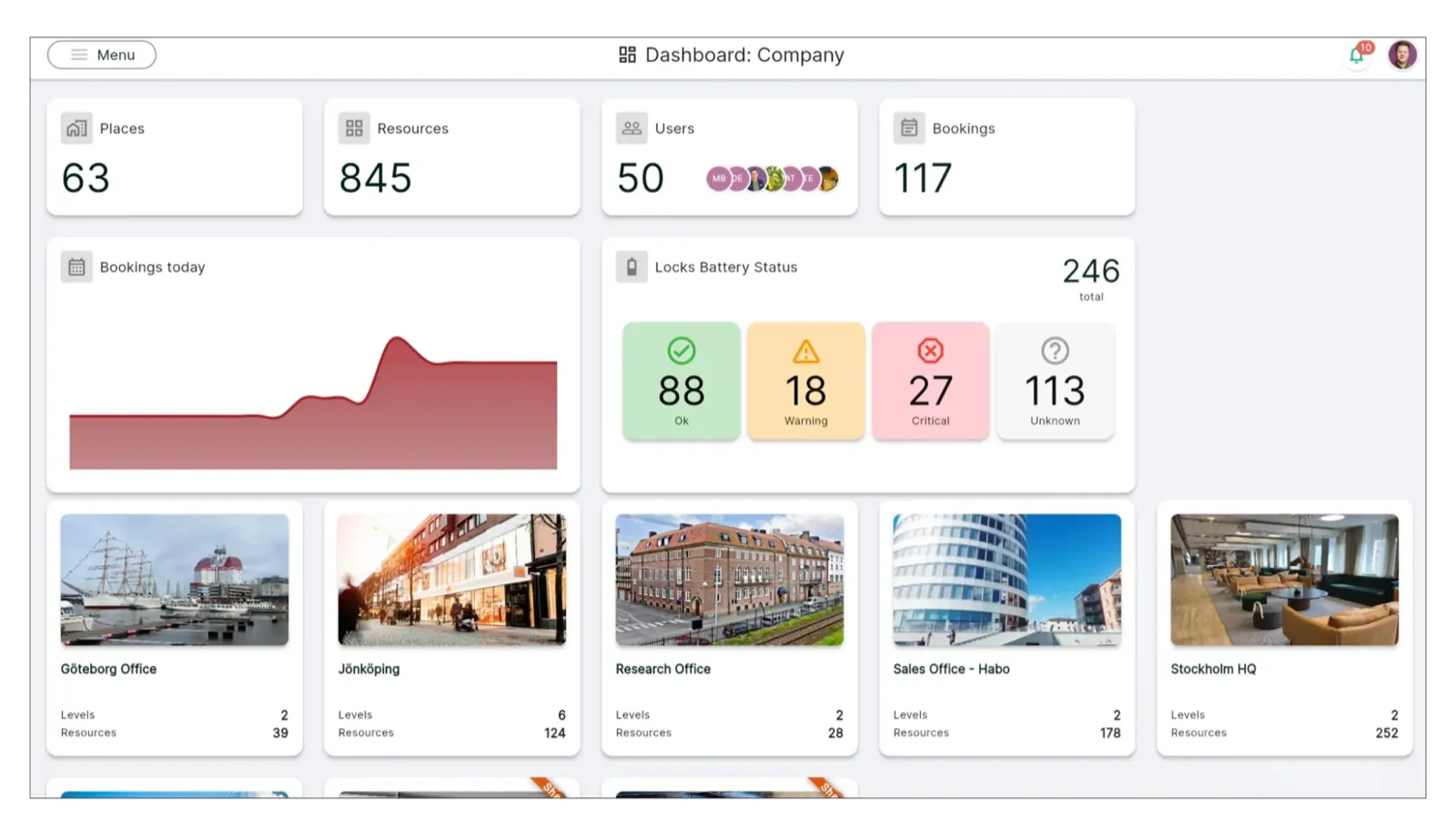
Awaio goes a step further to prevent waste and ensure resources by allowing you to set rules that determine:
The minimum and maximum duration for all bookings
The number of times a resource can be used
The number of bookings an individual can make in a day
Time buffers for confirmation and check-in
This saves you the hassle of manually enforcing reservation rules, freeing up time for you and other people responsible for managing the workplace to focus on other tasks.
Other space management features embedded in Awaio include:
Space allocation: Split entire areas, resources, and workspaces into zones, and designate each to specific groups—departments, project teams, etc. Once that's done, employees will be allowed to book only resources available in the areas allocated to their group.
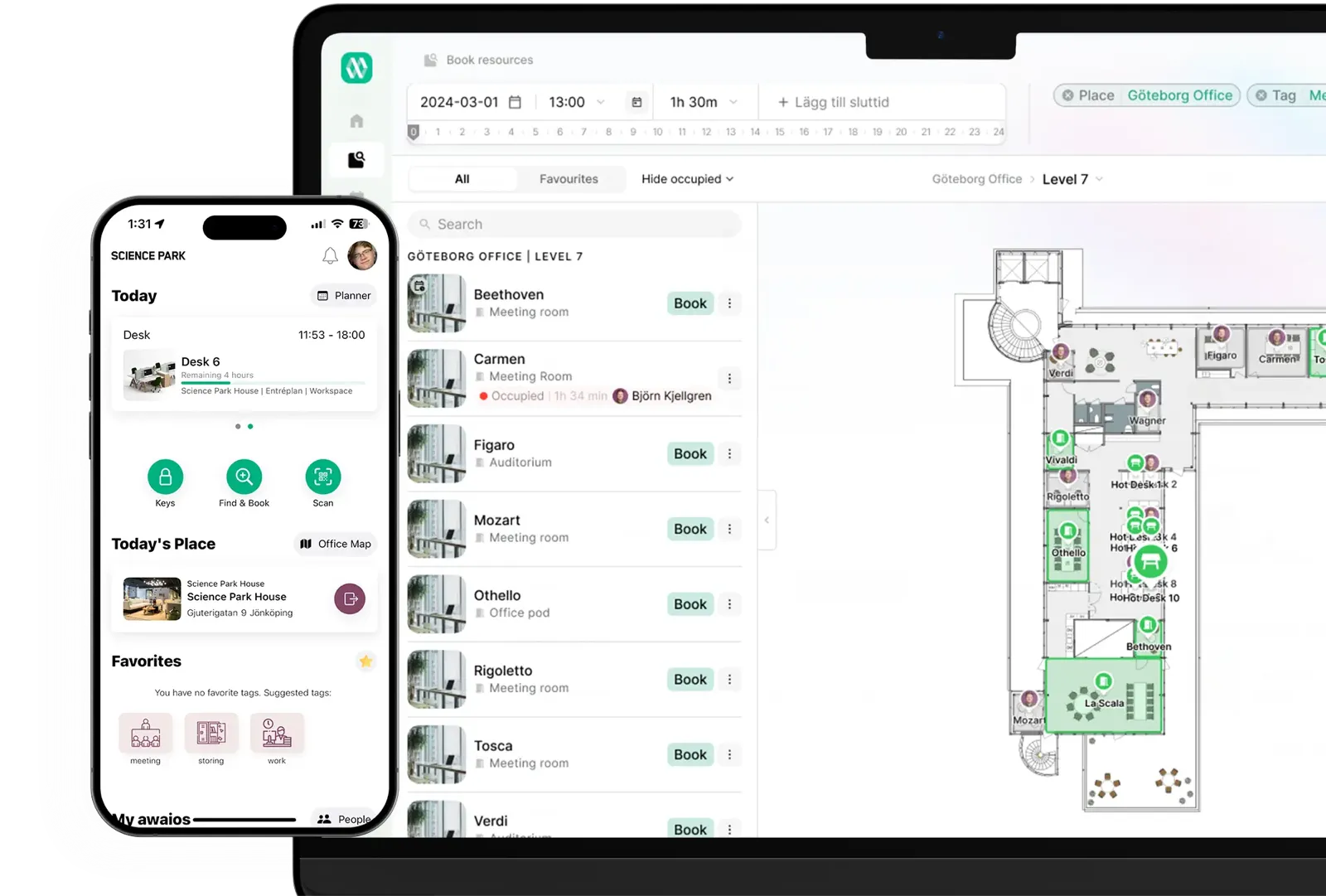
Meeting tags: Group resources into categories based on their functions so employees can quickly find what they need. For instance, employees searching for a meeting room can easily click the "meeting" tag to see only spaces designated for meetings.
See how Olink Proteomics uses these features to boost collaboration in their recently opened headquarters in Uppsala, Sweden.
Awaio Pros
- 100% hardware-free, removing the hassle of managing complex IT infrastructure and saving you costs on ongoing maintenance.
- Supports comprehensive workplace management by allowing you to make any resource bookable by attaching a QR code.
- All-in-one workspace management platform—manage rooms, desks, parking, storage, and all office resources with one tool.
- The modular pricing structure makes it scalable and flexible enough to fit your current and future needs.
Awaio Cons
- Awaio also covers lockers, parking, EV charging and other resources, so it can feel heavier than necessary for very small offices that just want basic room booking.
Awaio Pricing
- Room Booking: €10.90 / month with unlimited number of users.
- Office Map: €190 (one-time cost)
- QR Code Signs: €39 / sign
- Smart Locker Locks: €99 / lock

Awaio vs Skedda
Here's a breakdown of the difference between Awaio and Skedda:
| Awaio | Skedda | |
|---|---|---|
| Pricing | Per module, from €10.90/room/mo, unlimited users | Per space, from $99/mo (Starter, 15 spaces) |
| Detailed analytics | Included on all modules | Full only on Plus ($149) & Premier ($199) |
| Check-in confirmation | Included | Plus ($149) & Premier ($199) only |
| SSO | Included | Premier ($199) only |
| Visitor management | Not available | $99/mo add-on on every plan |
| Smart lockers / storage | Smart-lock retrofit, €99/lock | Bookable as spaces; no smart locks |
Whatspot – Best for managing small-sized spaces
Whatspot is a hybrid workplace software that can be used to reserve workspaces, parking spots, and company cars by simply scanning a QR code.
Unlike Skedda, which uses displays to facilitate visitor bookings, Whatspot allows you to create unique links that visitors and others outside your organization can use to reserve resources. It also offers a more advanced QR booking system for employees to check resource availability and make reservation spots.
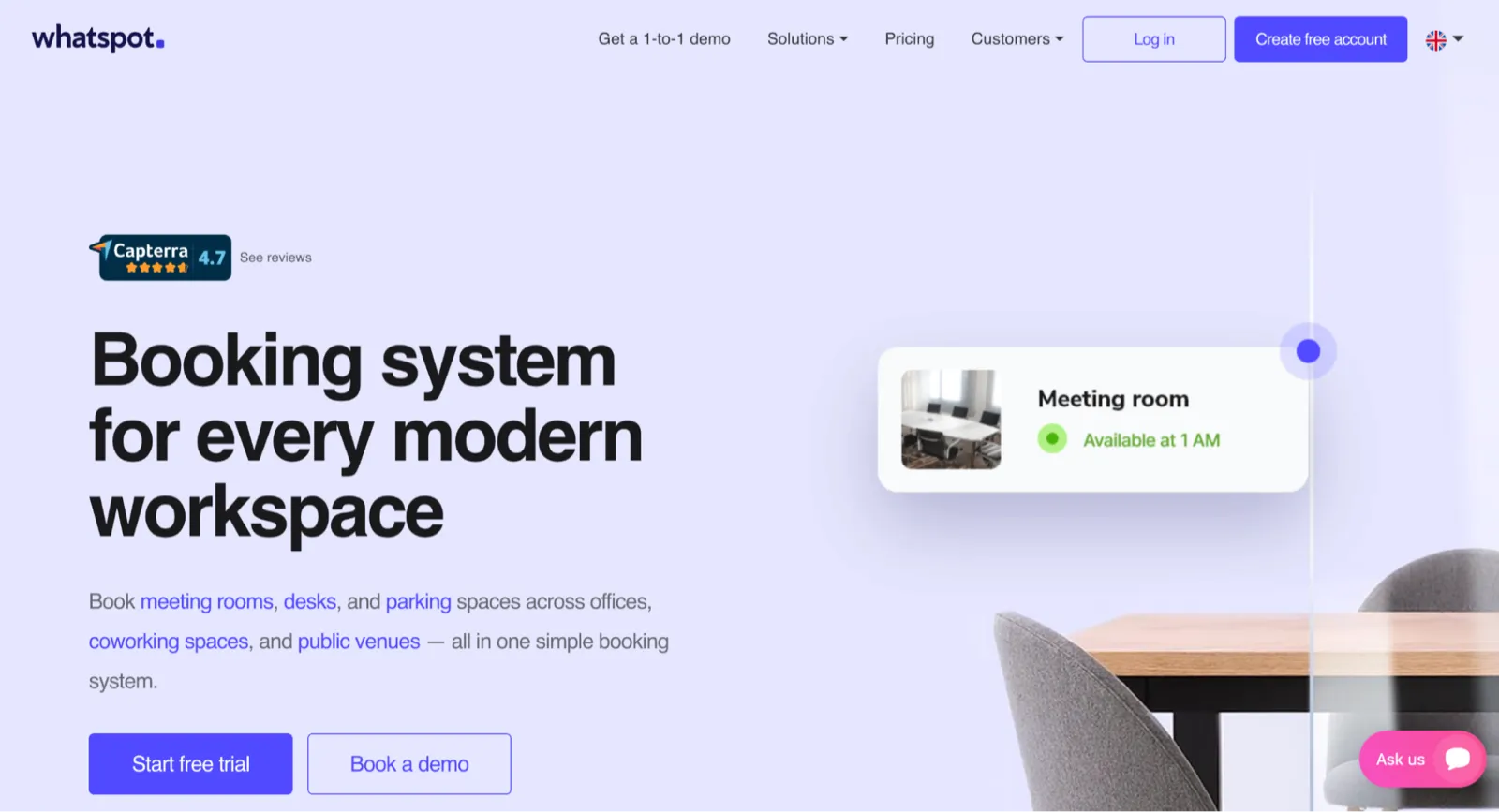
Whatspot Key Features
- Bookings Overview: View all upcoming bookings and add new ones via a calendar-like interface.
- Interactive Floorplans (paid add-on): Navigate locations with ease and view where specific people are seated.
- Public Booking: Create links for the general public to book resources without creating an account on the platform.
- QR Code: Scan QR codes to check if spots are open and book them.
Whatspot Pros
- Freemium plan: You can use the free plan for as long as you like to determine whether it's suitable for your needs before upgrading to a premium plan.
- Multi-language support: Interact with the platform in 15 languages.
Whatspot Cons
- Limited mobile functionality: Some core features can only be accessed from desktop devices.
- Priority support restricted to higher tiers: Only users subscribed to the two most expensive packages receive priority support.
- Interactive maps are a paid add-on
Whatspot Pricing
- Freemium: Free — 3 spots, up to 10 users, 40 bookings/month
- Premium: from €19.50/month — 5 spots included (expandable to 20), up to 30 users
- Ultimate: from €40/month — 10 spots included (expandable to 50), up to 100 users
- Enterprise: Custom pricing

Kadence.co – Best for fostering collaboration between teams
Kadence is a desk booking platform designed to manage hybrid workplaces and boost collaboration between hybrid and distributed teams. Users can track space utilization, create work schedules, and reserve desks or meeting rooms, all from desktop and mobile applications that have intuitive interfaces.
While Skedda's map focuses on wayfinding, Kadence goes further by helping your employees find where teammates are working for the day so they can book a space nearby.
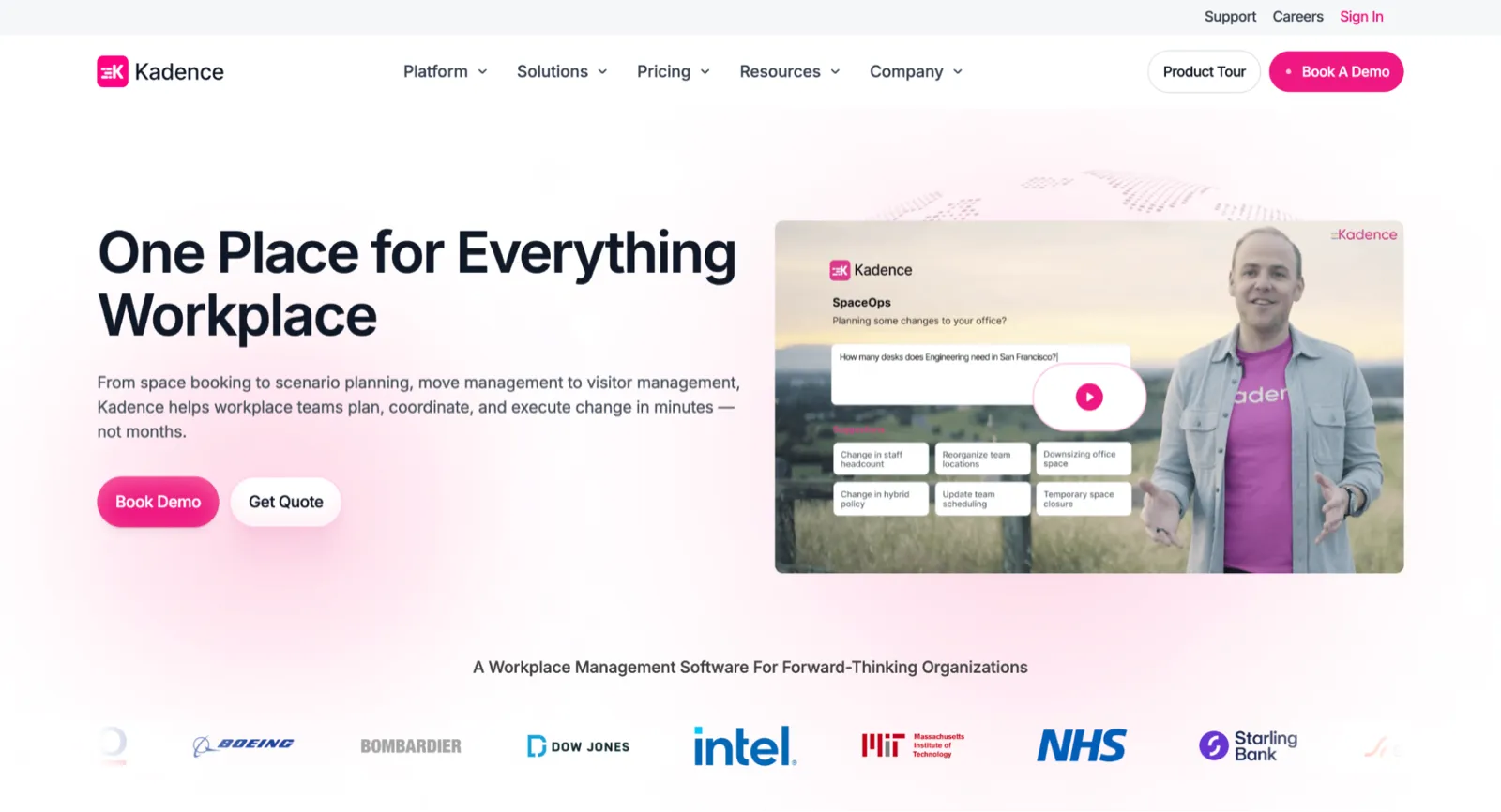
Kadence Key Features
- Kadence AI: Use artificial intelligence to engage in natural conversation to book desks, schedule meetings, and confirm if team members are in the office.
- Visitor management: Grant visitors access to your workplace by emailing them an invitation to the platform.
- Workplace events: Broadcast special announcements like fire drills, schedule team-building events, and find an amenity nearby for teammates to congregate without leaving the platform.
- Flexible office spaces: Find and book desks or rooms in thousands of shared offices and workspaces registered to Kadence's network in your area.
- Workplace analytics: Access accurate space utilization data insights to track utilization, avoid resource waste, and reorder workspaces.
Kadence.co Pros
- Integrations: The platform supports integration with third-party software such as Slack, Microsoft Outlook, Google Workspace, and Bamboo HR.
- Responsive customer support: Users report that the technical team responds promptly to complaints and does its best to fix them.
- Resource comparison: Place meeting rooms alongside each other and compare their respective resources and characteristics.
Kadence.co Cons
- Cost escalation: Kadence's per-user pricing escalates your subscription costs whenever you need to add more users to accommodate an increase in team members.
- Costly floor plans: You have to pay $250 per office floor plan, per floor.
- Manages only static resources: Kadence allows users to book only meeting rooms and desks. It does not support the management of other resources, such as equipment and parking spots.
Kadence.co Pricing
Kadence.co does not list public pricing at this time. It's sold by quote across two plans on active-user billing with an annual contract:
- WorkOps: desk and room booking, visitor management, and analytics
- SpaceOps: AI-powered space planning
- Floor-plan setup costs $250 per floor

Deskbird – Best for overseeing employees alongside workplace resources
Deskbird helps employers operating a hybrid work model to manage room and desk bookings, and implement attendance policies, which indicate which days each employee must be in the office. You can also customize schedule statuses, determine how far into the future employees can book resources, and select specific days specific people are to work from the office.

Deskbird Key Features
- Team Days: Create groups of employees working on a project and input policies that ensure they come to the office on the same days.
- Workplace Surveys: Run employee satisfaction surveys without having to purchase an extra tool.
- Dynamic Spaces: Increase or decrease the number of bookable resources whenever there's low utilization.
- Resource booking filters: Use filters to see only spots with the necessary amenities, such as desks with charging ports or parking spots with bike racks.
- Interactive Floorplans: Find specific resources and teammates across the complex.
Deskbird Pros
- Third-party integrations: Seamlessly integrates with your existing tech stack.
- Modular pricing: Design a product package with only the features you need. As you scale, you can pay to add more of a specific resource.
- Responsive customer support: Deskbird's support team replies within two hours and is knowledgeable enough to assist users with any issue they may encounter.
- User-friendly: Deskbird's interface is designed to help new users become familiar with the platform within a few days.
- Booking suggestions: Find personalized resource suggestions based on your previous bookings.
Deskbird Cons
- Soaring costs: Your subscription fees increase significantly as your team number increases due to Deskbird's per-user pricing.
- Limited resource booking capability: The platform only supports room and desk bookings.
- Basic-level customization: Organizations cannot fully customize the platform with their branding.
Deskbird Pricing
- Business: $3.75 per user/month (billed annually)
- Professional: Custom pricing
- Enterprise: Custom pricing

Deskly – Best for companies operating with small teams
Deskly offers a solution for employers to manage hybrid workplaces and optimize space use. Its design is optimized to help users quickly find bookable resources. Features such as the advanced search function allow users to find working spaces by using the words administrators have used to describe them.
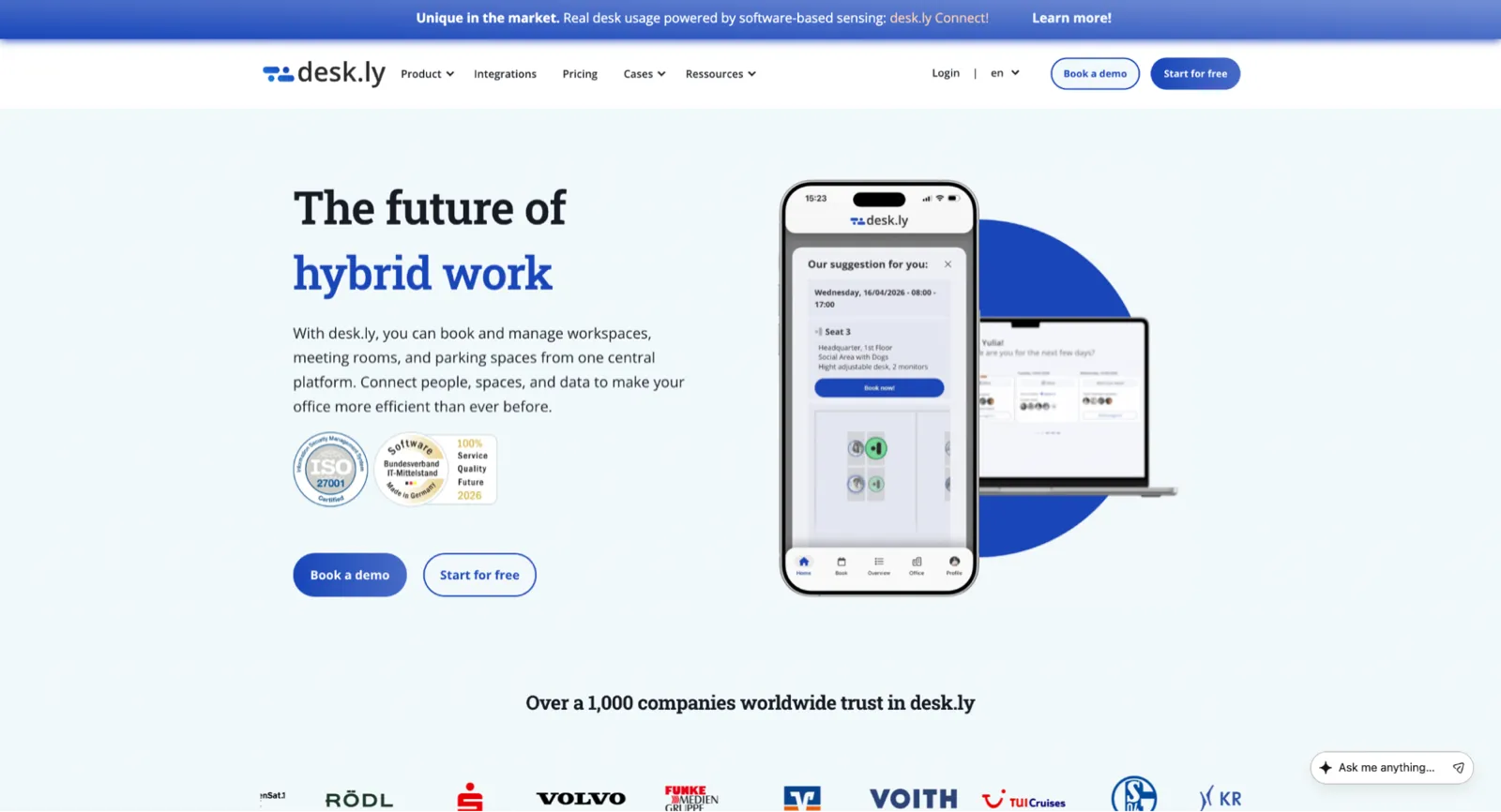
Deskly Key Features
- Search Function: Look for colleagues working from the office and find their exact location on the map.
- Single Sign-on (SSO): Employees can log in with their Google or Outlook details, so they don't have to remember passwords. This protects your data from hackers.
- Parking space management: You can book a parking space for immediate use or several days from any device. You can also easily block parking spaces affected by renovations and reserve some for special visitors.
Deskly Pros
- Freemium version: The freemium version lets you use all the platform's enterprise features for as long as you like. However, it supports only 15 users per account.
- Limitless software integration: Deskly's RESTful API enables the software to integrate with existing tools and workflows.
- White labeling support: Customize the software by adding your company's brand elements and website to reinforce your brand identity.
- Synchronization with personal calendars: Job bookings made in Outlook or Google calendars connected to Deskly are automatically reflected in Deskly.
- Personalized booking suggestions: Anytime users log in, they get a message suggesting the workspace they should book. This message is based on the areas they've booked and the person they've sat with in the past.
Deskly Cons
- Basic reporting capabilities: The data reporting feature for tracking space utilization is not as detailed as Skedda's.
- Limited advance scheduling: Deskly is built around quick day-to-day booking and lacks the longer-term schedule planning some hybrid teams need.
Deskly Pricing
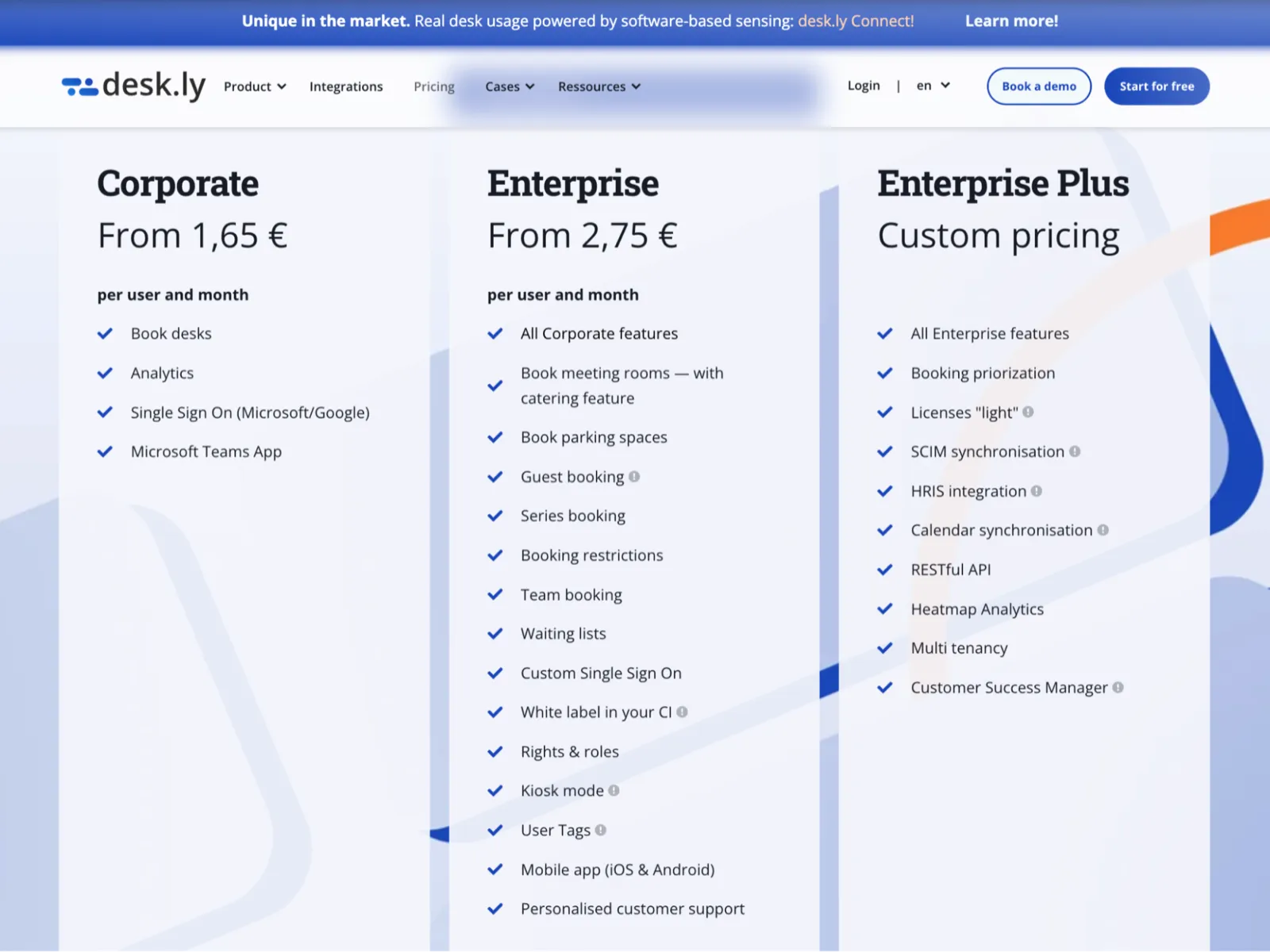
- Corporate: €1.65 per user/month
- Enterprise: €2.75 per user/month
- Enterprise Plus: Custom quote
Tactic – Best for designing work schedules for hybrid workers
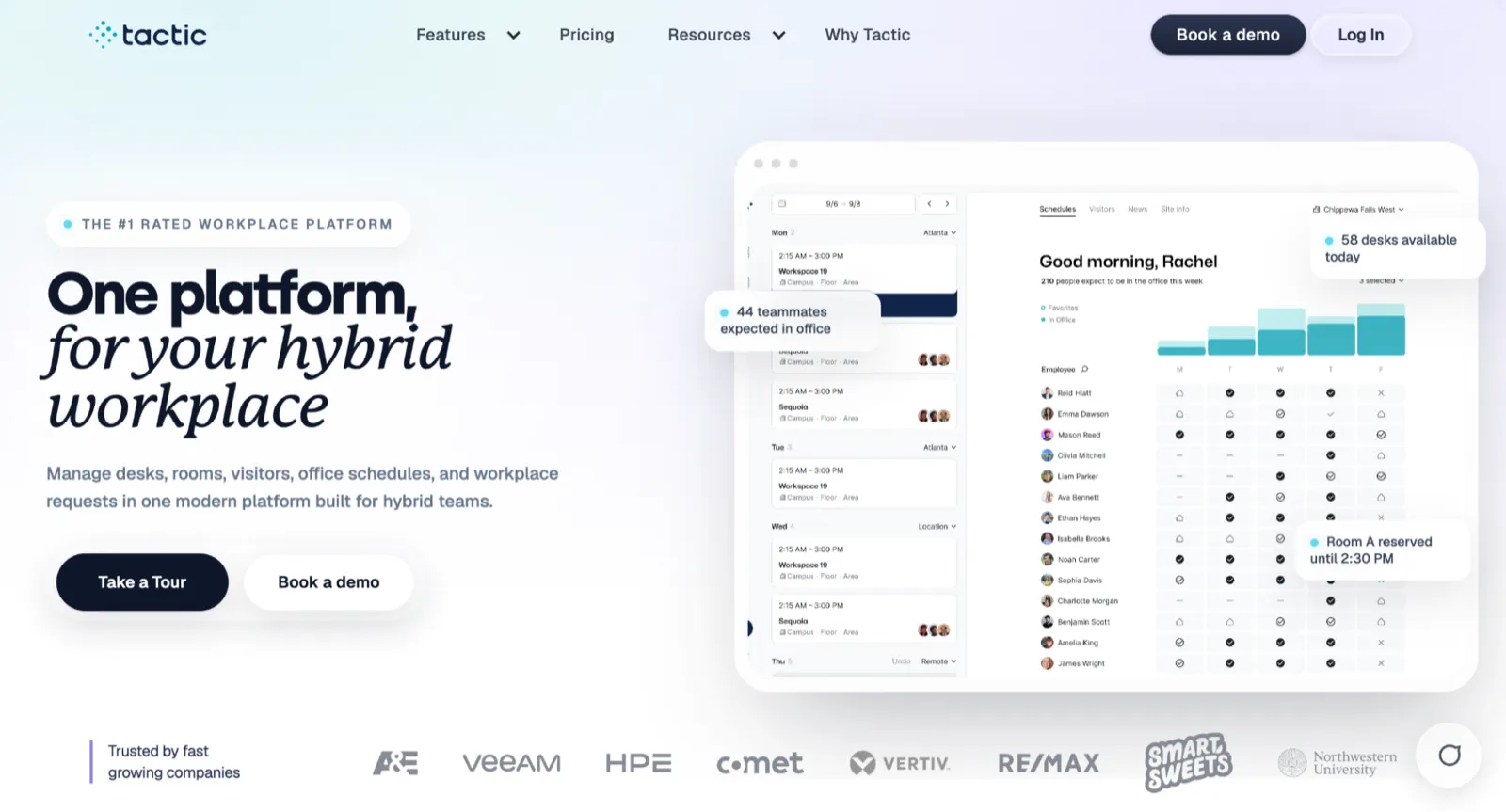
Tactic offers a suite of tools to manage hybrid workplaces. Tactic users can scan QR codes to reserve resources, check-in, and modify bookings. Furthermore, Tactic edges Skedda in terms of time savings since users are allowed to select multiple spaces and edit their allocations, bookable hours, and other details at the same time.
Tactic Key Features
- Team Schedules: Find the days team members will be at the office and see where they are seated by searching using their name or department.
- Weekly Reservations: Get a bird's eye view of all your bookings for the week.
- Integrations: Slack, Outlook, and Google Workspace, to name a few.
Tactic Pros
- Detailed utilization reports: Produces space utilization reports you can download in multiple file formats and upload to external software for deeper analysis.
- Scalability: Unlike Skedda, which offers bundled pricing, Tactic uses a modular pricing approach, allowing customers to pay only for the features they need.
- Seamless Integrations: Book resources directly from Slack and Microsoft Teams.
Tactic Cons
- Glitchy Email Login: Users experience glitches when logging in with their work emails. Some say they have been forced to abandon the SSO login option altogether.
- Slow loading: The web application takes a while to load.
Tactic Pricing
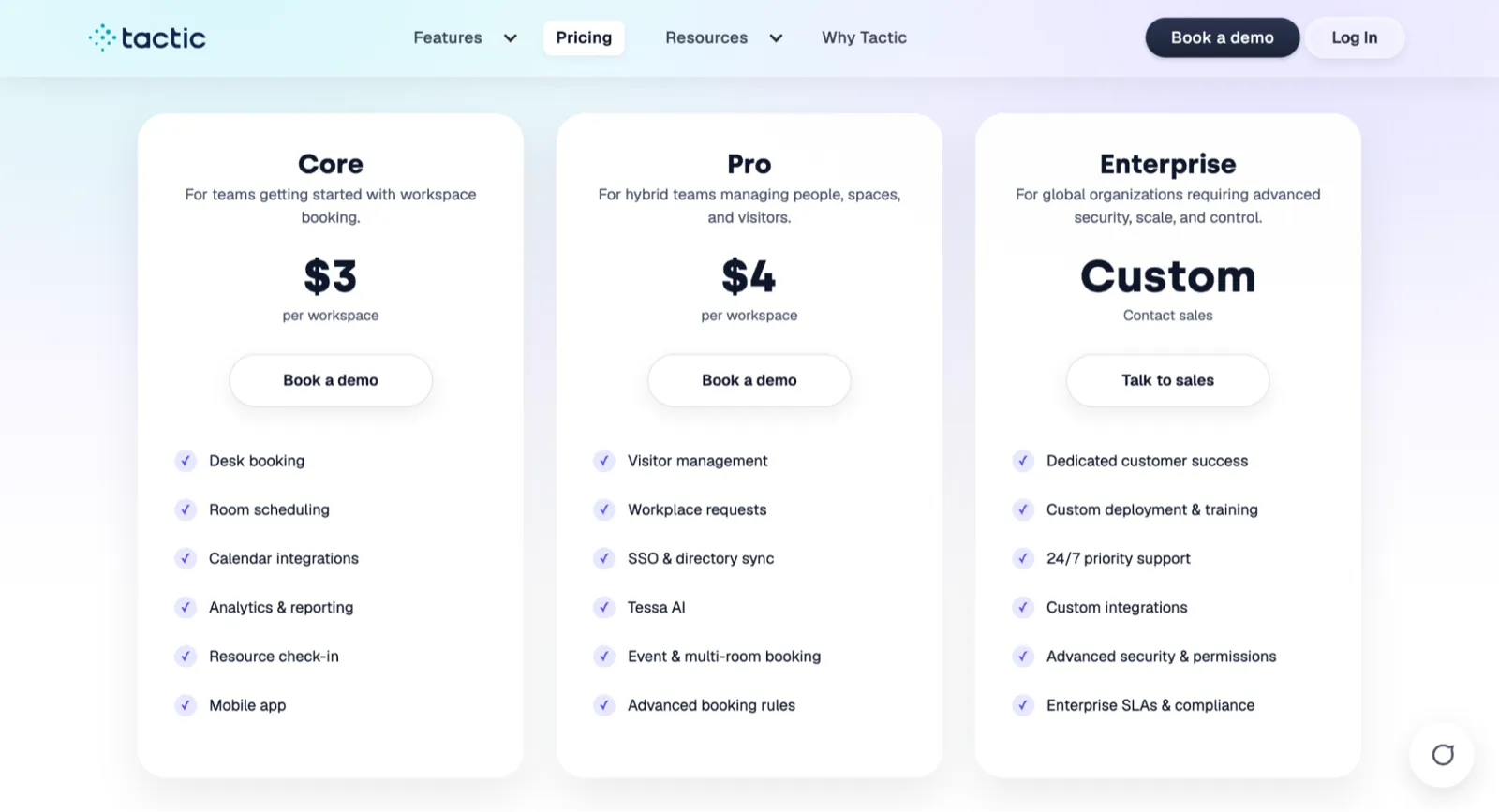
- Core: $3 per workspace
- Pro: $4 per workspace
- Enterprise: Custom pricing
Condeco (now Eptura Engage) – Best for managing hybrid workplaces of large enterprises
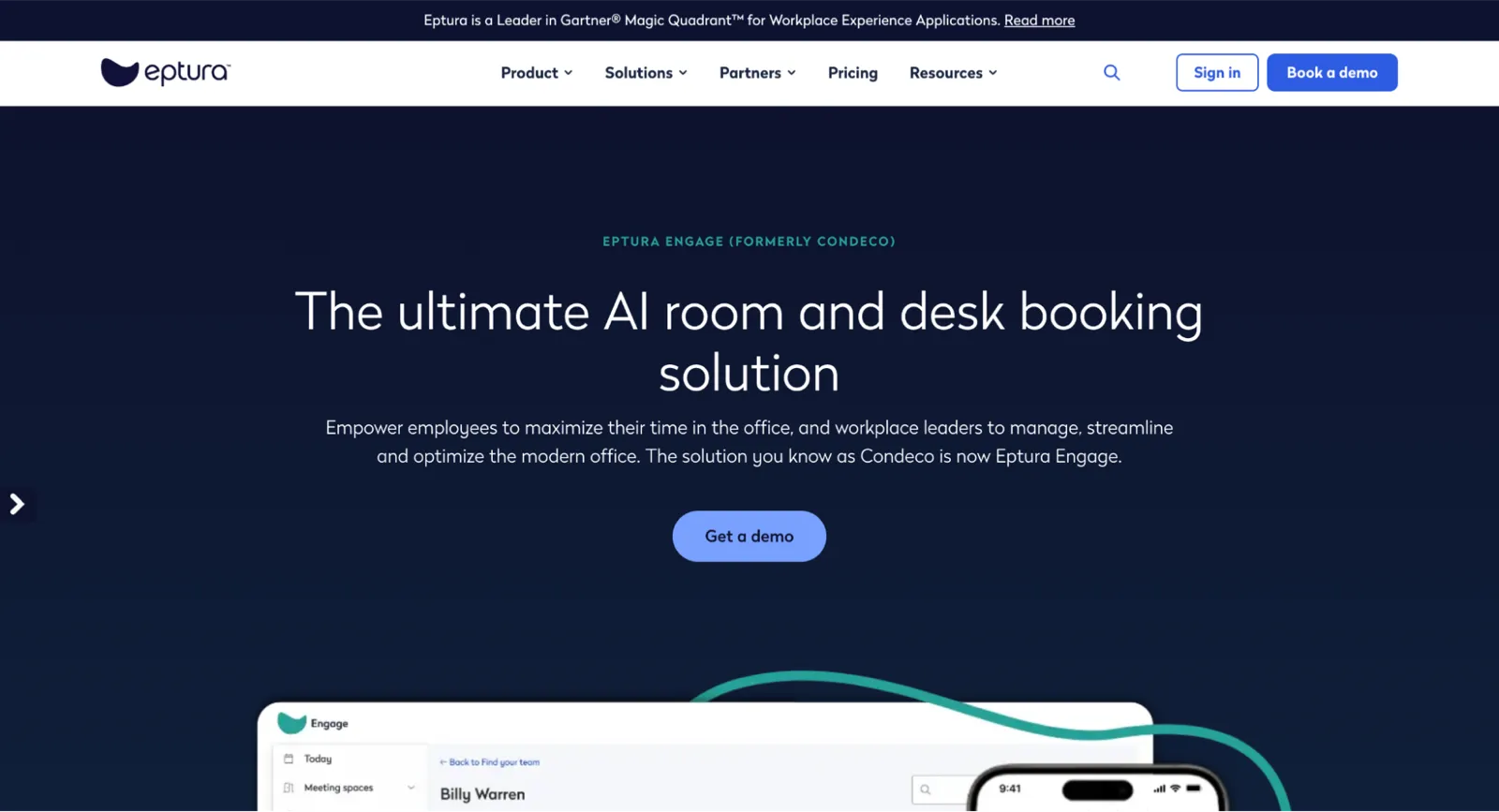
Condeco (now Eptura Engage) is a software that helps employers streamline the process of booking desks and meeting rooms for their employees and connect distributed teams. In addition to what Skedda offers, Condeco provides an advanced visitor management system designed to secure your workplace completely. The system can capture visitors' facial snapshots and check them against international watchlists.
Condeco key features
- AI-powered Bookings: Condeco's AI system books spaces for employees, taking into account their upcoming and previous bookings and team affiliations.
- Workplace Analytics: Supplies detailed space utilization data reports that can be used to minimize waste and keep rent costs low.
- QR-code Check-in: Check into booked resources by scanning QR codes.
- Visitor Management: Get visitors to digitally sign NDAs, scan unique QR codes, and receive custom badges before entering the workspace.
- Digital Wayfinding: Use an interactive map to find resources.
Condeco pros
- Intuitive interface: Easy to set up and use as the interface is easy to understand.
- Proxy booking: Team members can reserve workspaces for each other, facilitating collaboration.
- Multi-lingual support: The user interface is translated into 30+ languages.
Condeco cons
- System glitches: During our research, we found that some users complained about booking rejections and invite failures.
- Price escalations: Subscription costs tend to skyrocket with every extra user you add.
- Power usage: Proprietary display screens require a continuous power supply to keep working.
Condeco Pricing
- Condeco's pricing isn't publicly available. You'll need to contact their sales team for a quote.
Found the best Skedda alternative for your workplace?
Though Skedda is an excellent workplace management software, it may not be suitable for every business. This is due to limitations on the number of manageable spaces, the restriction of certain essential features to higher-priced packages, and the per-space pricing structure, which increases costs as your business grows.
Thankfully, Skedda alternatives such as Awaio, Whatspot, Kadence.co, Deskbird, Deskly, Tactic, and Condeco offer some relief from these issues.
Here's a quick overview of the benefits they offer:
- Awaio is perfect for managing all workplace resources, including rooms, desks, lockers, and parking spots. With its modular pricing structure, you pay for only the resources you use and respond quickly to usage trends.
- Whatspot is ideal for managing small-sized spaces.
- Kadence.co focuses on enhancing collaboration between team members and providing you access to available hybrid spaces nearby.
- Deskbird extends beyond workplace management into tools for managing employees.
- Deskly is the go-to for companies with small-sized teams.
- Tactic lets you design work schedules for employees based on your office attendance policies.
- Condeco is perfect for large enterprises looking to manage their workplace and secure access to their facility.
Ready to manage your workspace with scalable and flexible workplace management software? Book a demo today for a personalized walkthrough of Awaio.