A company car comes back with an empty tank. A meeting room is left without anyone saying the screen is broken. A shared tool goes out scratched and returns more scratched, and nobody knows when it happened. In most workplaces the fix is a paper logbook, a separate survey tool or a chain of emails. None of them know which booking the answer belongs to.
Booking forms close that gap. You add a short form to a booking rule, and Awaio asks the person who booked at the moment it matters: when they book, when the booking starts or when it ends.
What’s new
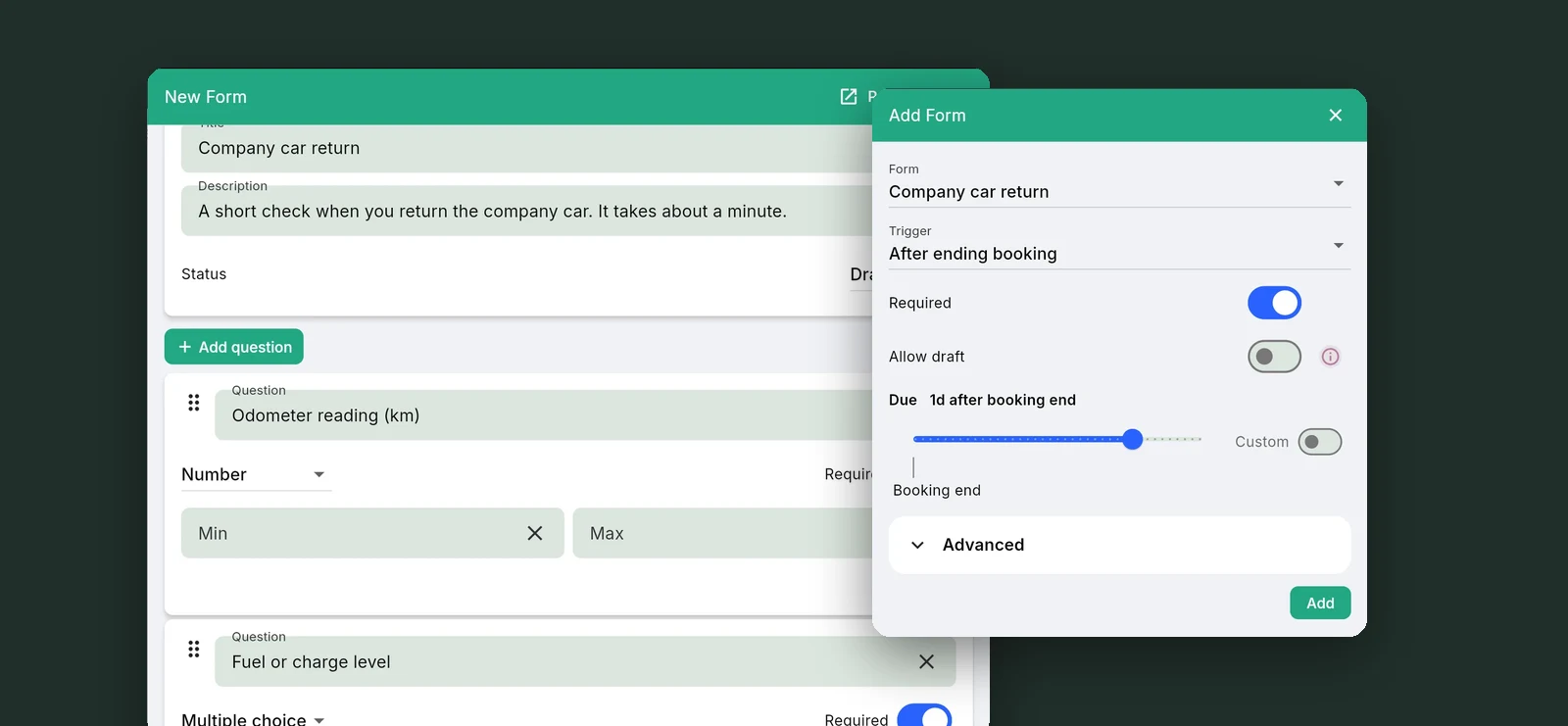
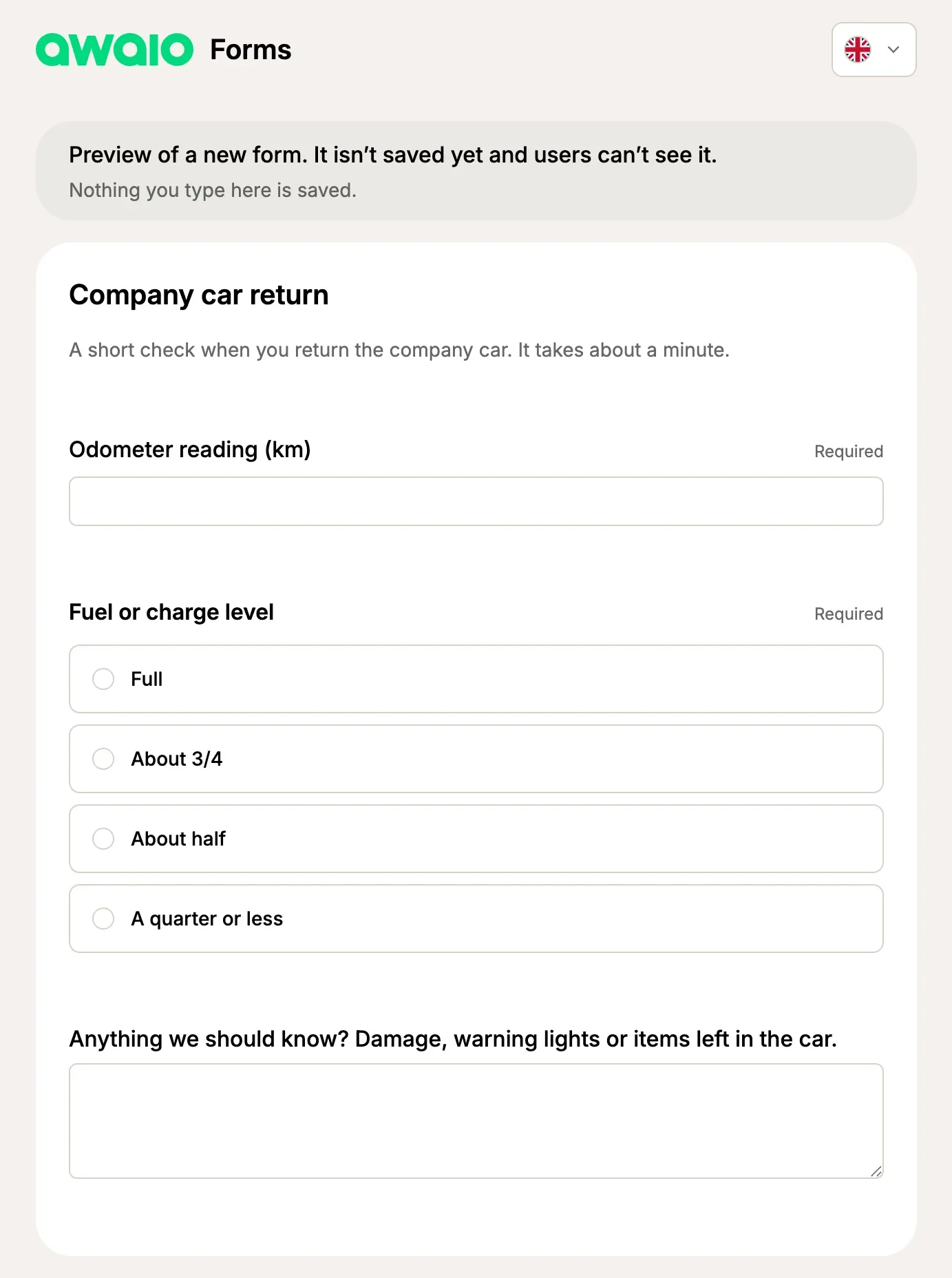
Admins build forms in the Admin Portal under Communication → Forms. A form is a title, a short description and the questions you need answered. Ten answer types cover most cases: short answer, paragraph, multiple choice, checkboxes, dropdown, rating, linear scale, date, time and number. Mark a question as required and it can’t be skipped.
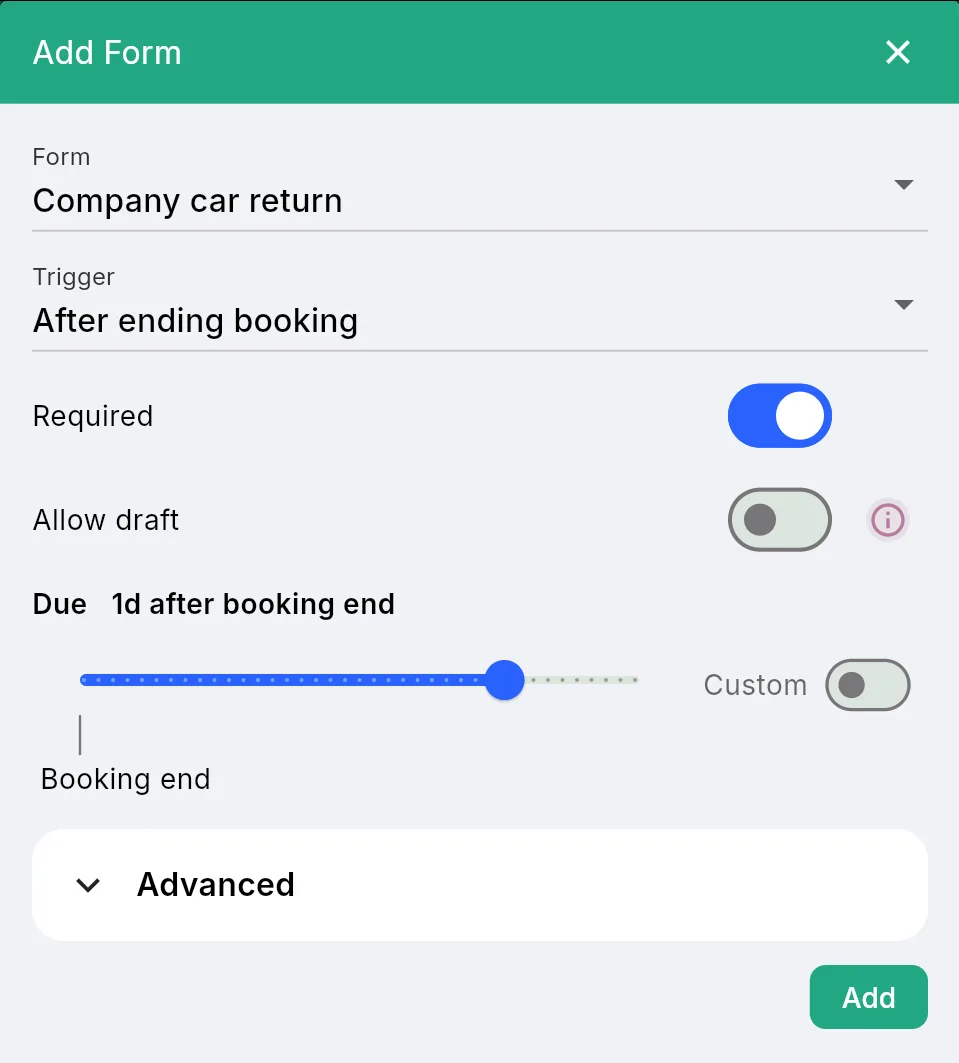
Then you attach the form to a booking rule and choose the trigger. Every resource that uses the rule gets the form.
- After creating booking. Ask for the details you need up front, such as the number of guests or the purpose of a trip.
- When booking starts. Ask for a condition check when someone picks up a car, a tool or a room.
- After ending booking. Ask for the odometer reading, the fuel level or a quick rating of the room.
People answer in the Awaio app on iOS and Android, or through the link in the email they get at that point. In the app, a resource lists its forms before you book, and each booking shows a Fill out button until its form is sent in. The email link works without signing in, so guests and occasional users can answer too.
Why it matters
A form in a separate tool gives you answers. A form on the booking gives you answers you can act on, because every answer already knows who booked, which resource and which booking it belongs to.
- No more chasing. When a form is required, Awaio sends email reminders until it’s answered: before the deadline, at the deadline, then daily for a week and weekly after that. Nobody on your team has to follow up by hand.
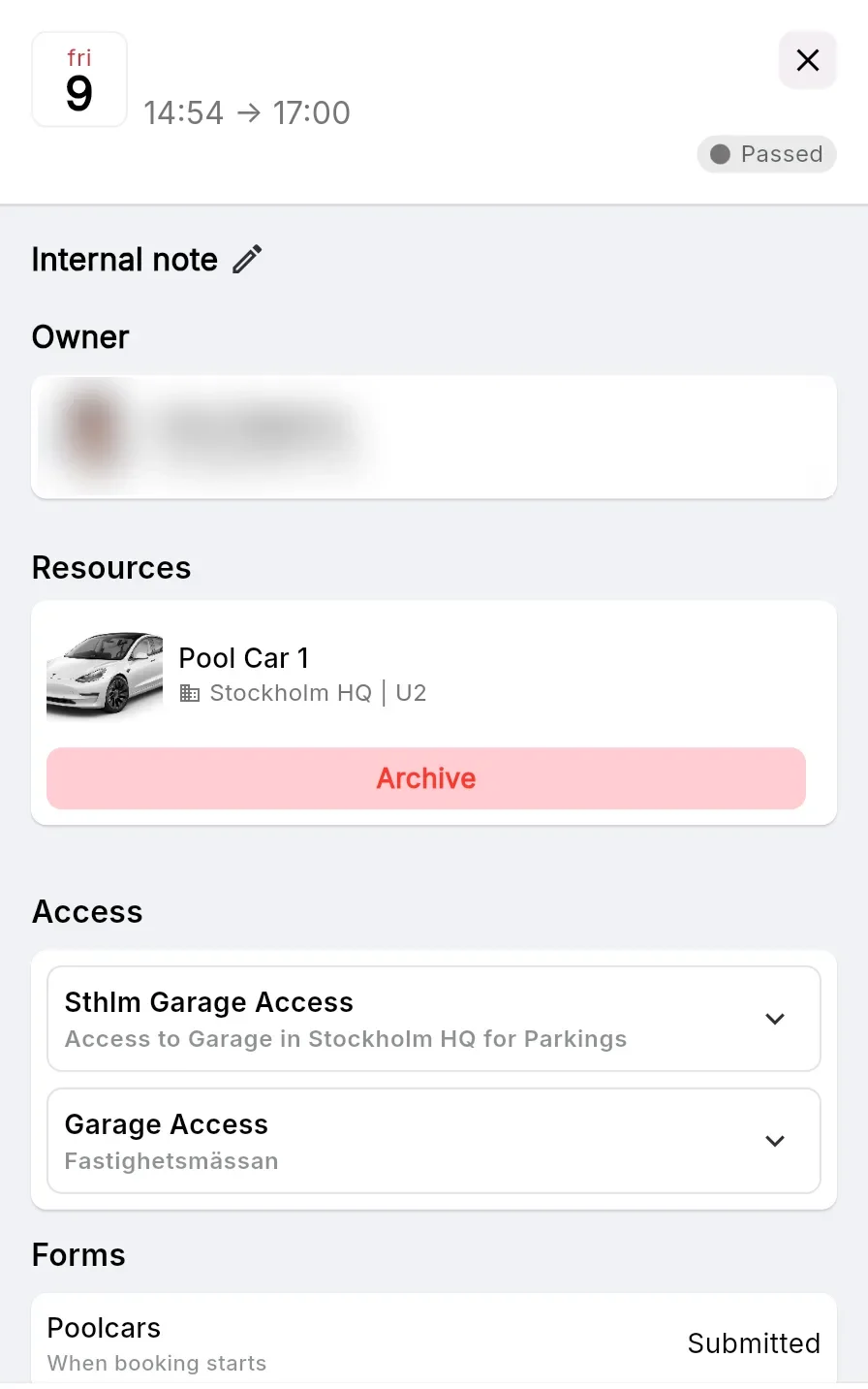
- Answers where you already work. Open a resource and see every answer given for it. Open a booking and see whether its forms are submitted, started or not answered. No spreadsheet to match up afterwards.
- One place to set it up. The form lives on the booking rule, so ten company cars or forty meeting rooms get the same questions from one change. Update the rule and every resource follows.
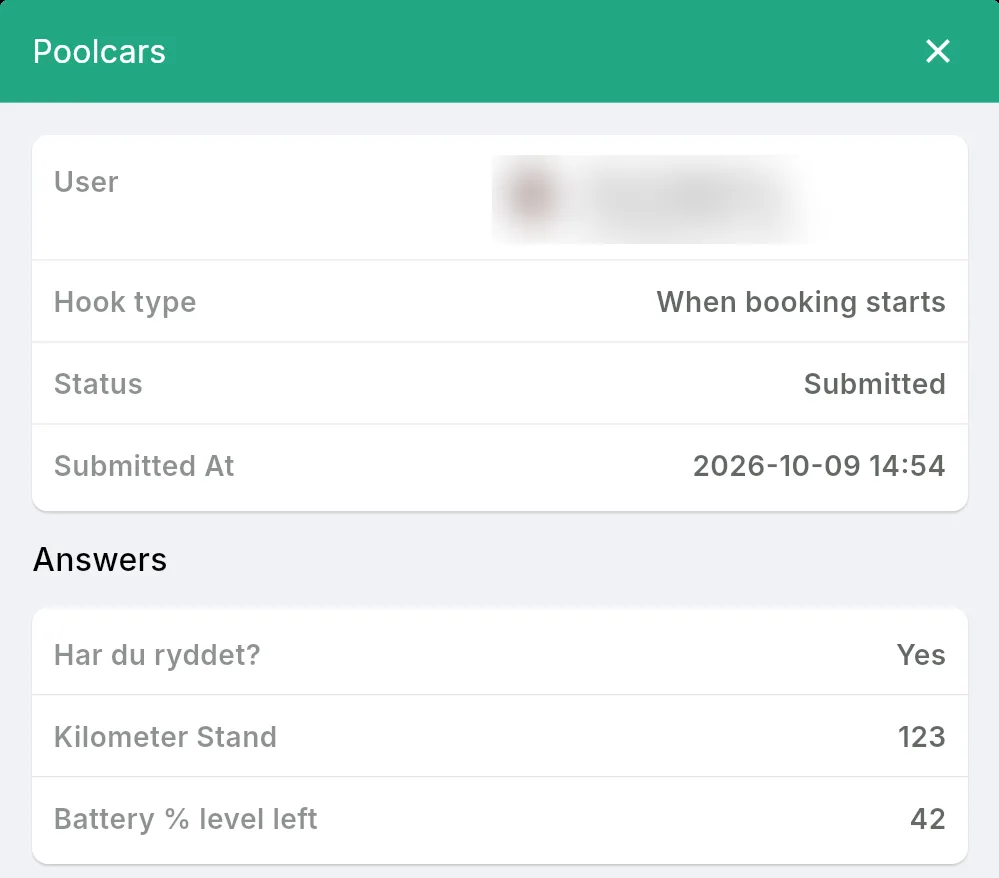
- A record you can export. Each form has a responses list with one row per answer and a column per question. Download it for mileage reports, cost allocation or a facilities review.
Where forms help
- Company cars and pool vehicles. The driver reports mileage and fuel or charge level when the trip ends. The next driver gets a car that’s ready to go, and you have the numbers for reporting.
- Meeting rooms and event spaces. Ask how many guests are coming when the room is booked, or ask for a rating and any faults when the meeting ends.
- Shared equipment. A short condition check at pickup tells you when damage happened and who had the item last.
- Guest apartments and shared facilities. A checklist at the end of the stay confirms the space was left in order.
Change a live form safely
Forms start as drafts and only reach users once you publish them. When you edit a published form, your changes are saved as a draft and people keep seeing the published version until you click Publish changes. When a form is no longer needed, archive it. People stop seeing it, and every answer you already have is kept.
Get started
Booking forms are part of booking rules, the same system that controls who can book what, when and for how long. If you already use booking rules for cars, rooms or equipment, adding a form takes about five minutes.
Set up booking forms walks through the whole flow with a company car as the example, from creating the form to reading the answers. New to booking rules? Start with Booking rules explained.
Want to see booking forms running on your own resources? Get in touch and we’ll set up a walkthrough.