

Trouble logging in with Microsoft?
If you see either of these error screens when trying to log in, this guide applies to you.
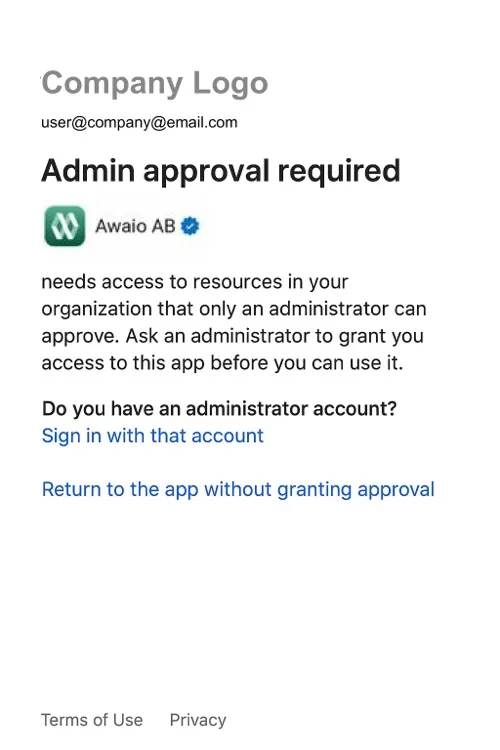
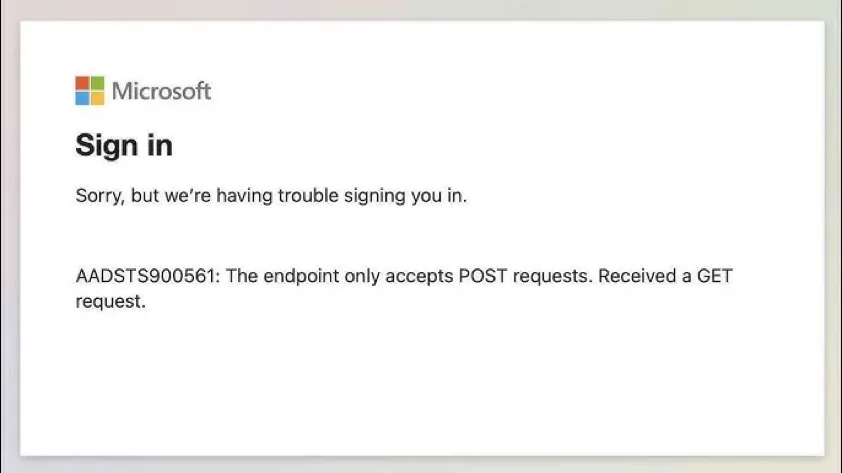
The issue typically comes from your Microsoft account settings, not from Awaio. Your IT department may need to allow Awaio in your Microsoft tenant: especially after a device change or first login attempt.
Steps to try
- Fully close the Awaio app, go to your phone's Settings → Awaio, and tap Clear storage or Clear cache.
- Close all browser tabs and clear your browser cache, particularly for any
microsoft.compages. - Reopen Awaio and try logging in with Microsoft again.
If the issue persists, contact your IT department: they can check your Microsoft account permissions and allow Awaio access.
Recommended: log in with email instead
Our recommendation is to skip Microsoft login altogether and sign in with your email and an Awaio password. This always works, regardless of your Microsoft tenant settings, and you don't need to wait for IT:
- On the login screen, tap Continue with email.
- Enter the email address linked to your Microsoft account.
- Set a password to complete the login.
If you have further questions, feel free to contact us via our website chat (awaio.com) or email us at support@awaio.com.