

Users with Samsung or Android devices may experience problems connecting to Awaio lockers when the Nearby devices or Location (GPS) permission is disabled.
Awaio relies on Bluetooth communication. When Android blocks the "Nearby devices" or "Location data" permission, the app cannot detect or communicate with lockers. Some Android manufacturers require location data permission for Bluetooth-enabled device communication.
How to Fix It
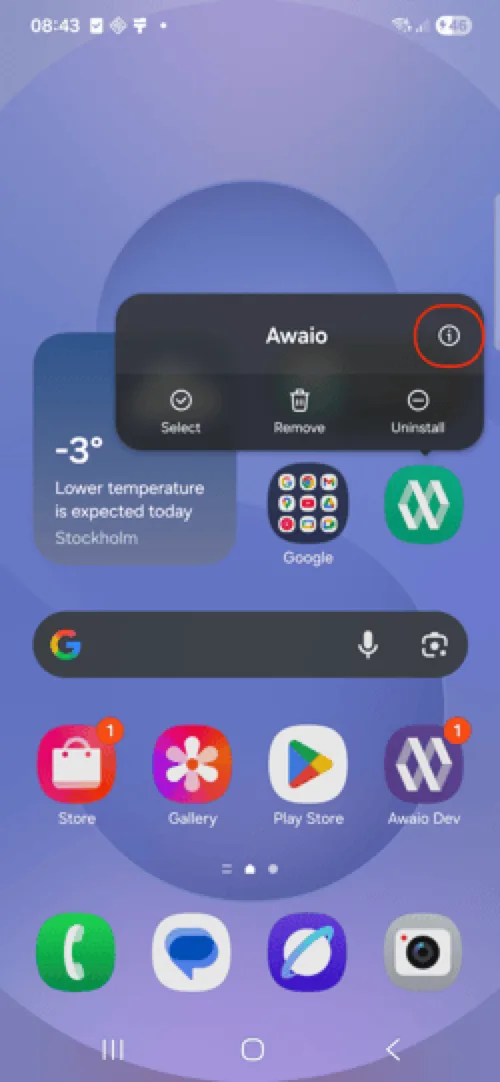
Step 1: Open Awaio App Info
Long-press the Awaio app icon and tap the Info (i) button.
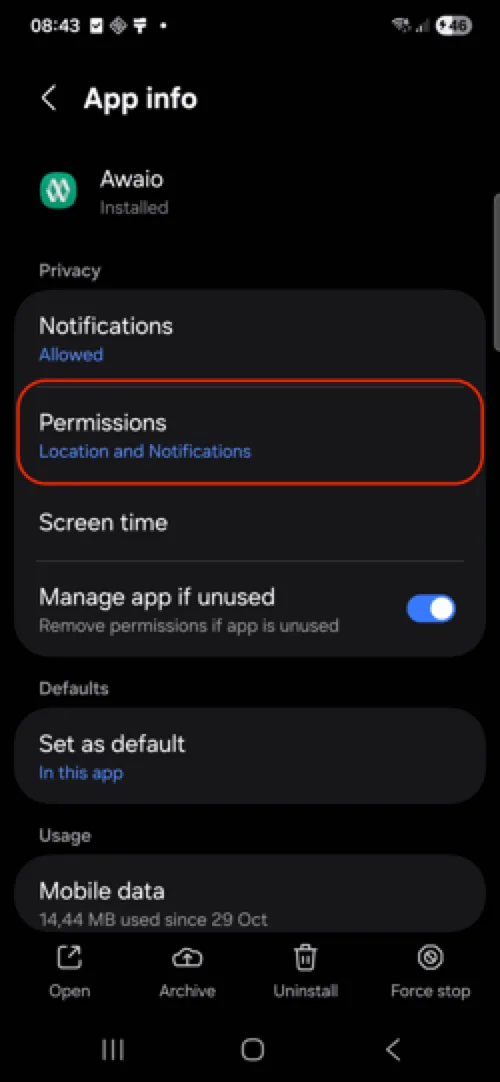
Step 2: Open Permissions
In the App Info screen, select Permissions.
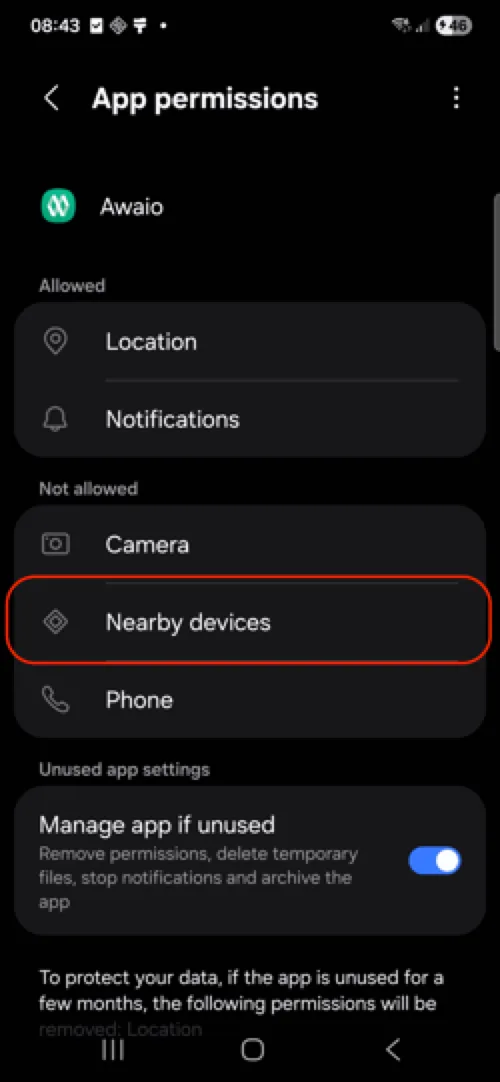
Step 3: Select "Nearby devices"
Find and tap Nearby devices in the permissions list.
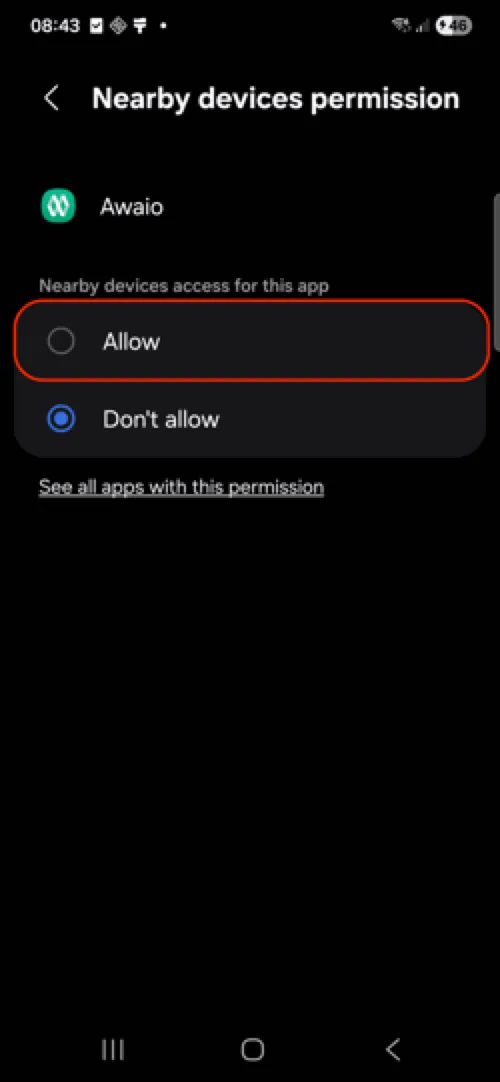
Step 4: Allow Access
Choose Allow.
Step 5: Turn On Location from settings menu
Enable Location through the settings menu. This is particularly important for Samsung and other Android manufacturers.
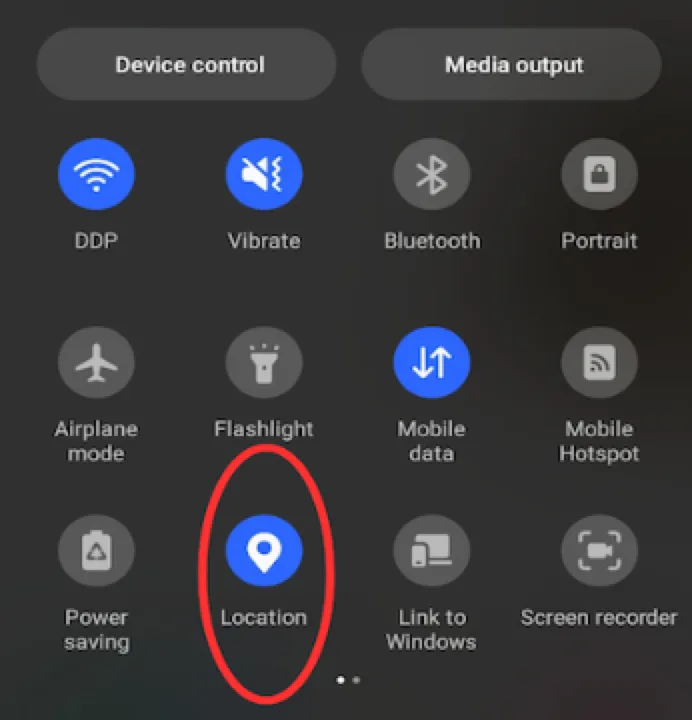
After completing these steps, reopen the Awaio app and attempt locker connection again.
If you have further questions, feel free to contact us via our website chat (awaio.com) or email us at support@awaio.com.