

Administrators can invite new users through the Admin Portal: individually, in bulk via spreadsheet, or automatically by email domain.
Find the Invite Users page
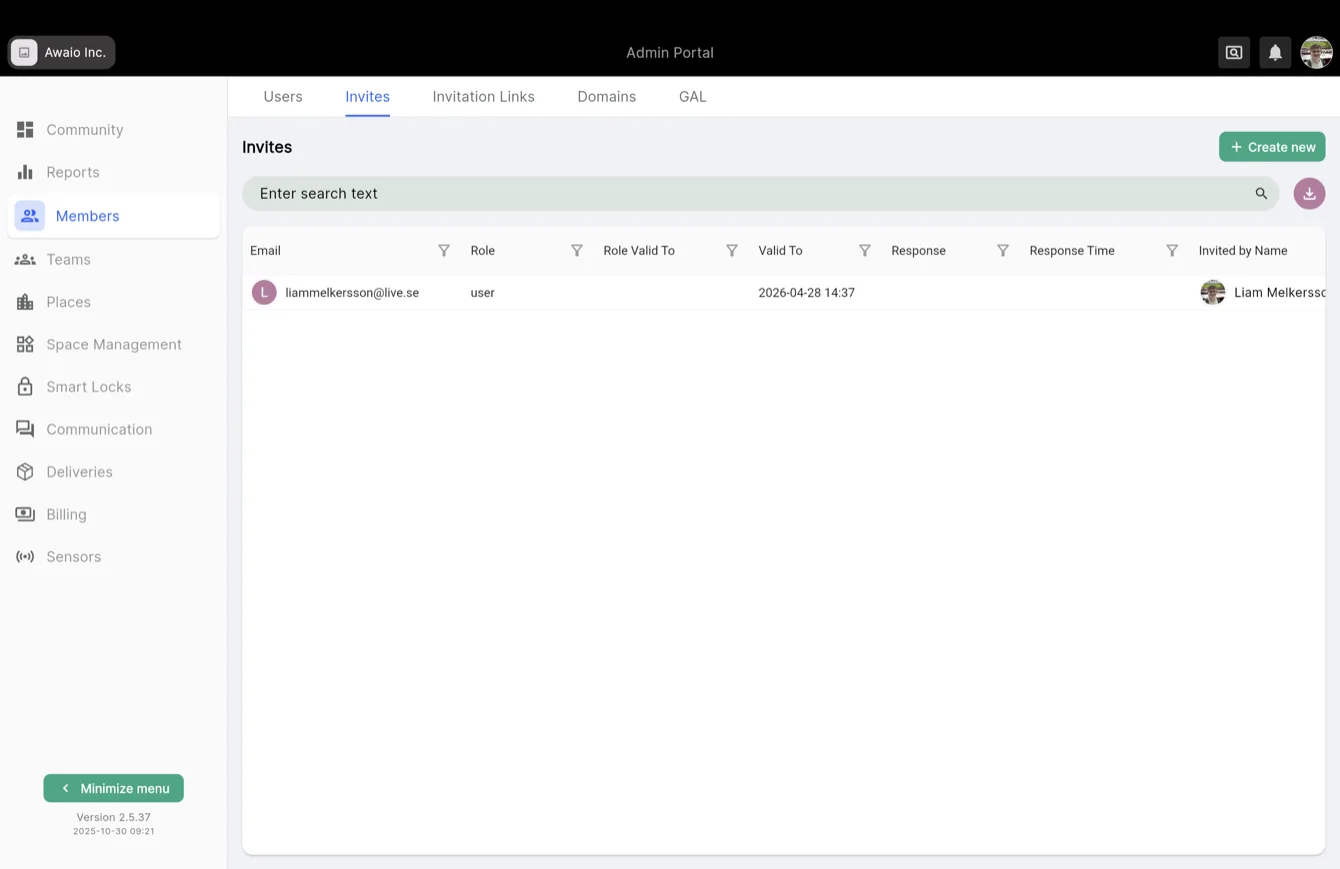
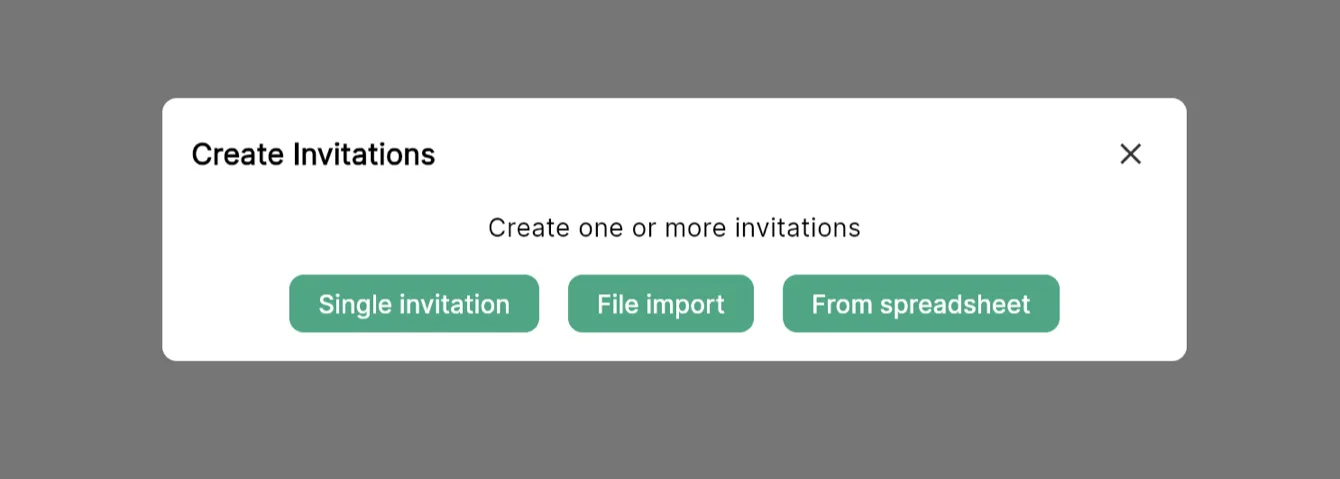
Go to Users → Invites or Members → Invites and click Create New.
Invite individuals or small groups
- Select Single Invitation.
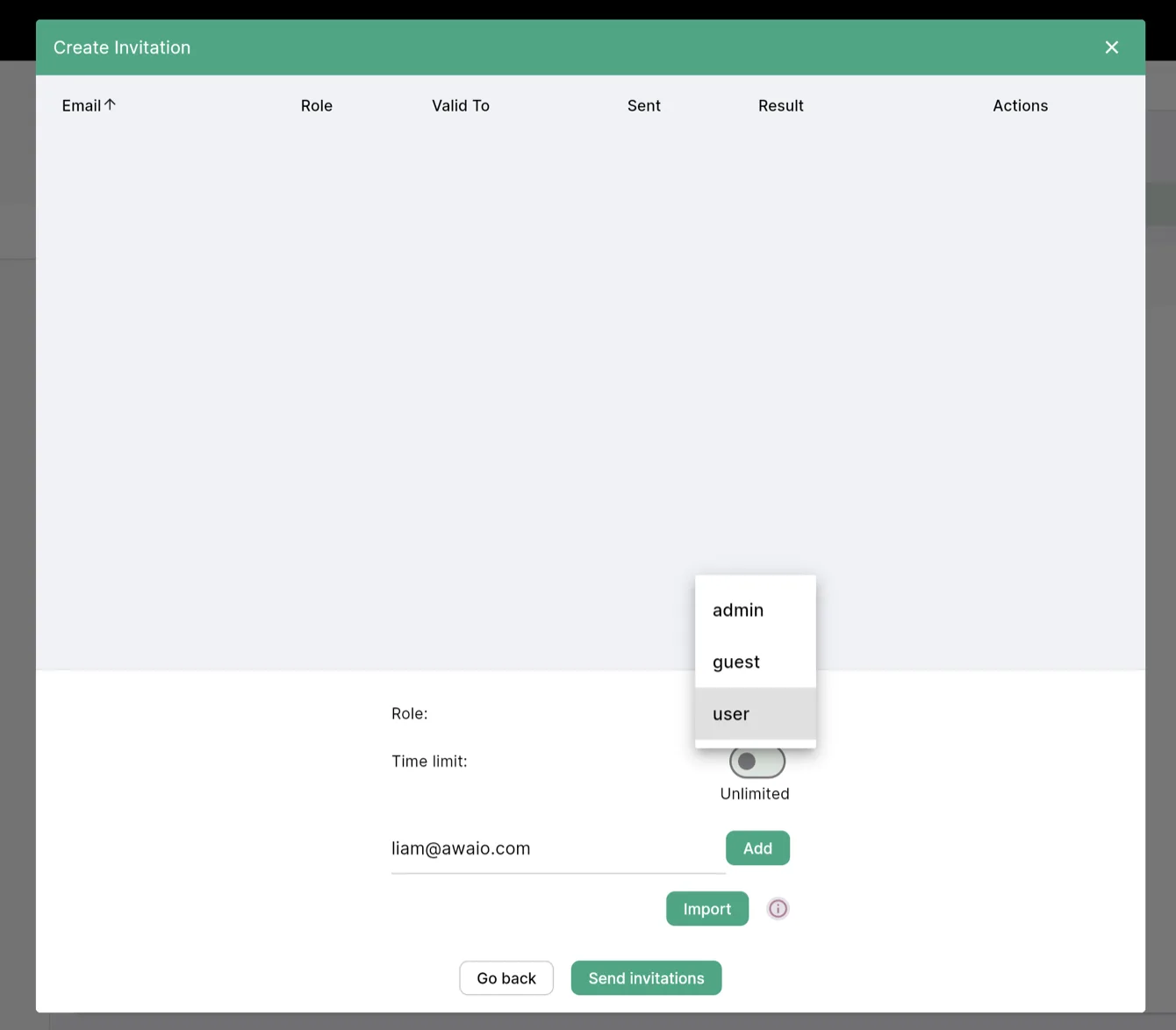
- Enter one or more email addresses.
- Choose a role: Admin, Guest, or User.
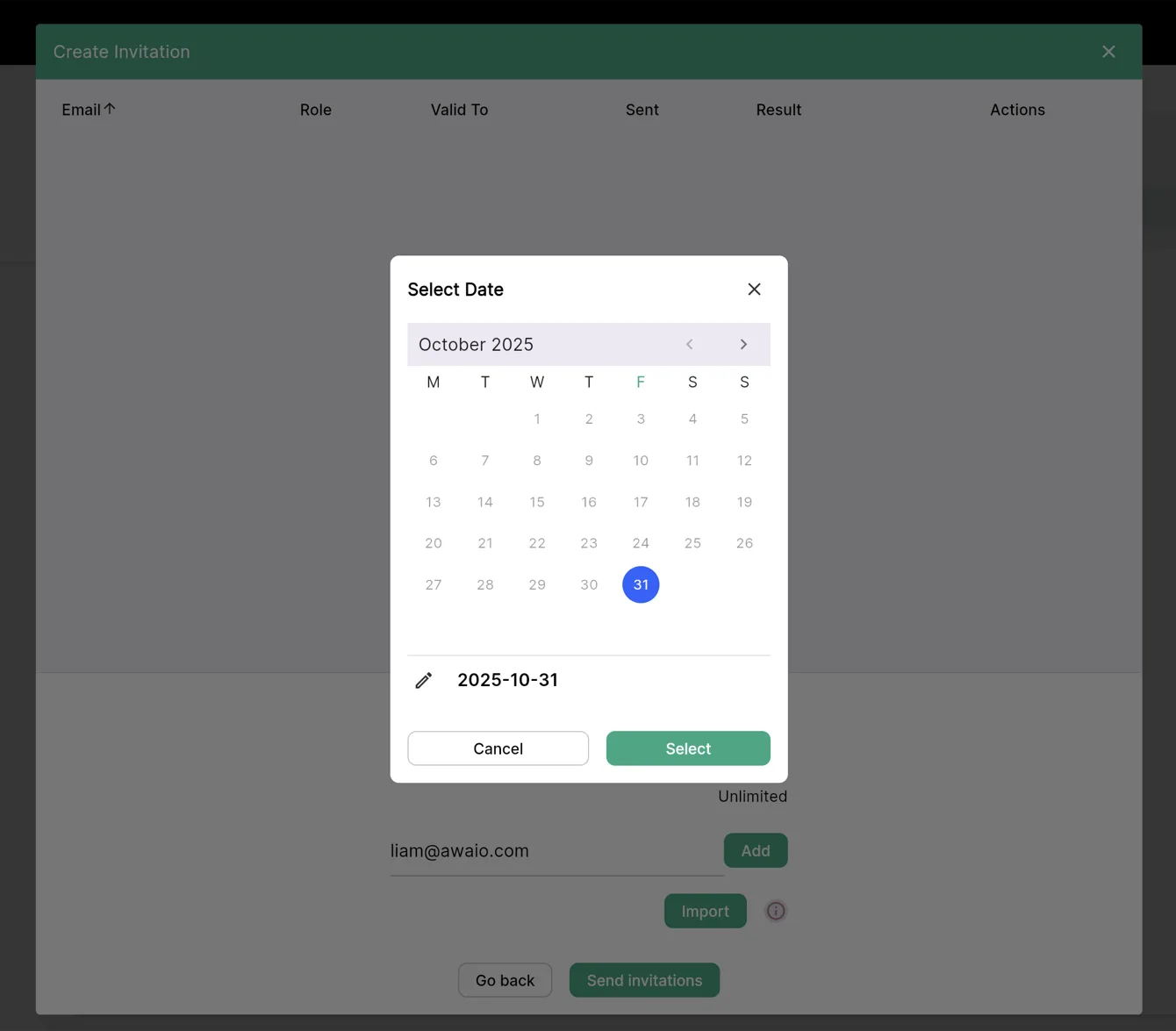
- Optionally set an expiration date to limit access.
- Click Send Invitation.
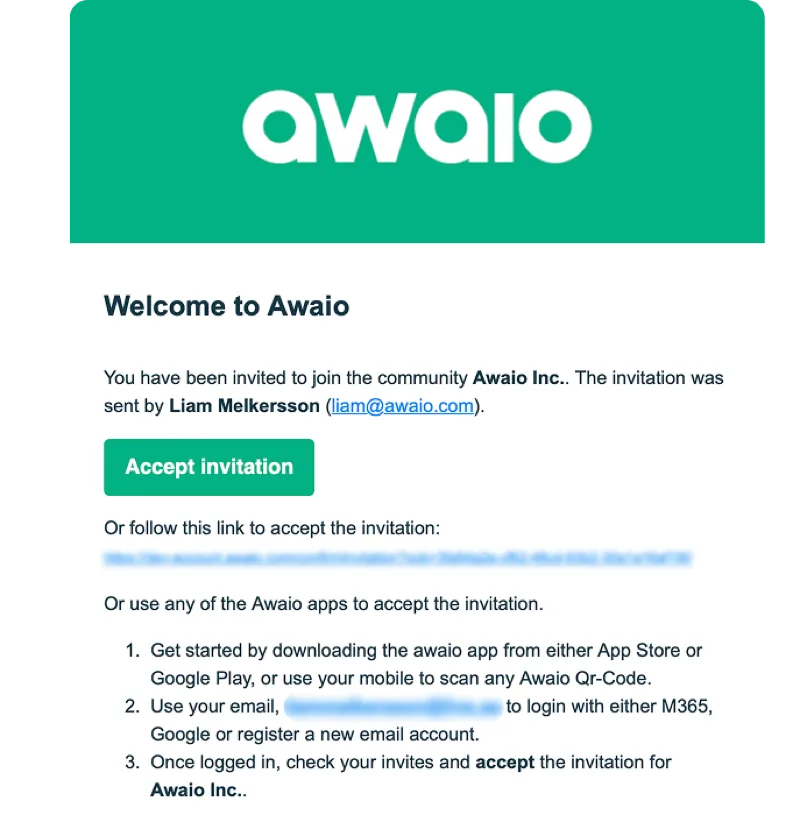
Invited users receive an email like this:
Invite users with a spreadsheet
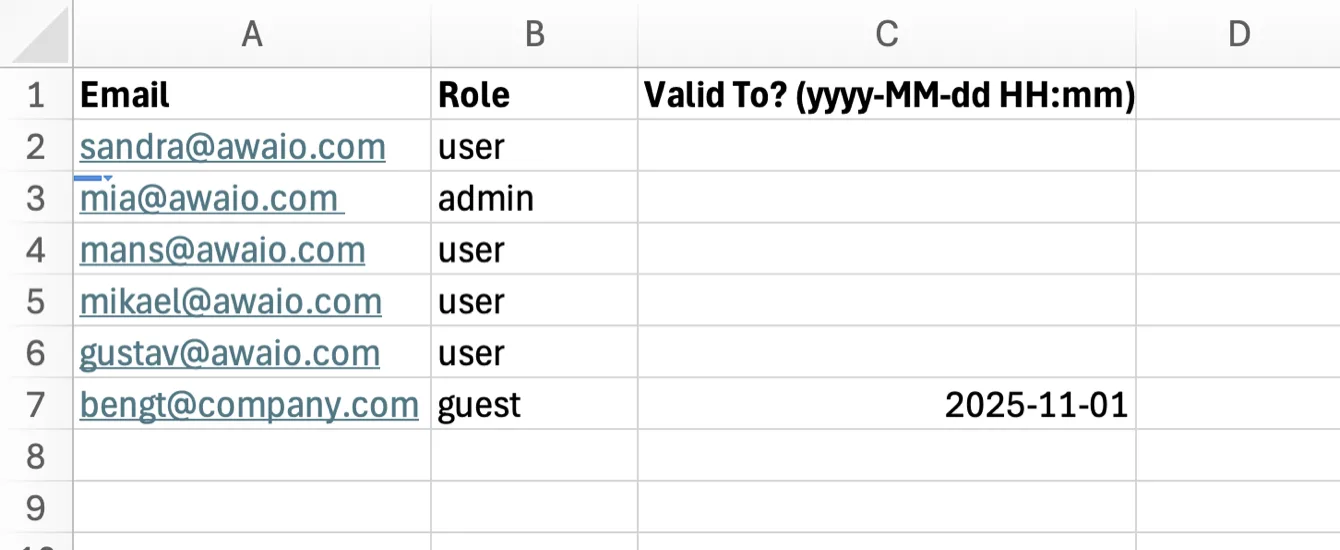
For larger groups, import from a spreadsheet:
- Create a spreadsheet with columns: Email, Role, and optionally Expiration date.
- Copy the data rows.
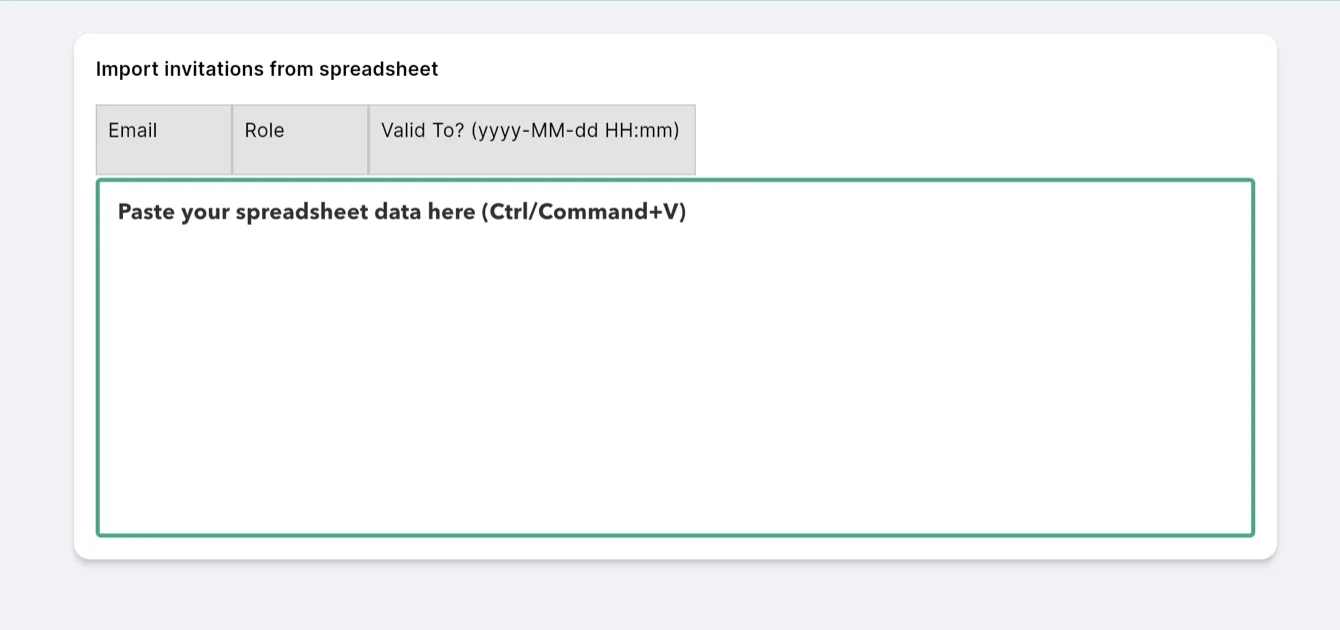
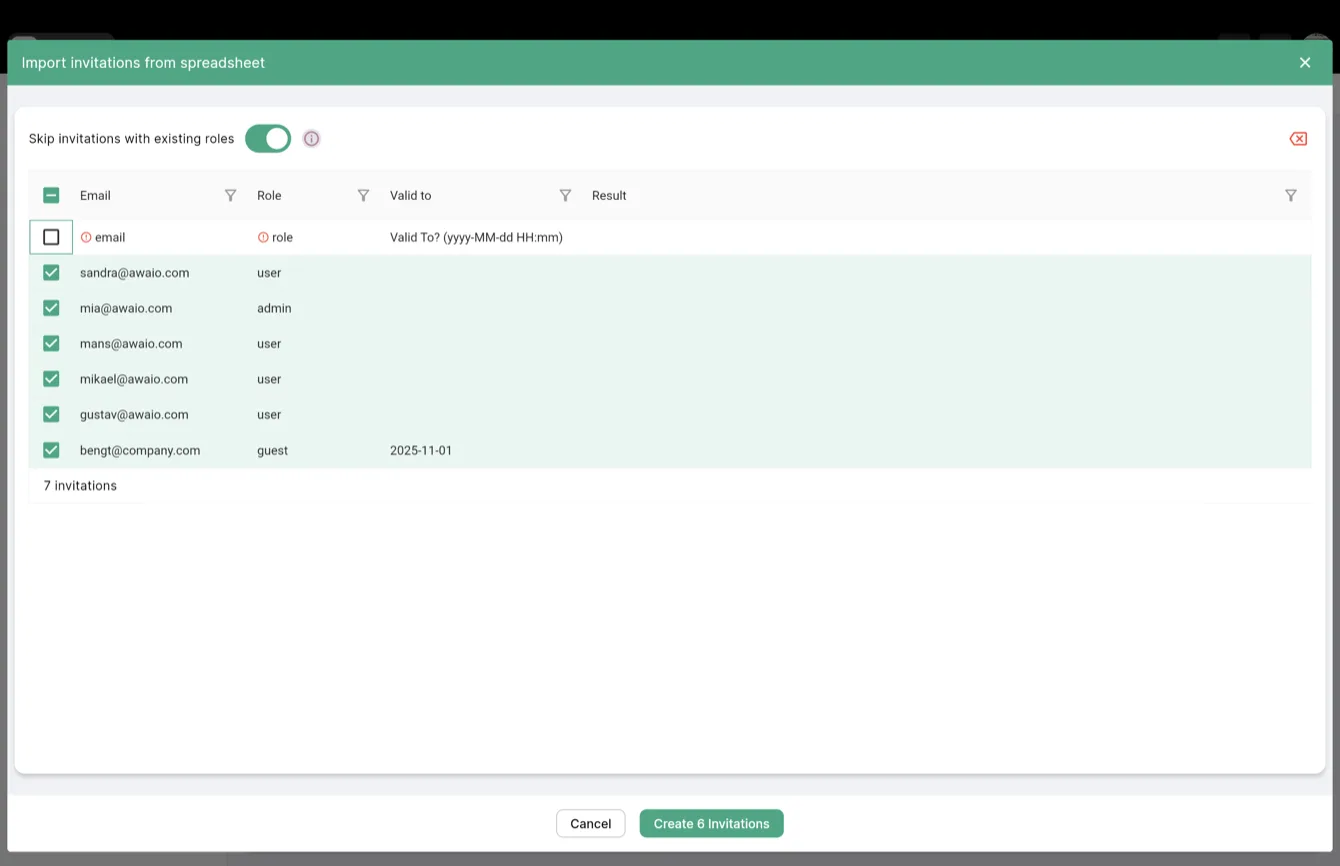
- Go to Members → Invites → Create New → From Spreadsheet and paste the data.
- Click Create Invitations.
Add users by email domain
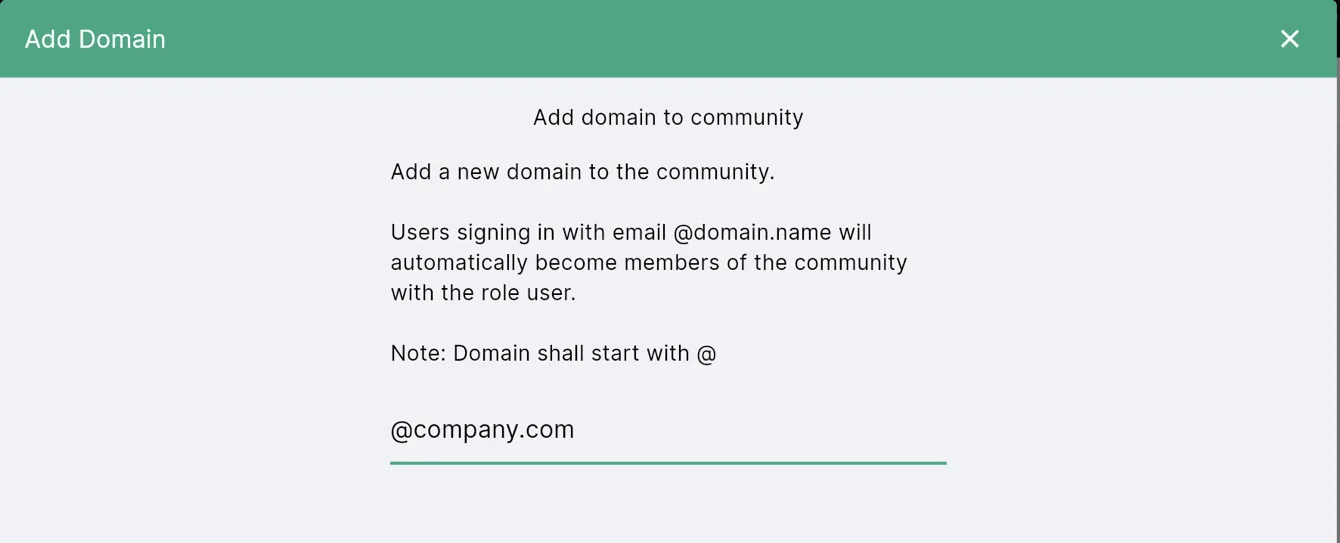
To automatically onboard everyone with a company email address, go to Members → Domain → Add New and enter your company domain.
If you have further questions, feel free to contact us via our website chat (awaio.com) or email us at support@awaio.com.