If you're evaluating desk sharing software, you likely want to:
- Prevent double bookings and desk hoarding.
- Help employees find and book the right desk on the days they're in the office.
- Encourage in-office collaboration through shared desks.
- See where demand is high and space is going unused.
The right software handles those rules in the background while giving employees a straightforward way to plan their office days.
In this guide, we'll walk you through 9 top desk-sharing software options, highlighting their key features, pricing, and what sets each one apart, helping you find the best fit for your team's workspace needs.
Here are the 9 desk-sharing options we'll review:
| Software | Best for | Key desk-sharing capabilities | Starting price |
| Awaio | Hardware-free desk sharing and connected workplace management | Interactive maps, colleague visibility, calendar sync, check-in, analytics | €69/month for up to 20 desks |
| deskbird | Employee-first hybrid desk sharing | Desk booking, floor plans, check-in, auto-release, analytics | €2.75/user/month |
| Robin | Desk sharing with workplace and visitor management | Desk booking, maps, check-in, analytics, visitor management | Contact for pricing |
| Skedda | Granular booking rules and space management | Floor plans, booking rules, roles, analytics | $99/month |
| Archie | Hybrid offices and coworking spaces | Desk booking, maps, resource booking, integrations | $159/month |
| Officely | Slack- and Teams-first desk booking | Desk booking, attendance, analytics, collaboration integrations | Free for up to 5 users |
| Tactic | Flexible workplace management | Desk booking, maps, schedules, analytics | $3000/year minimum for desk booking |
| YAROOMS | Enterprise and multi-location workplaces | Desk booking, policies, analytics, integrations | From $99/month for 10 users |
| OfficeRnD Workplace | Flexible and coworking workplaces | Desk booking, maps, team neighbourhoods, analytics | From $99/month for up to 150 users |
How I evaluated desk sharing software
I put each platform through the same set of practical questions.
- Can employees quickly find and book a desk?
- Can they see where their colleagues are sitting?
- What happens when someone books a desk but doesn't show up?
- Can workplace teams set rules around who can book what and when?
- And can they use the data to see which spaces are actually being used?
I also looked at the details that can change the buying decision, such as calendar integrations, pricing models, broader workplace features, and limitations reported by customers. That helped us compare what each platform can do with what a workplace would actually need it to do, rather than simply counting features.
1. Awaio: Best for hardware-free desk sharing and all-in-one workplace management
Awaio treats a shared desk as a single resource within the wider workplace rather than a standalone booking calendar. Employees can find available desks, see where colleagues are sitting and book from an interactive office map. Facilities teams get booking and utilisation data without making dedicated desk sensors or displays a prerequisite for the system.
Book desks around how employees actually work
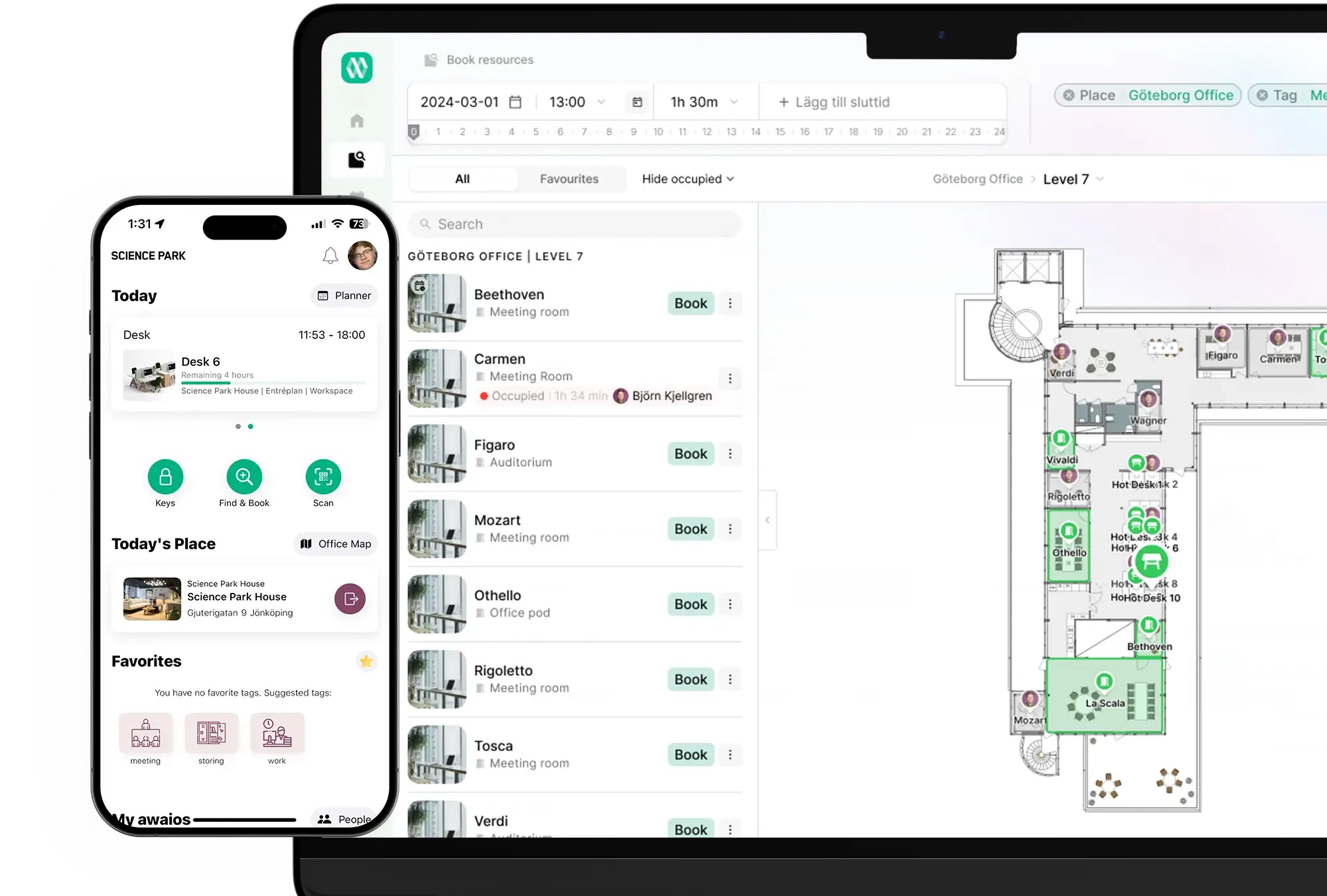
Awaio's interactive office map shows employees which desks are available and where colleagues are sitting. They can choose a desk near their team, filter for specific amenities, or use Here and Now to find a space that's available immediately. Employees can also save frequently used desks as favourites.
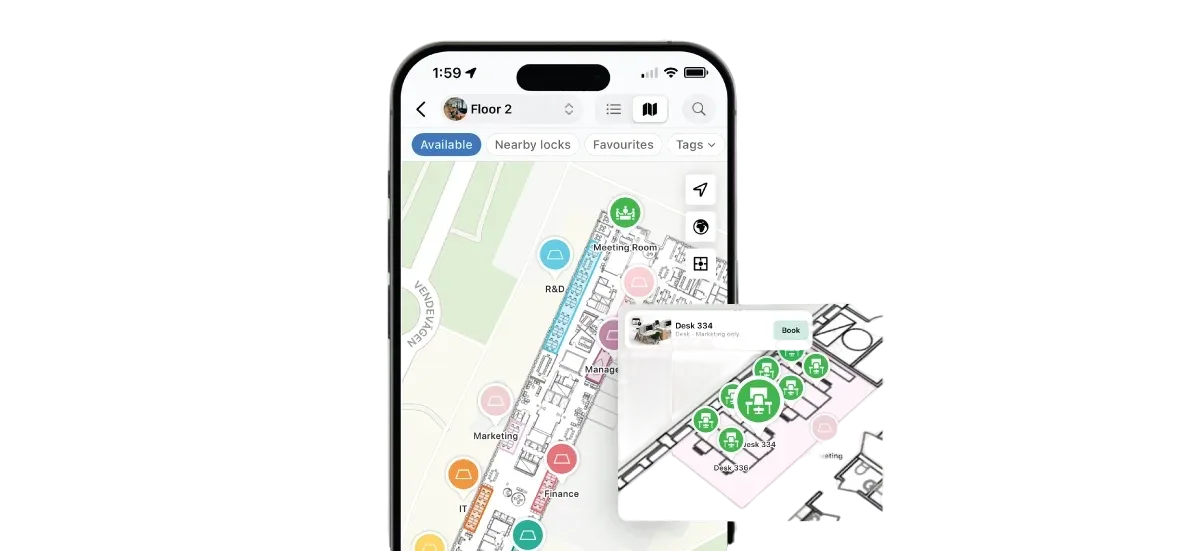
Bookings work across Microsoft 365 and Google Workspace, with calendar synchronisation in both directions. That means employees can plan office days from the tools they already use, while facilities teams can apply booking rules by zone, team or resource.
Avoid ghost bookings and keep desks available
You know how some desks stay untouched all day, even when others struggle to find a spot? Awaio prevents ghost bookings by requiring employees to confirm their booking within a set time window. If they don't, the system automatically releases the desk, making it available for others.
Employees can scan a QR code on the desk to confirm their arrival, set their preferred confirmation window, and receive reminders before their booking. This helps keep desk availability accurate throughout the day.
Use booking and occupancy data to make better space decisions
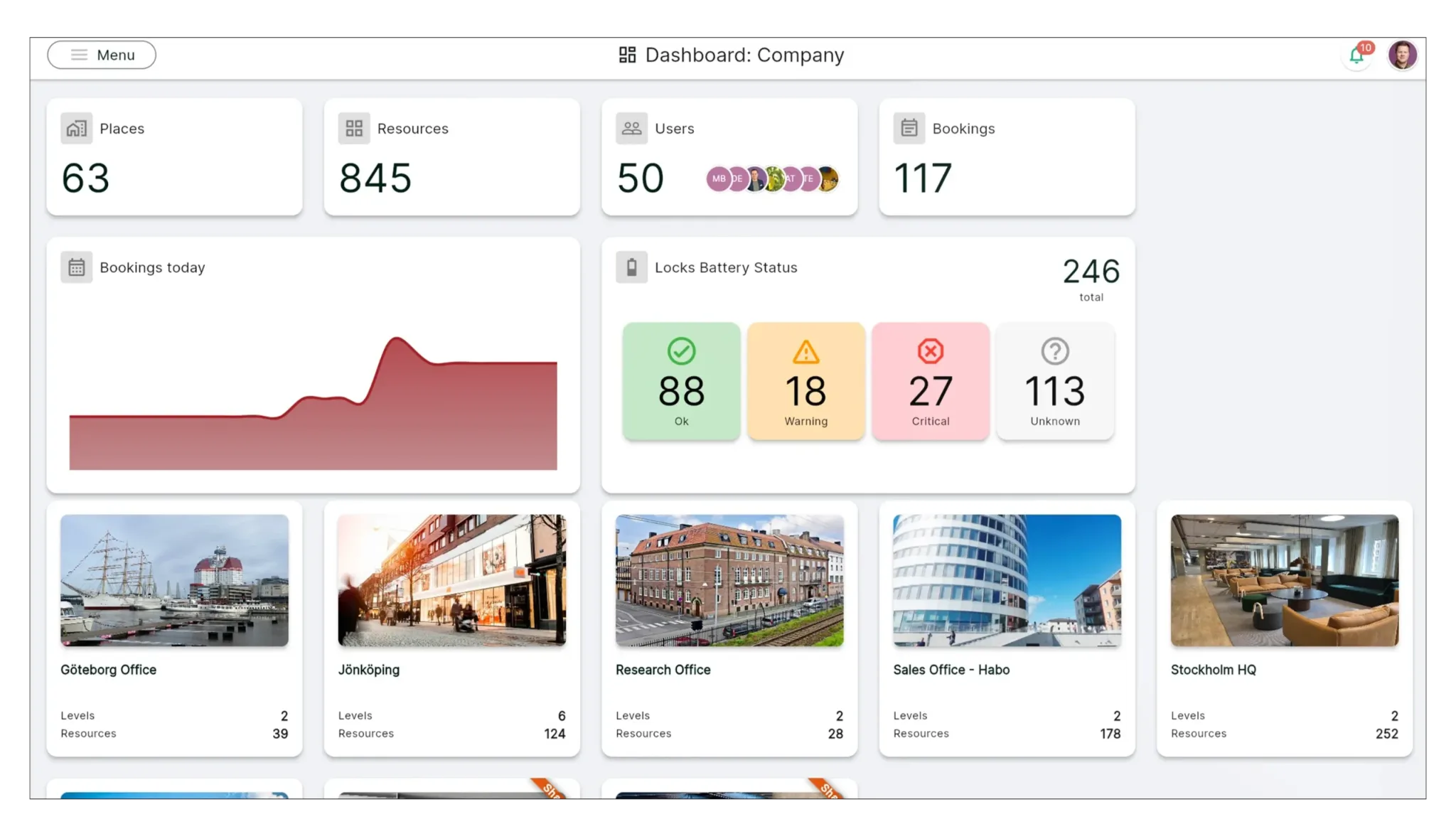
Awaio's analytics bring together bookings, check-ins, and utilisation data across desks, teams, floors, and locations. Facilities teams can identify consistently underused desks, heavily booked areas and changing demand before deciding whether space needs to be reallocated or reduced.
Awaio can also work with existing occupancy sensors when passive occupancy data is required. Sensors aren't included as standard, so teams that need continuous physical occupancy measurement will need to add compatible hardware.
Pros
- Desk booking, colleague visibility and workplace resources can sit in one platform.
- Core desk booking doesn't require dedicated desk sensors.
- Interactive maps make desks and other resources easier to find.
- Booking and check-in data can support workplace utilisation decisions.
- Resource-based pricing can make sense for workplaces with many employees but a smaller number of bookable resources.
Cons
- Awaio may offer more workplace functionality than a small office needs if it only requires basic desk booking.
Pricing
Awaio uses modular, resource-based pricing.
| Desk management | €69/month for up to 20 desks, then €4.9/desk/month |
| Room booking | €10.90/month |
| Smart parking | €69/month for up to 20 spaces, then €4.9/space/month |
| Office maps | €190 (one-off, per floor) |
| QR signs | €39 per sign |
| Bluetooth locks | €99 per lock (one-off) |
Awaio's resource-based pricing can be a good fit for organisations with a large employee base but a smaller number of shared desks. Teams can start with desk management and add other workplace resources as their needs grow.
Sounds like what your team needs? Contact Awaio to discuss your hybrid office needs.
2. deskbird: Best for employee-first hybrid desk sharing
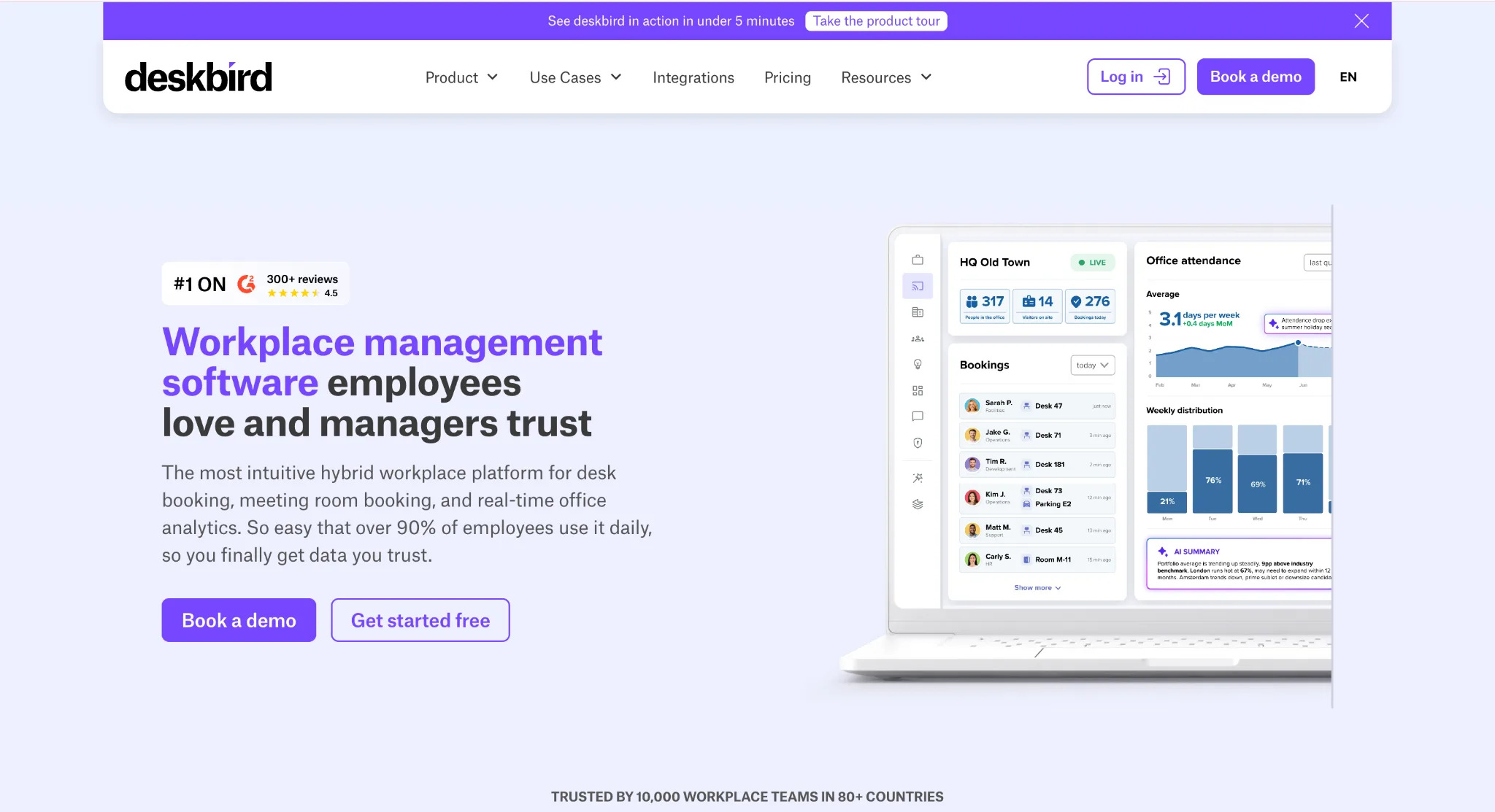
deskbird is built around making hybrid office days easy to coordinate. Employees can book from the web, mobile app, Slack or Microsoft Teams, then choose a desk directly from an interactive floor plan. They can filter desks by floor, equipment or zone type, see where teammates are sitting, and use smart recommendations to find a suitable space based on their team, calendar and booking habits. Recurring bookings also let employees set up regular office days without having to repeat the same reservation every week.
The admin side gives workplace teams more control as offices become harder to manage manually. Booking rules can be set by team, role, resource or time, while check-in and automatic release help keep the availability shown to employees accurate. The Professional tier adds advanced booking rules, workplace analytics, an AI-powered floor-plan designer and automated check-in through deskbird Dock.
That makes deskbird particularly well suited to organisations where employee adoption is as important as the underlying desk-management controls.
Key features
- Interactive floor plans with desk filters
- Smart desk recommendations
- Colleague and team visibility
- Recurring desk bookings
- Check-in and automatic release
- Slack, Microsoft Teams, Outlook and Google integrations
- Booking rules by team, role, resource and time
- Workplace analytics on Professional
Pros
- Strong employee experience across web, mobile and workplace apps.
- Automatic check-in and release help reduce unused reservations.
- Supports desk, room and parking workflows in one platform.
Cons
- Advanced analytics, booking controls and automated check-in require higher-tier plans.
- Per-active-user pricing can be less economical for organisations with a large employee population and relatively few shared desks.
Pricing
Business starts at €2.75 per active user/month when billed annually. Professional pricing is available on request.
3. Robin: Best for desk sharing alongside workplace and visitor management
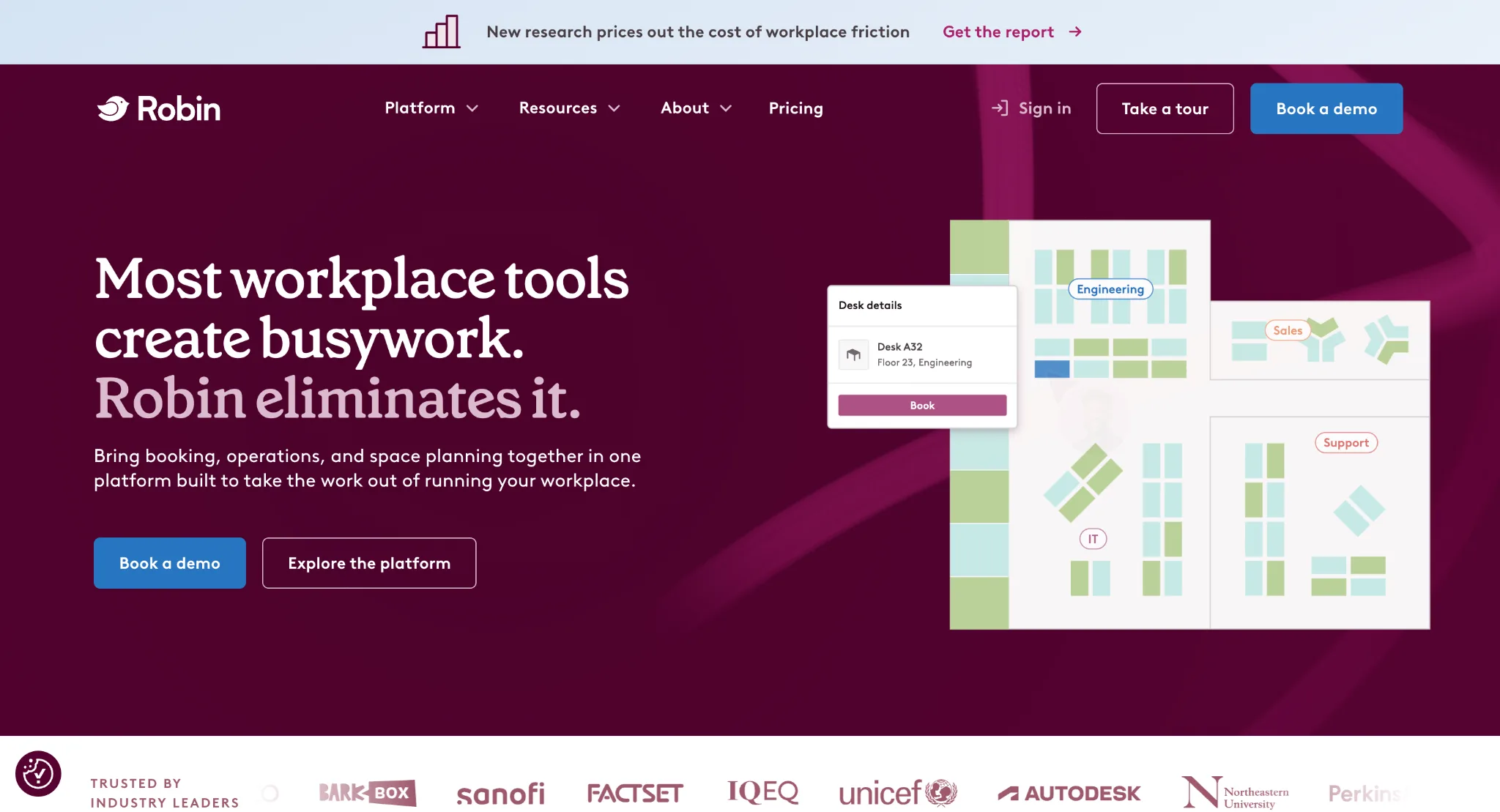
Robin gives employees two ways to find a desk. They can plan their office week from the Schedule view or open the Office page for a live view of the workplace, then choose a desk from an interactive map. The map shows availability in context, while hoteling setups allow employees to book across multiple days. Robin also offers an automatic desk-booking option that reserves desks based on an employee's default office schedule and preferences.
For workplace teams, Robin goes beyond the reservation itself. Desk policies can govern how and when spaces are booked, while workplace data can be used alongside meeting-room and visitor workflows. Its automatic booking feature is particularly useful for employees with predictable office schedules, as Robin can create reservations for them rather than requiring them to repeat the same booking every week.
Key features
- Interactive desk maps
- Multi-day desk booking
- Hotel desks
- Automatic desk booking
- Desk policies and booking controls
- Workplace analytics
- Meeting room and visitor management
Pros
- Strong option for organisations managing desks, rooms, and visitors on a single workplace platform.
- Automatic desk booking can reduce repetitive weekly reservations.
- Employees can plan office days and choose desks from the same workplace interface.
Cons
- The broader workplace feature set may be more than a team looking only for desk booking needs.
- Pricing isn't published as a simple standard rate, making early cost comparisons harder.
Pricing
Robin operates on a custom, quote-only model that requires a sales consultation.
4. Skedda: Best for granular booking rules and space management
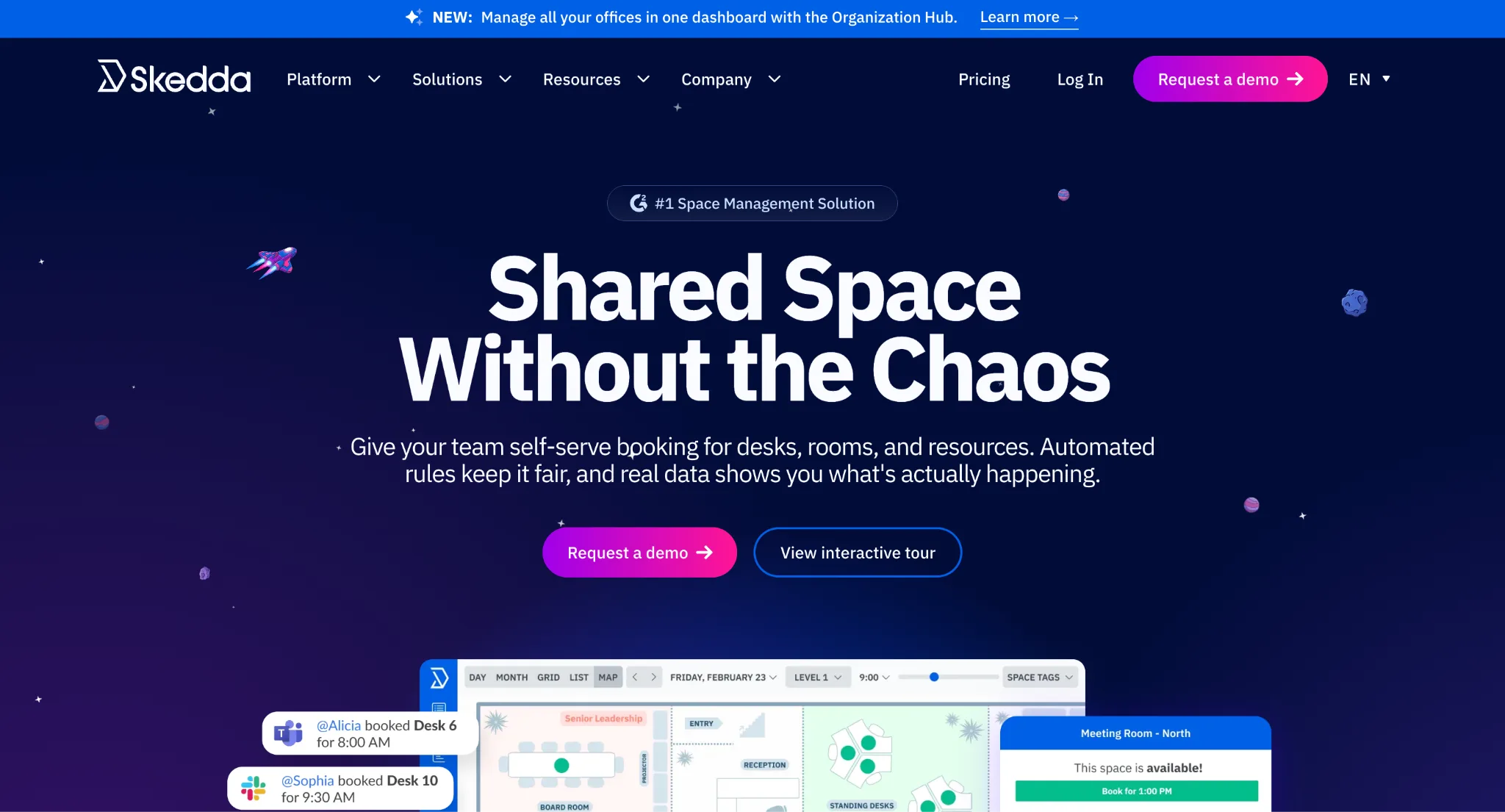
Skedda stands out when a workplace needs more control over who can book which spaces and under what conditions. Its interactive floor plans give employees a visual way to choose desks, while administrators can set booking windows, quotas, permissions, and access rules around shared spaces.
That level of control makes Skedda particularly useful for workplaces where different teams or workspace types need different booking policies. Utilization reporting and check-in rules also give administrators a way to monitor whether those policies are working as intended.
Key features
- Interactive floor plans
- Colleague visibility
- Booking conditions and access controls
- Booking windows and quotas
- Assigned desks
- Check-in rules
- Microsoft 365 and Google Workspace sync
- Utilization analytics
Pros
- One of the stronger options for granular booking rules and permissions.
- Charges around bookable spaces rather than employee headcount.
- Interactive maps and analytics are included in the published plans.
Cons
- Advanced rules and assigned-space controls require higher tiers.
- The number of spaces included in each plan can make pricing less straightforward as a workplace grows.
Pricing
- Starter: from $99/month for 15 spaces
- Plus: from $149/month for 20 spaces
- Premier: $199/month for 25 spaces
- AllBooked: custom pricing
5. Archie: Best for visual desk management and coworking-style workplaces
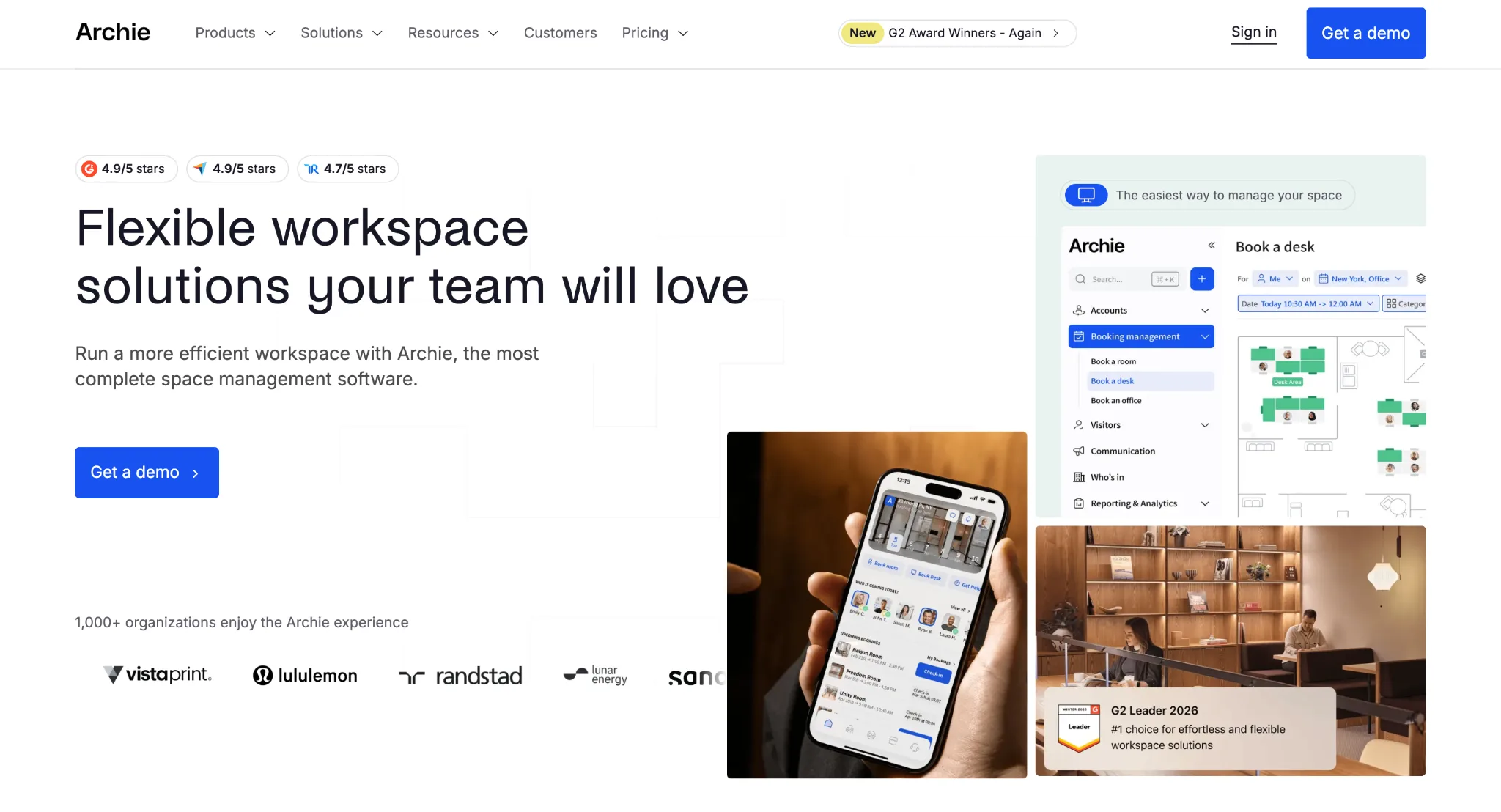
Archie puts the physical layout of the workplace at the centre of desk booking. Employees can use a visual floor plan to understand where desks are located and choose a workspace based on its position, amenities, or surrounding team.
The platform also supports both employee-selected hot desks and assigned seating, making it flexible for workplaces with mixed seating arrangements. That combination makes Archie particularly suited to offices and coworking environments where the layout itself is an important part of the booking experience.
Key features
- Visual floor plans
- Colleague search and team visibility
- Desk zones and amenities
- Recurring bookings
- QR and virtual check-ins
- Seat assignment
- Occupancy analytics
- Teams, Outlook and Slack integrations on Pro
Pros
- Strong visual booking experience with useful colleague and team context.
- Supports both assigned seating and employee-selected hot desks.
- Transparent per-desk pricing makes the cost easier to estimate.
Cons
- The Starter plan has a $159/month minimum threshold, which may not be practical for smaller desk deployments.
- Users report that check-in windows can be unforgiving, and limited reminders can lead to accidental booking cancellations.
- Floor maps can become cluttered in large offices unless they're manually split into smaller, filtered sections.
Pricing
- Starter: $2.80 per desk/month with a $159/month minimum
- Pro: $3.50 per desk/month with a $249/month minimum
- Enterprise: Custom pricing
6. Officely: Best for desk booking inside Slack and Microsoft Teams
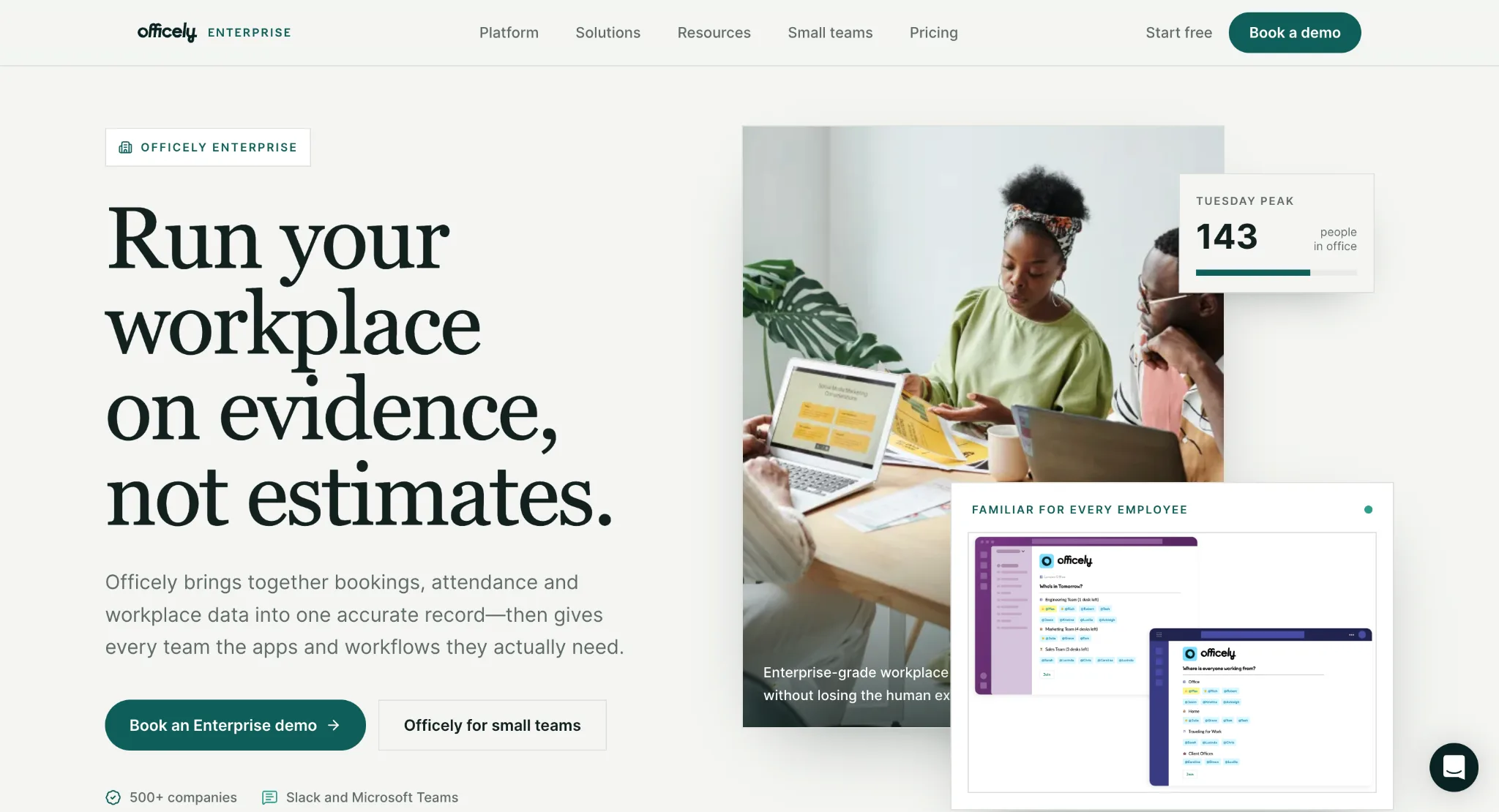
Officely puts desk booking inside the collaboration tools employees already use. Rather than sending people to another workplace portal, employees can coordinate office days and book desks through Slack or Microsoft Teams. The platform is designed around seeing who is coming in, coordinating with teammates and finding a suitable place to work.
That makes Officely particularly appealing to organisations where Slack or Teams is already the centre of day-to-day communication. Its Basic plan focuses on desk and office capacity, while Premium adds features aimed at team coordination and workplace culture. The trade-off is that Officely's strongest advantage depends on your employees already living in those collaboration platforms.
Key features
- Desk booking in Slack and Teams
- Office attendance and team visibility
- Desk availability
- Workplace analytics
- Team coordination
- Capacity management
Pros
- Employees don't need to adopt a separate desk-booking workflow.
- Strong fit for teams already working heavily in Slack or Microsoft Teams.
- The free plan provides a simple entry point for smaller workplaces.
Cons
- Less compelling if your organisation doesn't rely heavily on Slack or Teams.
- Broader workplace requirements may call for a more comprehensive platform.
Pricing
- Free: for up to 5 users
- Basic: €2.50/user/month (billed annually) or €3.00 monthly
- Premium: €3.50/user/month (billed annually) or €4.50 monthly
- Enterprise: Custom pricing
7. Tactic: Best for enterprise desk sharing with flexible pricing
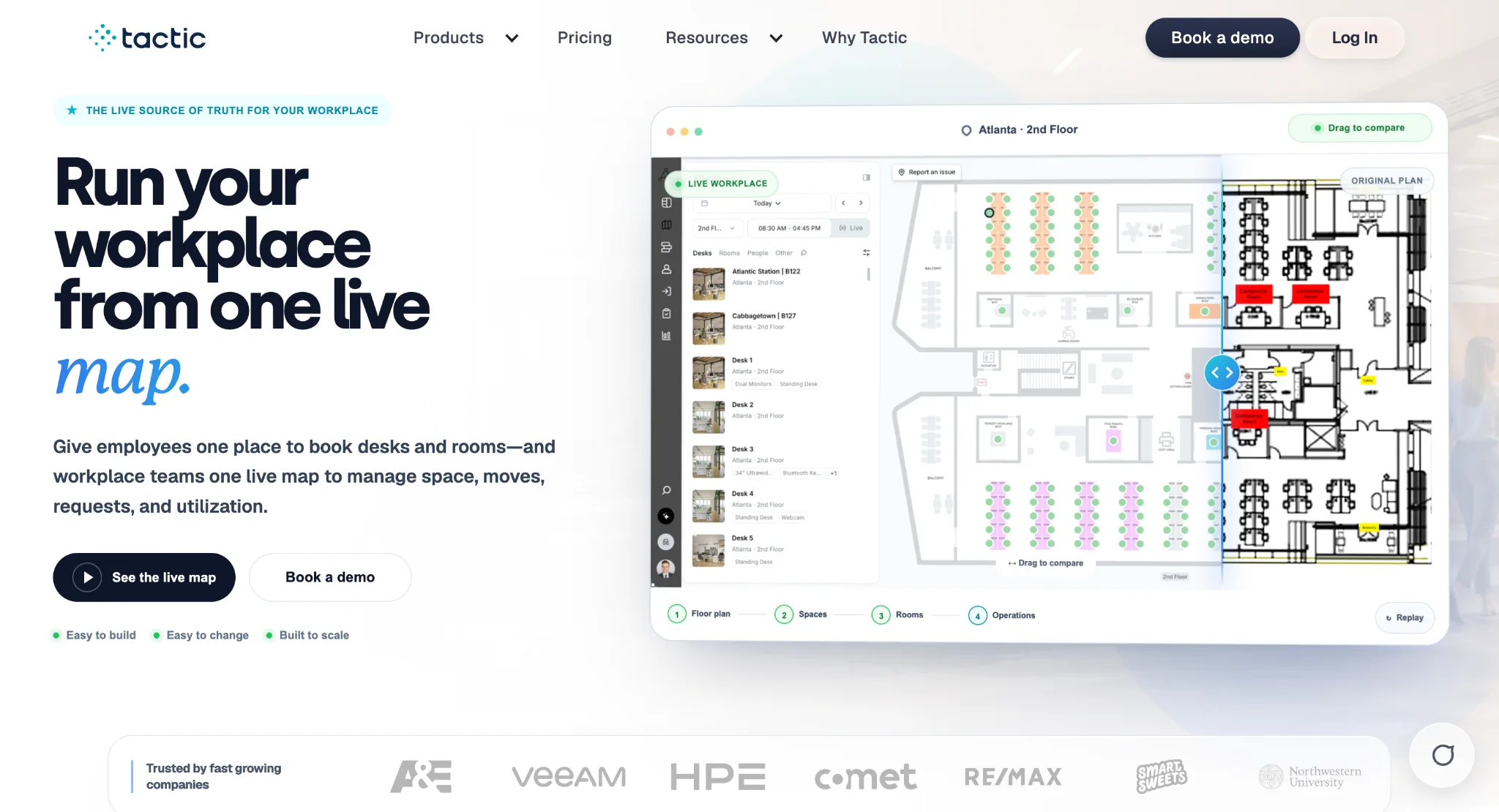
Tactic is designed for workplaces that expect desk management to grow into a broader workplace operation. Its modular approach lets organisations add rooms, visitors, custom resources, workplace requests, and analytics as their needs expand.
The platform also uses resource-based pricing, which can make sense for larger organisations where employee headcount is much higher than the number of shared desks. That gives workplace teams room to expand their setup without necessarily paying for every employee as a separate user.
Key features
- Interactive desk maps
- Hot desking, hoteling and assigned seating
- Neighbourhoods and desk amenities
- Multi-day and recurring bookings
- Check-in and automatic release
- Slack, Teams, Outlook and Google integrations
- Workplace analytics
- Modular workplace products
Pros
- Strong fit for larger workplaces that expect desk management to expand into other workplace workflows.
- Resource-based pricing can work well when employee headcount is significantly higher than the number of shared desks.
- Modular structure means organisations don't have to buy every workplace product.
Cons
- Users occasionally experience slow or laggy two-way calendar syncing with Outlook and Google Calendar.
- The system offers rigid workspace rule customisation options and has a high learning curve for admins.
- The mobile app experience is less fluid and responsive than the desktop dashboard.
Pricing
Tactic's pricing is based on resources and workplace setup. For example, a 120-employee office with 60 desks requires a $3,000 annual minimum, according to their price estimator.
8. YAROOMS: Best for structured workplace scheduling
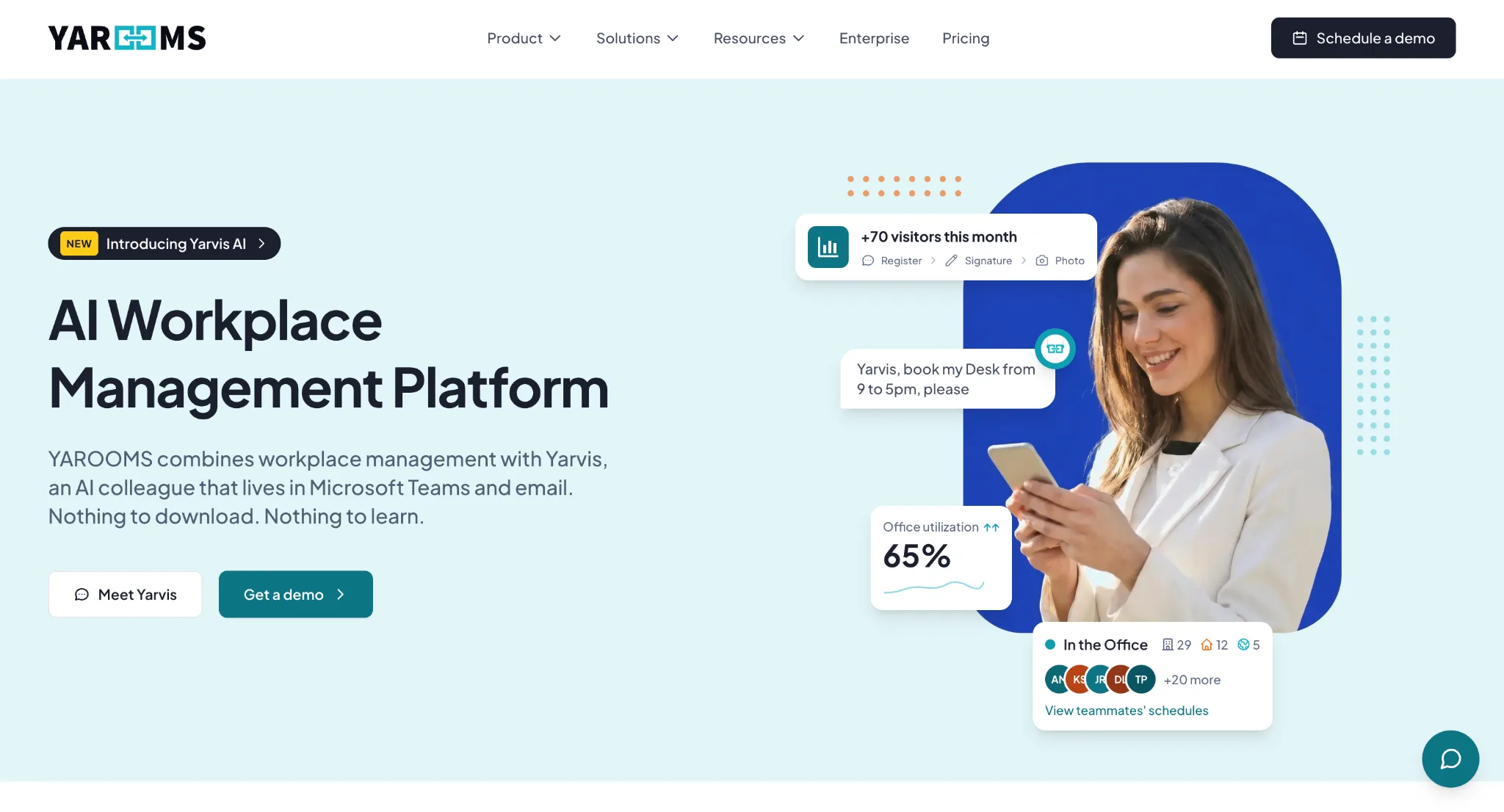
YAROOMS combines desk booking with broader workplace scheduling, giving organisations a single system for managing shared resources. Its approach is better suited to workplaces that want more structure around reservations and resource planning than a lightweight desk-booking tool provides.
The platform supports multiple locations and resource types, while reporting helps workplace teams understand how those spaces are being used. This makes YAROOMS a practical option for organisations managing desks alongside rooms and other shared workplace resources.
Key features
- Desk and room booking
- Interactive workplace maps
- Hybrid work scheduling
- Calendar integrations
- Workplace analytics
- Multi-location management
- Resource management
Pros
- Combines desk and room scheduling in one platform.
- Suitable for organisations with structured workplace policies and multiple resources.
- Published pricing provides a starting point for comparison.
Cons
- Advanced capabilities require higher-tier plans.
- The broader platform may have more functionality than a small office needs for simple desk booking.
Pricing
- Starter: $99/month for 10 users
- Business: $399/month for 50 users
- Enterprise: $899/month for 300 users
9. OfficeRnD Workplace: Best for flexible workplaces and team coordination
OfficeRnD Workplace focuses on helping employees coordinate when they're coming in and where they'll work. Desk booking, workplace maps and team coordination give employees more context than a simple availability list, while integrations with tools such as Microsoft Teams, Outlook, Google Workspace and Slack bring workplace planning closer to the systems employees already use.
The platform also extends beyond individual desk reservations. Workplace teams can use attendance and utilisation information to understand office demand, while the wider OfficeRnD ecosystem supports rooms, visitors and other workplace processes. That makes it a stronger fit for organisations looking for a broader workplace platform rather than a desk-booking tool in isolation.
Key features
- Desk and room booking
- Interactive workplace maps
- Team coordination
- Employee attendance
- Workplace analytics
- Microsoft Teams, Outlook, Google Workspace and Slack integrations
- Visitor management
Pros
- Strong employee coordination features alongside desk booking.
- Resource-based pricing means the cost can be tied to bookable desks and rooms rather than total headcount.
- Start supports up to 150 users, making the entry plan accessible to growing workplaces.
Cons
- Some enterprise controls, including SSO, SCIM and multi-site functionality, require the Professional tier.
Pricing
- Start: from $99/month for up to 150 users (billed annually)
- Professional: from $399/month for up to 1000 users (billed annually)
- Enterprise: Custom pricing for unlimited users
Which desk sharing software is right for you?
The best choice depends on how much workplace management you need alongside desk booking:
- Choose Awaio if you want desk sharing alongside broader workplace resource management.
- Choose deskbird if employee adoption and multiple booking channels are your priority.
- Choose Robin if desk booking needs to sit alongside visitor and meeting-room management.
- Choose Officely if your team already works primarily in Slack or Microsoft Teams.
Conclusion
For organisations that want a broader workplace platform without making desk sensors, displays or other dedicated hardware the starting point, Awaio is a reasonable choice. It's also a strong fit if desks are only the beginning and you expect to manage rooms, lockers, parking or other workplace resources from the same platform.
Ready to make desk sharing easier? Contact us to see how Awaio can support your workplace.
FAQs
What is desk sharing software?
Desk sharing software lets employees reserve shared desks while helping workplace teams manage availability, bookings, and space utilization. Many platforms also support floor plans, colleague visibility, check-in, and calendar integrations.
What features should desk sharing software have?
Look for desk availability, interactive floor plans, calendar integration, colleague visibility, check-in, automatic release, booking rules, and utilization reporting. Larger workplaces may also need permissions, integrations, and multi-location management.
Can desk sharing software work without sensors?
Yes. Desk booking and check-in can work without occupancy sensors. Awaio, for example, uses bookings and TapDot check-ins to track desk utilization, while compatible sensors can be added when passive occupancy data is needed.
How does desk sharing software prevent ghost bookings?
Most platforms use check-in rules. If an employee doesn't confirm their arrival within a set period, the software can automatically release the desk for someone else.
Is desk-sharing software the same as hot-desking software?
They're closely related. Hot desking is the practice of using unassigned desks, while desk sharing software provides the system employees use to reserve and manage those desks. Many platforms support both hot desking and assigned seating.
How much does desk sharing software cost?
Pricing varies by platform. Some charge per user, while others charge per desk or bookable resource. Plans can range from free options for small teams to several thousand dollars per year for larger deployments.