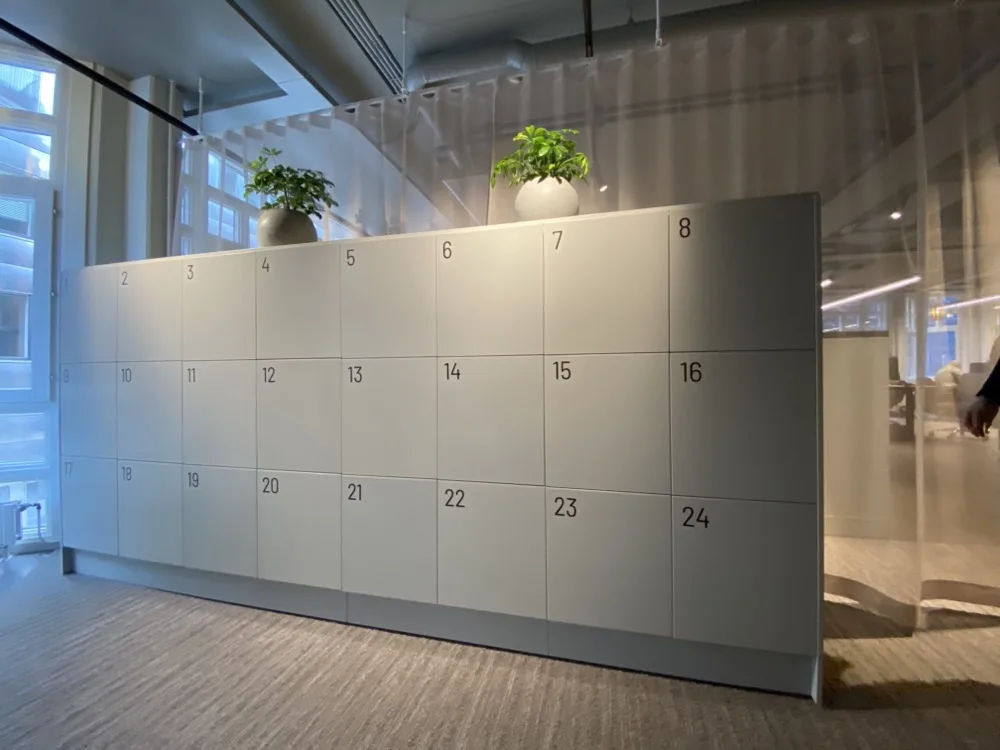
If you manage lockers across a building or several sites, you can face two opposite problems at once: someone can’t find a free compartment while dozens of assigned lockers sit unused. A key register or static access-card list won’t explain the mismatch.
It can’t show which lockers are being opened, how long they remain assigned, or whether the real demand is for personal storage, parcels, loan devices, or shared equipment.
Awaio’s smart lockers system gives facility teams that control. It lets you decide who can use each compartment and for how long, then shows how often the locker is opened. You can use that information to release inactive lockers and plan future capacity, while keeping compatible cabinets already in place.
What can smart locker systems be used for?
Parcel collection and secure handovers
Once a parcel arrives, someone still has to record it, notify the recipient, store it securely, and confirm collection. A smart locker system automates that chain by assigning a compartment, issuing temporary access, and recording pickup. Retail buy online, pick up in store (BOPIS) systems extend the workflow to customer collections and returns.

IT equipment, tools, and loan devices
A replacement laptop or shared scanner isn’t available if the user has to wait for someone to hand it over. Smart lockers give authorised users self-service access to devices, tools, headsets, and other equipment for a defined period. Opening records show who accessed the compartment and when, although tracking the exact item inside may require an asset-management integration.

Personal, team, and visitor storage
An employee can reserve a day locker, several colleagues can share a team locker, and a visitor can receive temporary access that expires after their visit. Booking limits and automatic release return unused lockers to circulation instead of leaving them blocked by old assignments. Our smart lockers for offices guide covers employee-storage workflows in more detail.

Charging and changing facilities
E-bike batteries and shared devices need secure access alongside suitable power, ventilation, and fire-safety provisions. Meanwhile, changing-room lockers need shorter booking periods and reliable turnover between users.

How do smart locker systems work?
A smart locker system combines physical compartments with electronic locks, a way to identify the user, and software that manages access. Depending on the system, it may also include a touchscreen, card reader, network connection, charging, sensors, notifications, or integrations with other business systems.
The cabinet, lock, and software don’t always have to come from the same supplier. You can purchase a complete integrated locker bank or add smart locks and management software to compatible cabinets separately.
Should you get a new locker bank or retrofit smart locks?
If your cabinets are worn out or you need specialist compartments, buying a complete system may be the cleaner route. When the cabinets still work, and the problem is access, allocation, or missing usage data, replacing the locks may be enough.
| Consideration | New integrated locker bank | Retrofit smart locks |
|---|---|---|
| Cabinets | New units are supplied | Compatible cabinets are retained |
| Power | May require mains power | Can use battery-powered locks |
| Connectivity | May require Wi-Fi, Ethernet, or a gateway | Depends on the lock architecture |
| Installation | Delivery, positioning, wiring, and commissioning | Existing locking hardware is replaced |
| Specialist requirements | Better for screens, charging, ventilation, and bespoke compartments | Limited by cabinet and lock compatibility |
| Rollout | Usually installed as a complete project | Can be introduced in stages |
| Best fit | New sites and specialist workflows | Modernising a usable locker estate |
With Awaio, both deployment routes can sit within the same smart locker system. Our digital locks can be retrofitted to compatible cabinets your organisation already owns or installed in new cabinets sourced from a supplier of your choice. For internal parcel distribution and e-bike charging, Awaio also offers complete locker solutions with the locks pre-installed.
How Bluetooth smart locker system works
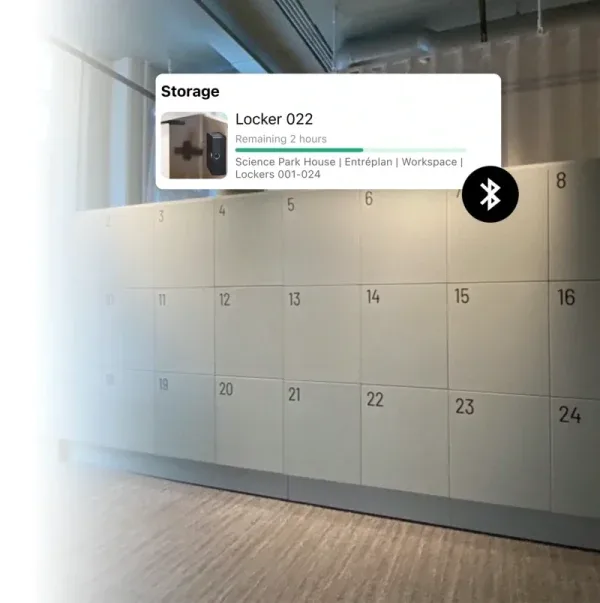
Using Awaio’s recommended Bluetooth lock, the user’s phone connects the booking in the app to the physical cabinet.
A user can book a specific locker, use Find Nearby to locate an available one within Bluetooth range, or let Quick Assign choose one. Once the booking or assignment is confirmed, a digital key becomes available on the user’s phone.
At the cabinet, the phone sends the key to the lock through Bluetooth Low Energy. The lock checks the key and releases its spring-loaded latch.
Because the phone communicates directly with the lock, the cabinet doesn’t need Wi-Fi, Ethernet, or a wired internet connection. Our recommended Bluetooth model is battery-powered, with a typical battery life of two to three years. A valid key that has already reached the phone can still open the locker when there’s no internet coverage at the cabinet.
Bluetooth also powers Find Nearby. The app detects lockers within about 30 metres, depending on the surrounding walls and materials, so users see available lockers close to where they’re standing.
How Awaio handles locker and access data
The lock itself holds no user profiles, bookings, or permissions. It only checks the digital key sent by the phone and releases the latch when that key is valid. Administrators manage access and review opening history through Awaio Manager, while customer data is stored in EU regions and protected using TLS 1.2 or higher in transit and AES-256 encryption at rest.
Mölnlycke Healthcare’s FM Director, Anders Rydblom, described how this approach affected storage management and employee adoption:
"Awaio transformed how Mölnlycke Healthcare manages storage and access, ensuring flexibility while making adoption effortless for employees."Anders Rydblom, FM Director, Mölnlycke Healthcare
If you have cabinets you’d prefer to keep, get in touch. We’ll help you understand whether they’re compatible with Awaio locks and what the installation would involve.
Choosing smart locker access methods and allocation models
Decide how users open their lockers
Smart lockers can open by phone, RFID card, PIN, or fingerprint. Here’s what each option requires from the user and the cabinet:
- Bluetooth: Brings booking and unlocking into the same mobile app without requiring a network connection at the cabinet.
- RFID: Lets people use familiar staff cards but requires compatible reader hardware.
- PIN: Removes the need for a phone or card, although codes can be forgotten or shared.
- Fingerprint: Offers quick entry but introduces biometric data and hardware considerations.
QR codes and single sign-on sit slightly earlier in the access process. A QR code can identify a locker or start a booking, while SSO confirms someone’s identity in the software before issuing a physical locker credential.
Our digital lock range supports Bluetooth, RFID, PIN, and fingerprint access across different models.
Match locker allocation to demand
Permanent allocation suits people who need the same locker regularly, while shared access lets a team use one compartment. For less predictable demand, users can reserve a locker in advance, find one nearby when they arrive, or let Quick Assign select one.
Awaio lets administrators combine these models across locations, floors, zones, and user groups. Booking limits, duration rules, confirmation requirements, and automatic release keep expired reservations from tying up available lockers.
What can administrators see and control across a locker fleet?
A locker bank can look fully occupied even when several compartments haven’t been opened for weeks. Across Awaio’s business customers, around 10% to 20% of employees regularly use personal lockers, while most personal-locker demand is spontaneous grab-and-go. Once usage data becomes available, organisations often find that they need only 60% to 70% of the cabinets originally installed.
A key register or an RFID system that only records assignments won’t expose that difference. Awaio Manager records bookings, check-ins, and opening activity, showing which lockers are used, where demand is highest, and how long assignments remain active.
Administrators can reclaim inactive lockers or make unused capacity available to another group before purchasing more cabinets. Audit logs and battery status are also available from the dashboard.
Manage lockers across sites and tenants
Lockers can be organised by company, site, floor, or zone. Local administrators can manage the lockers in their area while central teams retain oversight across the full portfolio. In multi-tenant buildings, access can be separated by company, and usage data can support cost allocation and invoicing.
Before rollout, confirm how the system will connect with SSO or employee directories, building-access or property systems, and reporting tools, including which system creates users and revokes access.
How much does a smart locker system cost?
Two smart locker projects with the same number of doors can have very different budgets. Retrofitting compatible indoor cabinets with battery-powered locks avoids costs that come with a new locker bank, while outdoor parcel lockers or charging cabinets may require specialised furniture, power, networking, and site preparation.
The main cost drivers are:
- Cabinets and access hardware: The cost depends on whether cabinets can be reused, how many compartments are needed, and whether the setup includes readers, keypads, screens, or charging equipment.
- Installation and infrastructure: Delivery, cabinet modifications, electrical work, network equipment, and fitting can increase the rollout cost.
- Software and integrations: Pricing may vary by locker count, number of locations, reporting needs, SSO, and connections to other systems.
- Running costs: Ongoing expenses can include batteries, maintenance, repairs, support, and credential administration.
With Awaio, compatible cabinets can remain in place and be fitted with battery-powered Bluetooth locks. This removes the need for new cabinet purchases and cabinet-level wiring or networking. Buyers still need to budget for the locks, fitting, software, batteries, and any required integrations.
New cabinets may still make better financial sense when the existing furniture is damaged, incompatible, or unsuitable for parcel distribution, device charging, or other specialised uses.
Is Awaio the right locker system for your needs?
Awaio is built for projects where the lock and management software need to work independently of the cabinet. It is the right fit when you want to:
- Keep serviceable cabinets instead of replacing the full locker bank.
- Avoid power cables and network connections at each cabinet.
- Run permanent and on-demand lockers within the same deployment.
- Manage access across several sites, companies, floors, or zones.
- Run lockers alongside desks, rooms, parking, and other shared resources in one platform.
A specialist cabinet-led system may be better for refrigerated collection, public parcel networks, carrier-specific automation, or large consumer BOPIS operations. Projects that need sensors or item-level inventory inside every compartment may also require specialist hardware or an asset-management integration.
Build the right smart locker system around what you already have
Choosing a smart locker system starts with the workflow, not the cabinet. Once you know who needs access, how long they need it, and what information administrators need, you can decide whether to retrofit the cabinets you have or install new units.
Plan your smart locker setup with Awaio
Tell us what you’re storing and show us the cabinets you already have. We’ll assess whether they can be upgraded and recommend the right locks, access methods, and booking setup for your rollout.
Frequently asked questions
What is a smart locker system?
A smart locker system combines electronic locks with software for booking compartments, issuing access, setting allocation rules, and recording locker activity.
Can smart locks be added to existing lockers?
Yes, provided the cabinet and lock are compatible. Awaio locks can replace existing cylinders or hasps and be registered in Awaio Manager without replacing the full cabinet.
Do smart lockers require Wi-Fi, cabling, or electrical work?
It depends on the system. Wired locks, screens, and powered compartments may require them. Awaio’s battery-powered Bluetooth locks need no mains power or network connection at the cabinet.
Which smart locker access method is best?
Bluetooth suits lockers booked and opened through a mobile app. RFID works well where people already carry access cards, while PIN and fingerprint support users who can’t rely on a phone or card.
Can smart locker systems integrate with SSO?
Yes. SSO lets employees sign in with their existing work account, while booking rules determine which lockers they can use. The door still opens through the configured method, such as Bluetooth or RFID.
Can one system manage different users, tenants, and locations?
Yes. Awaio can organise lockers and access by company, site, floor, department, or zone from one platform.