

This guide covers rare situations where a smart locker lock pin becomes stuck or the lock assembly comes loose, typically caused by dead batteries.
Before you begin
Work gently. Wedge any tools at the lock's mounting point: not against the cabinet surface: to avoid damaging the door. Use cloth or foam as protective material to prevent scratching.
Scenario 1: Stuck lock pin
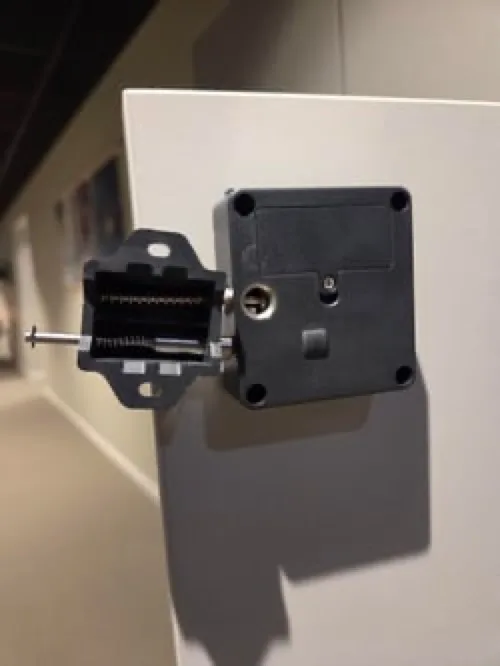
- Replace the battery first to restore power to the lock.
- Unscrew the damaged lock pin using the existing screw holes.
- Install a replacement pin in the same position.
- Refer to the Awaio Smart Locks: Mounting & Setup guide for proper mounting.
Scenario 2: Loose lock assembly
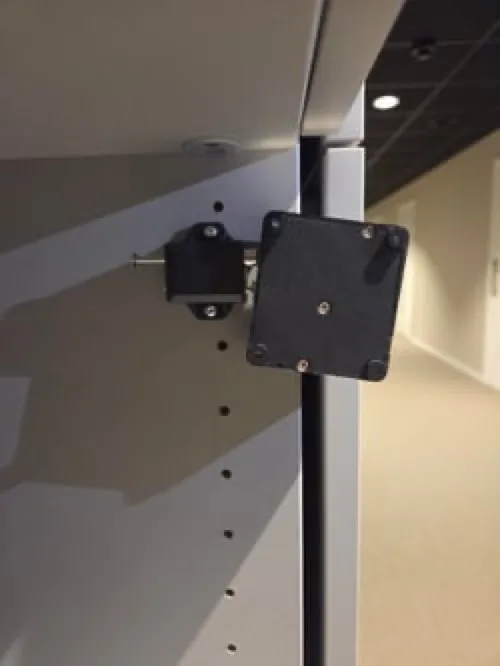
- Unscrew the pin from the door to access the battery compartment.
- Replace the battery.
- Reattach both the lock and pin using the original screw holes.
- Consult the installation guide if you need help with alignment.
Scenario 3: Damaged screw holes
If the original screw holes are damaged and can no longer hold the lock securely:
- Use the provided mounting template to mark a new position on the door.
- Mount the lock at the new position following the standard installation procedure.
Need extra lock pins?
Contact us via our website chat (awaio.com) or email support@awaio.com to order replacement lock pins.
If you have further questions, feel free to contact us via our website chat (awaio.com) or email us at support@awaio.com.