

When desk confirmation is enabled, you must check in when you arrive at the office. This prevents desks from being blocked by people who booked but never showed up: a common cause of wasted office capacity.
How it works
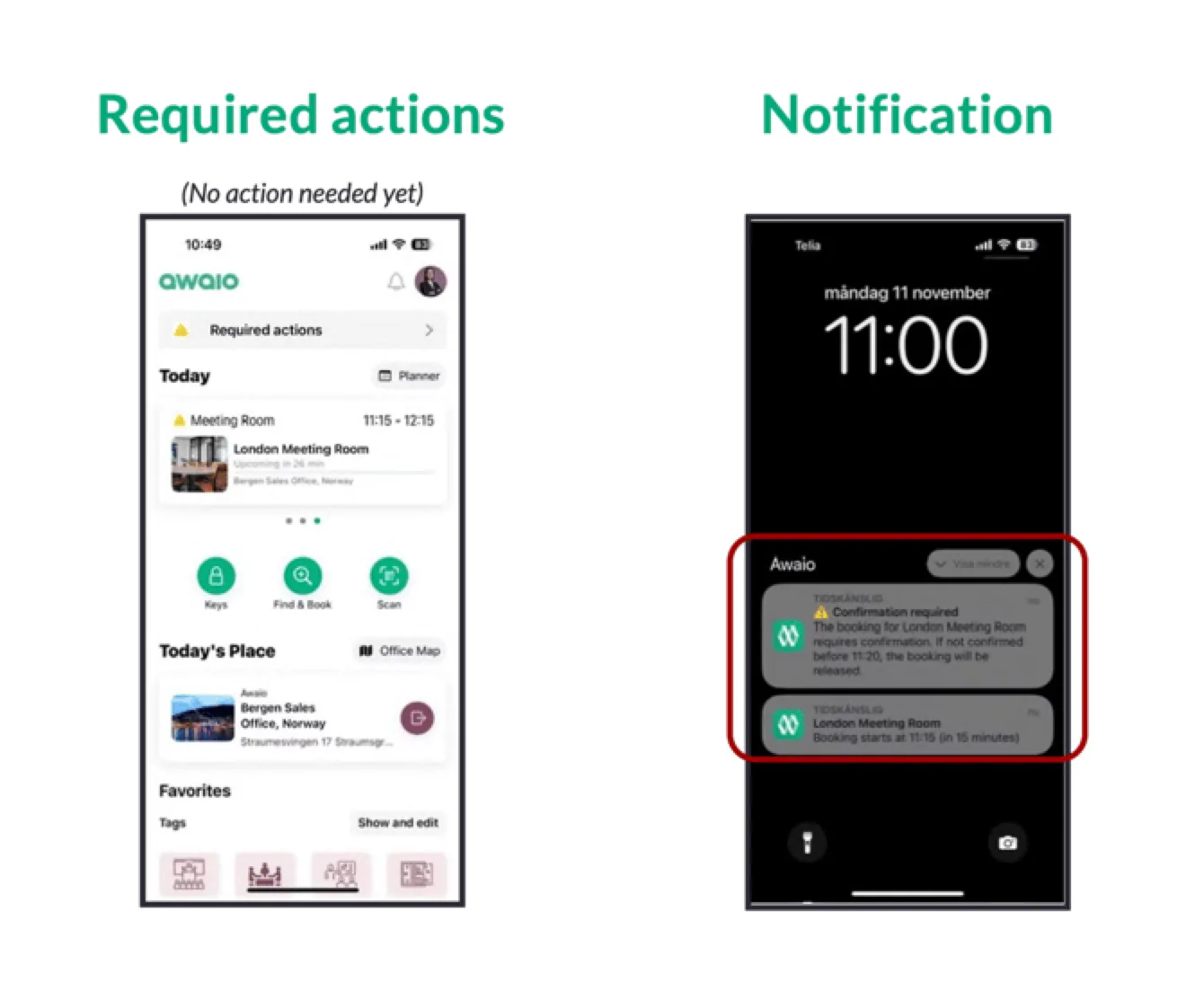
Before your booking starts, Awaio sends a push notification asking you to confirm your arrival. You have a set window to confirm: defined by your admin. If you do not confirm within that window, the desk is automatically released and available for others to book.
How to check in
- Open the Awaio notification or navigate to your upcoming bookings in the app.
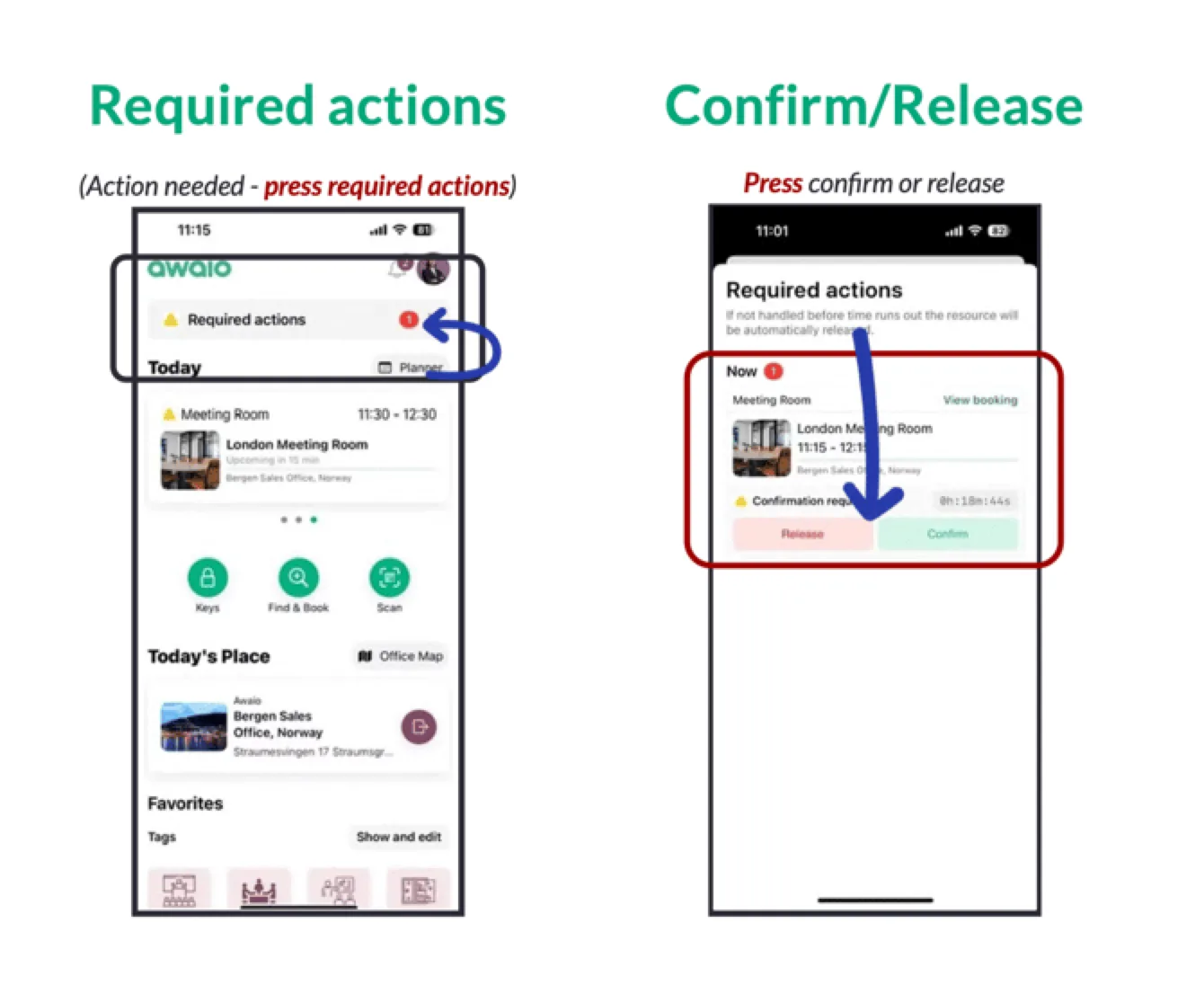
- Tap Confirm or Check in.
- Your booking is confirmed and the desk is held for you.
If you do not confirm in time
Your booking is cancelled automatically and the desk is released. You can rebook immediately if the desk is still available. Your admin can see no-show statistics in the Admin Portal to identify patterns and adjust booking rules accordingly.
If you have further questions, feel free to contact us via our website chat (awaio.com) or email us at support@awaio.com.