

See who has booked what resource
While individual bookings are visible in the mobile and web apps, the Admin portal gives you a comprehensive overview of all resources and their booking details across your entire organisation.
How to access the Resources Overview
Go to admin.awaio.com and log in with your admin account.
From the dashboard, select Resources.
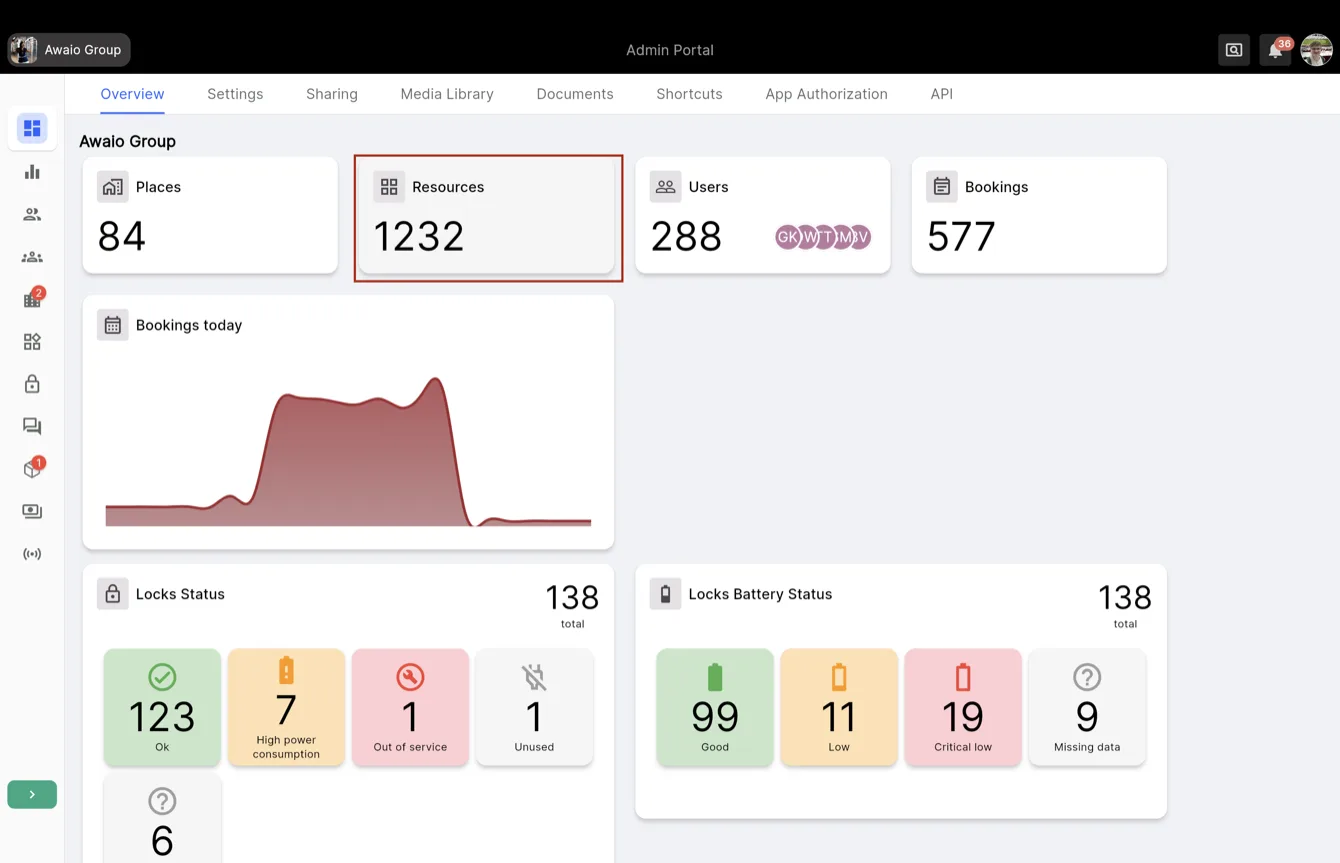
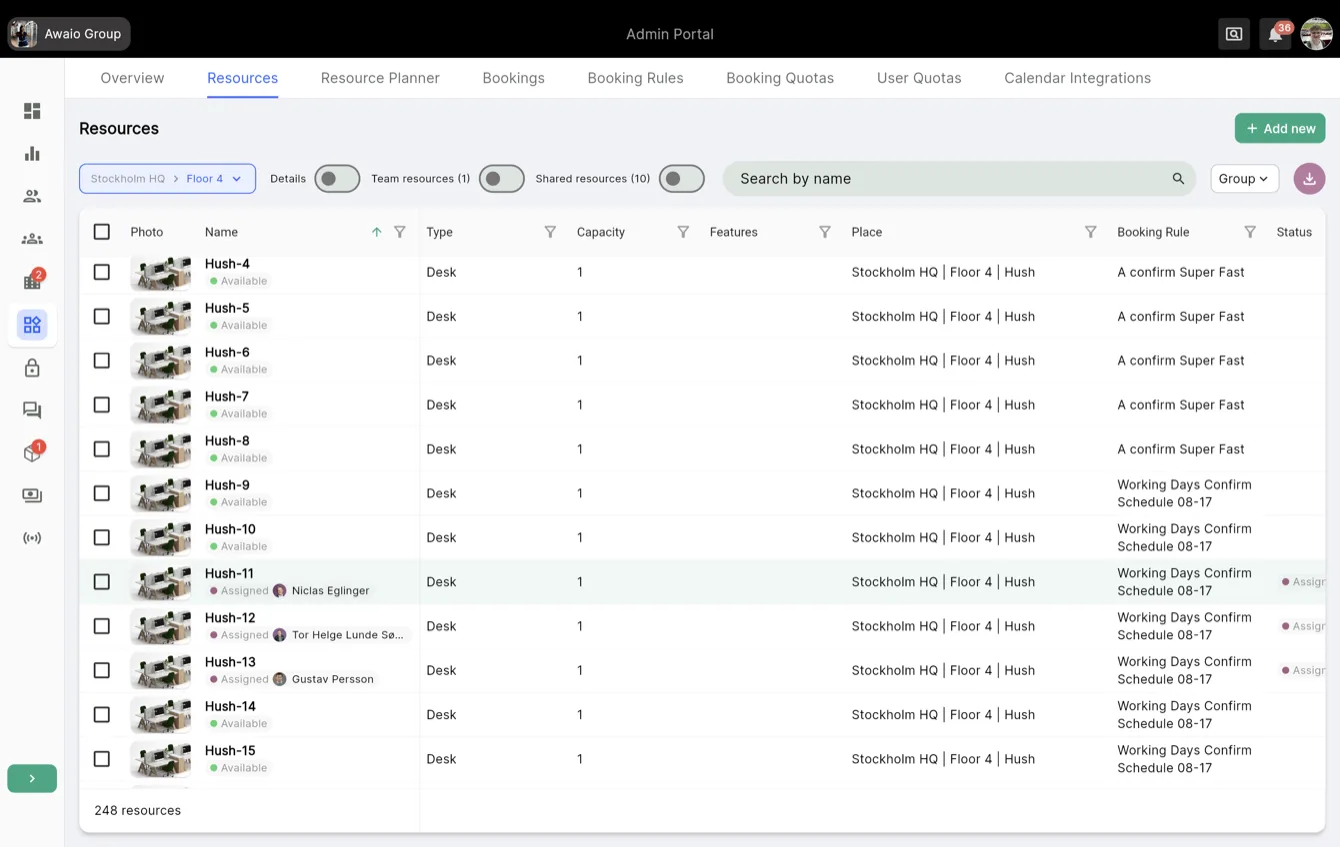
Choose your location to view all resources at that site along with their associated booking information.
If you have further questions, feel free to contact us via our website chat (awaio.com) or email us at support@awaio.com.