

Parcel & Delivery lets smart lockers function as delivery points. Staff place items inside and share access digitally with recipients, who unlock the locker via the Awaio mobile app.
Setup requires five steps:
- Create a Delivery Team
- Create a Delivery Booking Rule
- Apply the booking rule to lockers with Delivery tags
- Make deliveries via the mobile app
- Review deliveries in the web portal
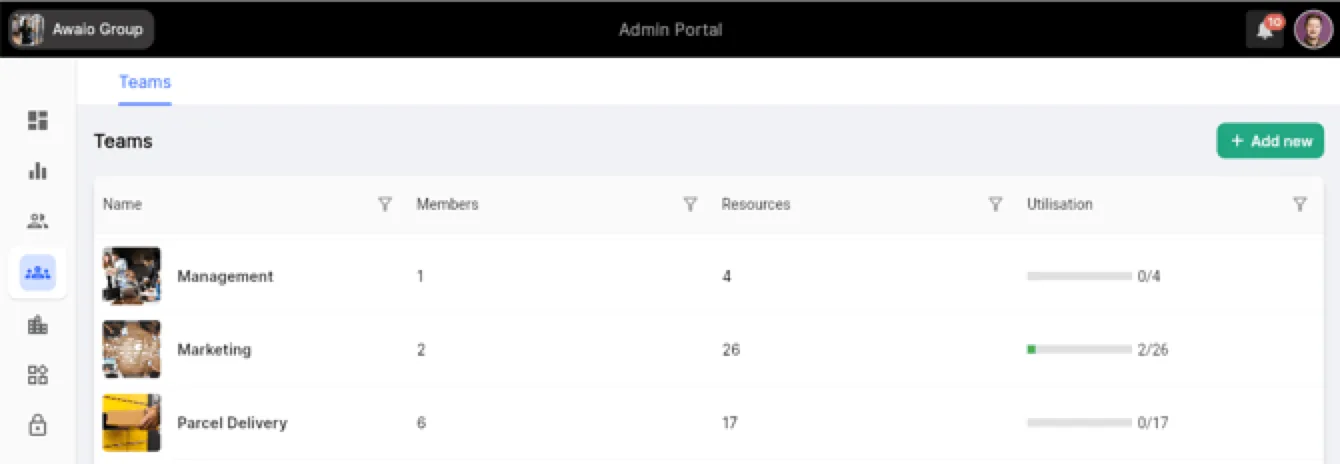
Step 1: Create a Delivery Team
In the web portal, create a dedicated team for managing deliveries. Members of this team will be able to create and manage deliveries.
Step 2: Create a Delivery Booking Rule
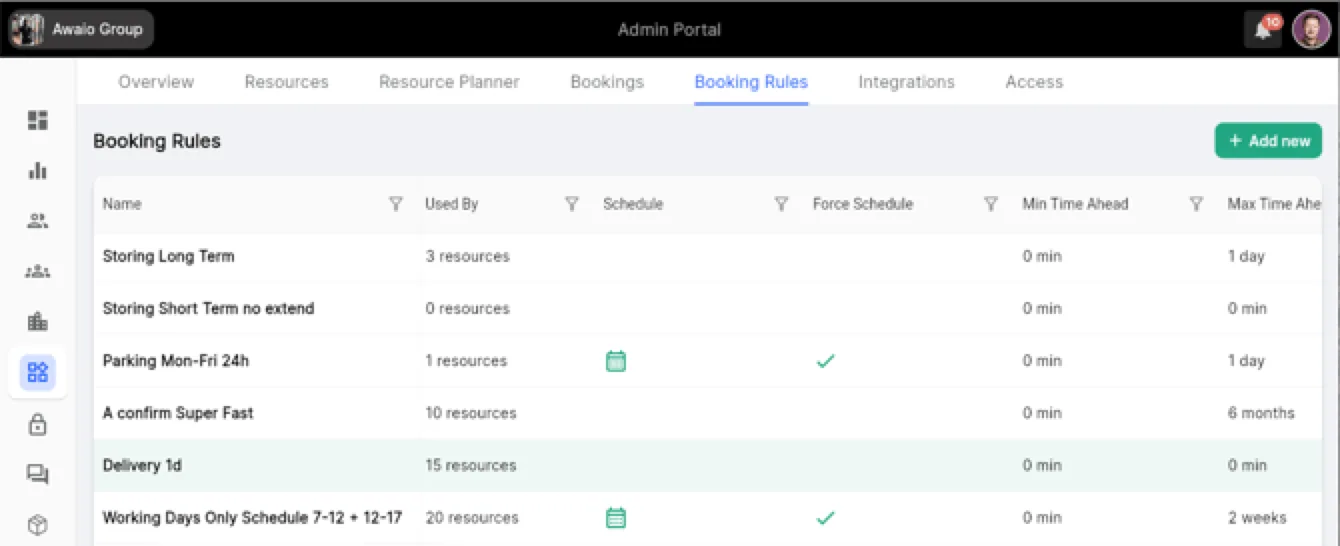
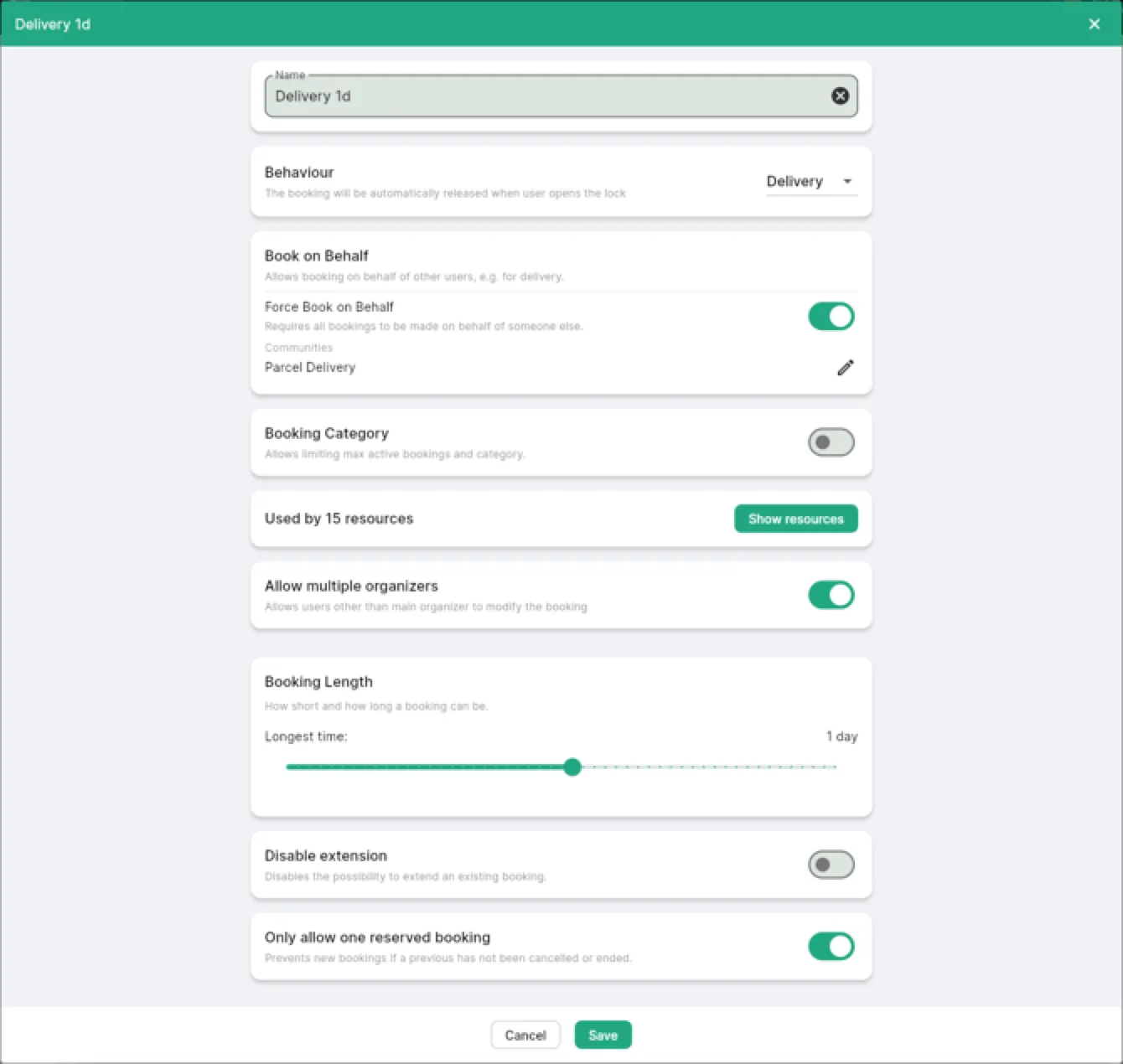
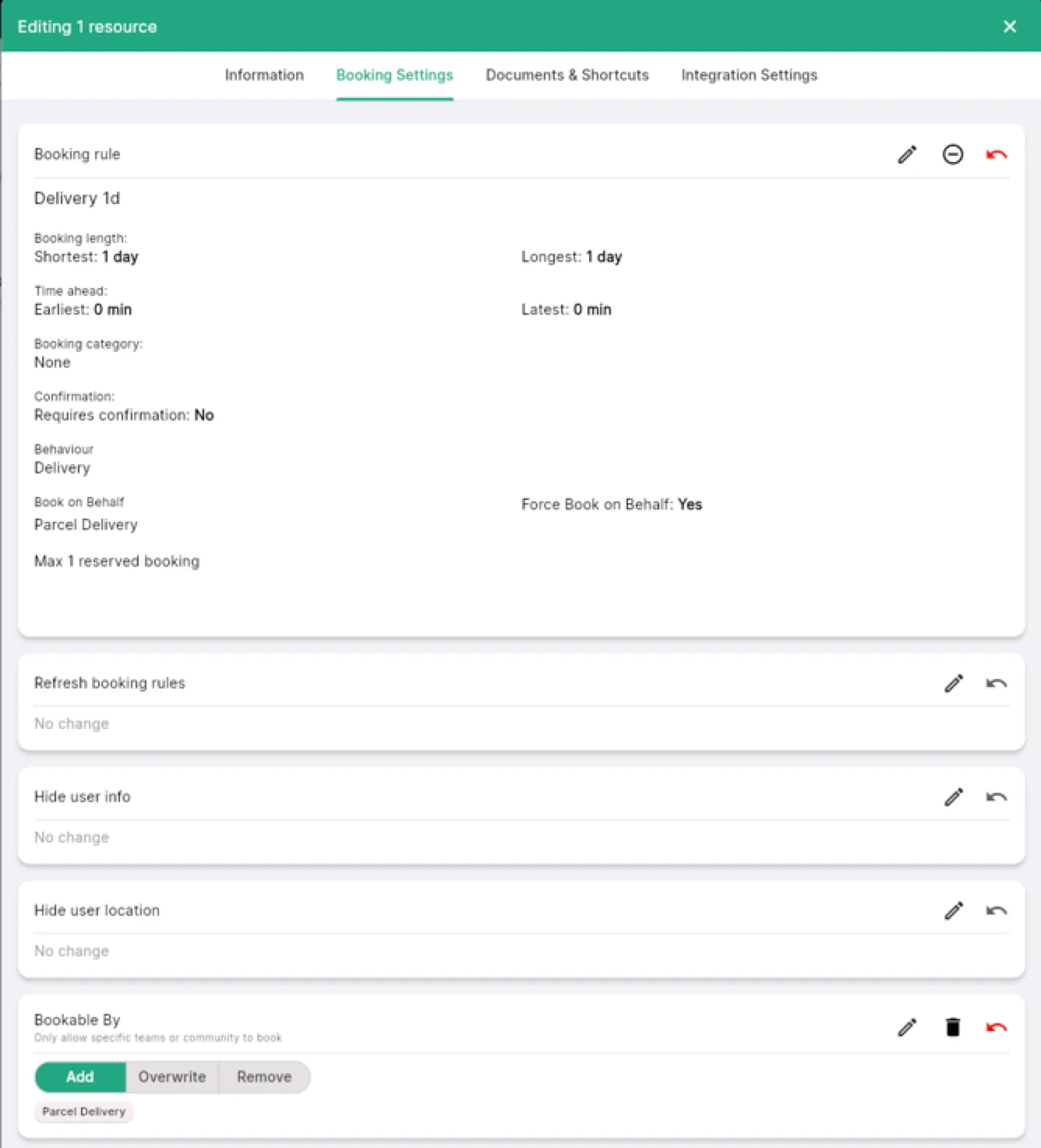
Create a new booking rule configured for delivery use. Set the rule name and basic parameters.
Step 3: Set Bookable By to your delivery team
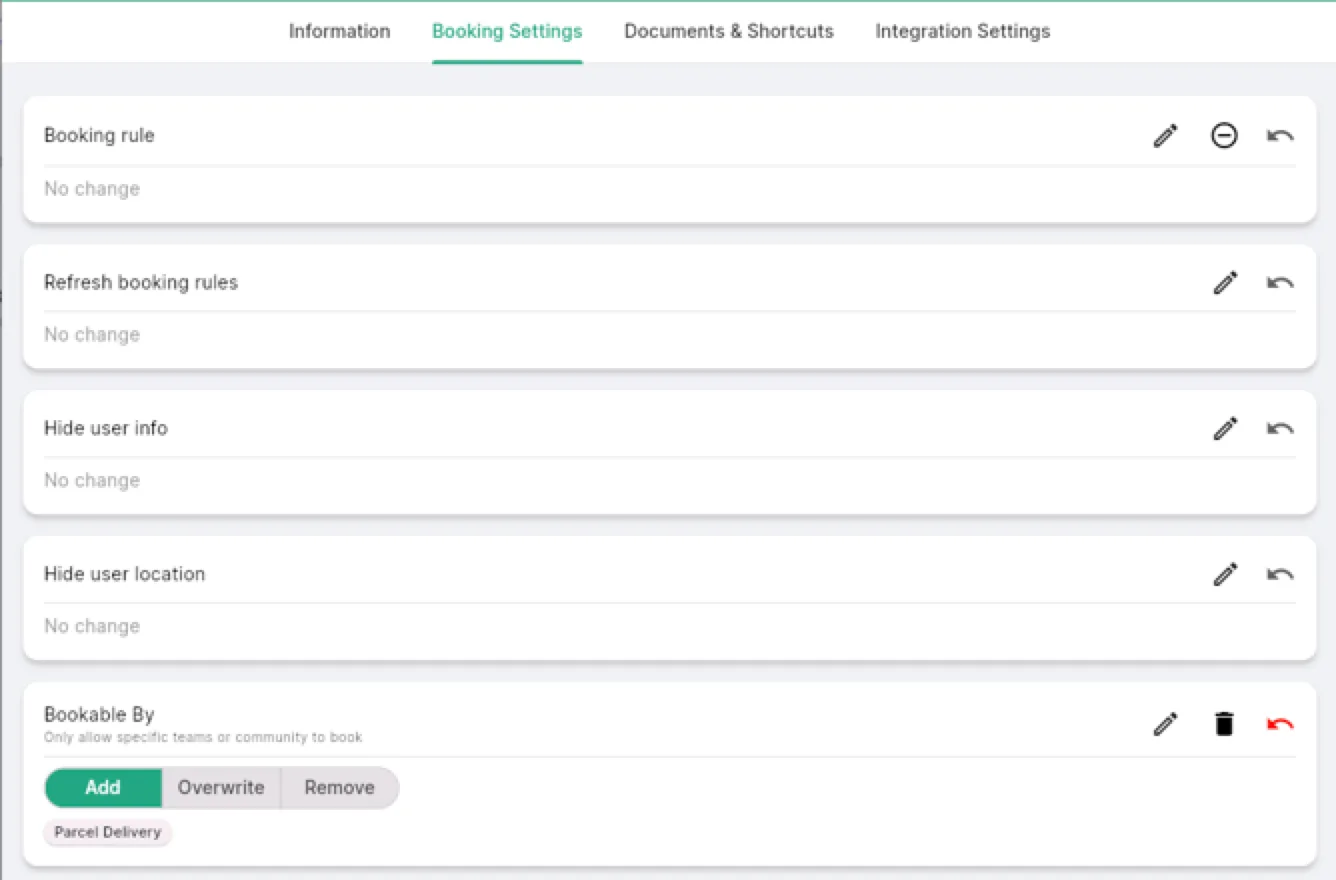
In the booking rule configuration, set Bookable By to the delivery team you created in Step 1.
Step 4: Apply the rule and tag lockers
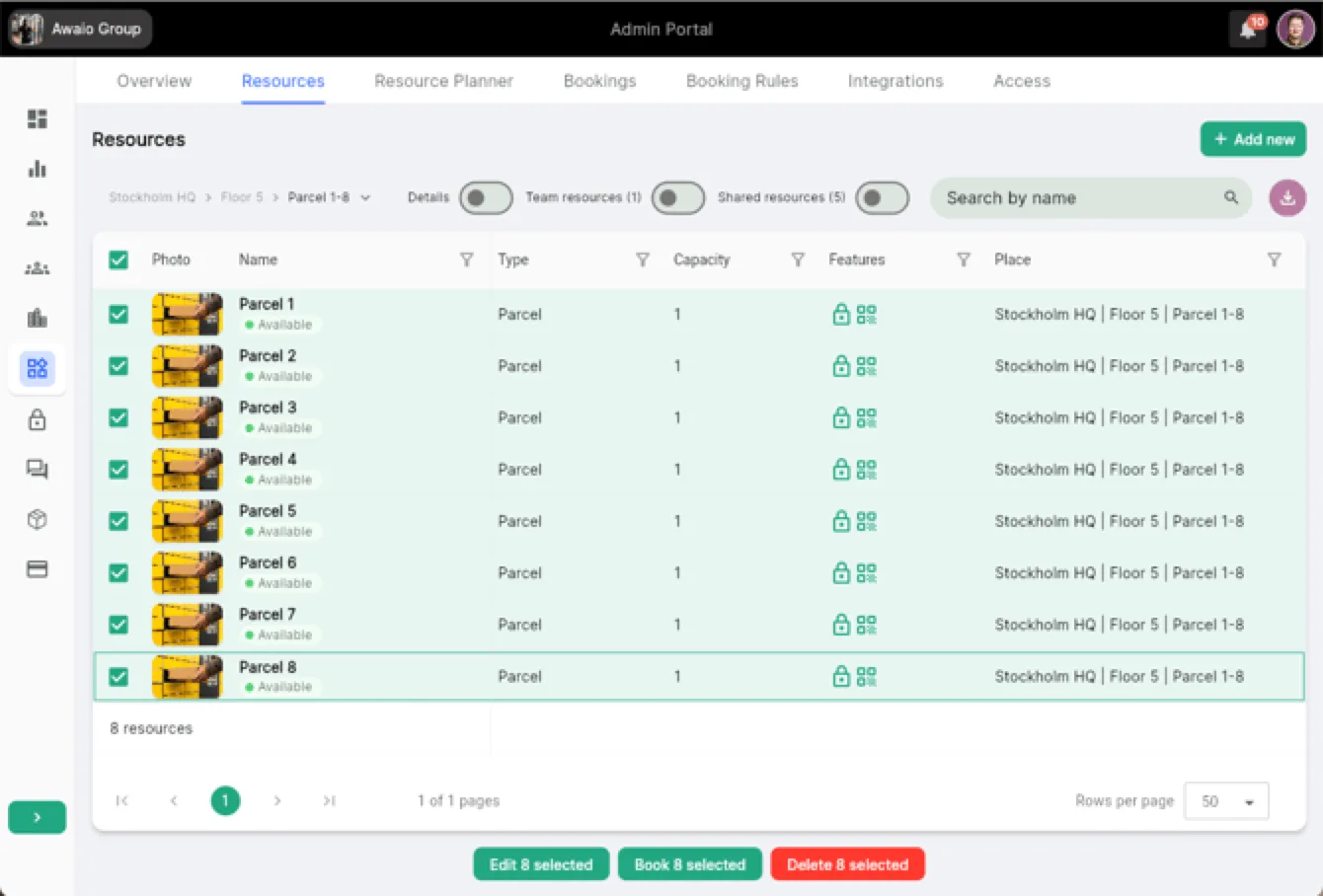
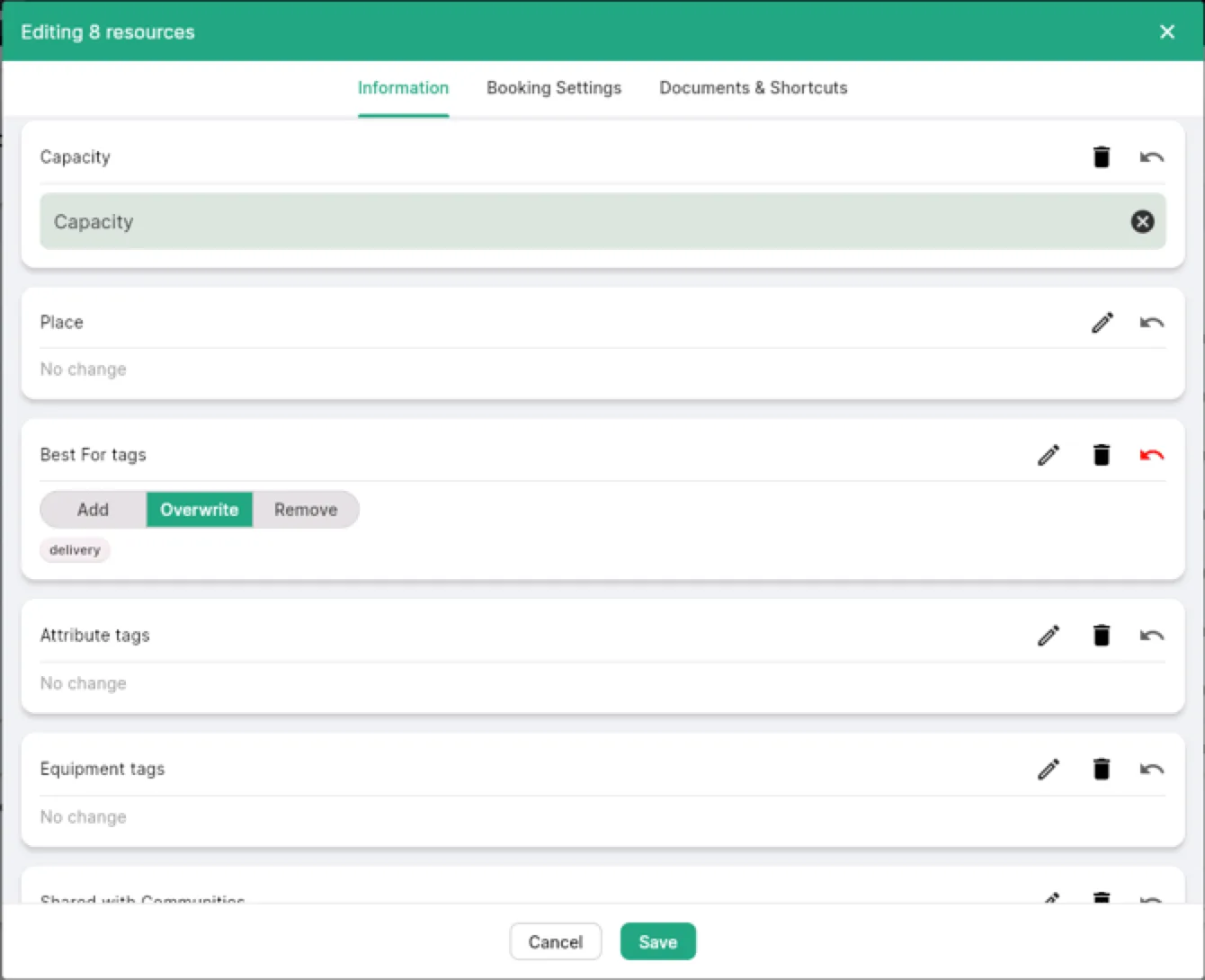
Apply the booking rule to the lockers you want to use for deliveries. Update the Best For tags on those lockers to include a Delivery tag so they are easy to find in the app.
Step 5: Make deliveries via the mobile app
Delivery team members use the Awaio mobile app to create deliveries and open lockers for recipients.
Step 6: Review deliveries in the web portal
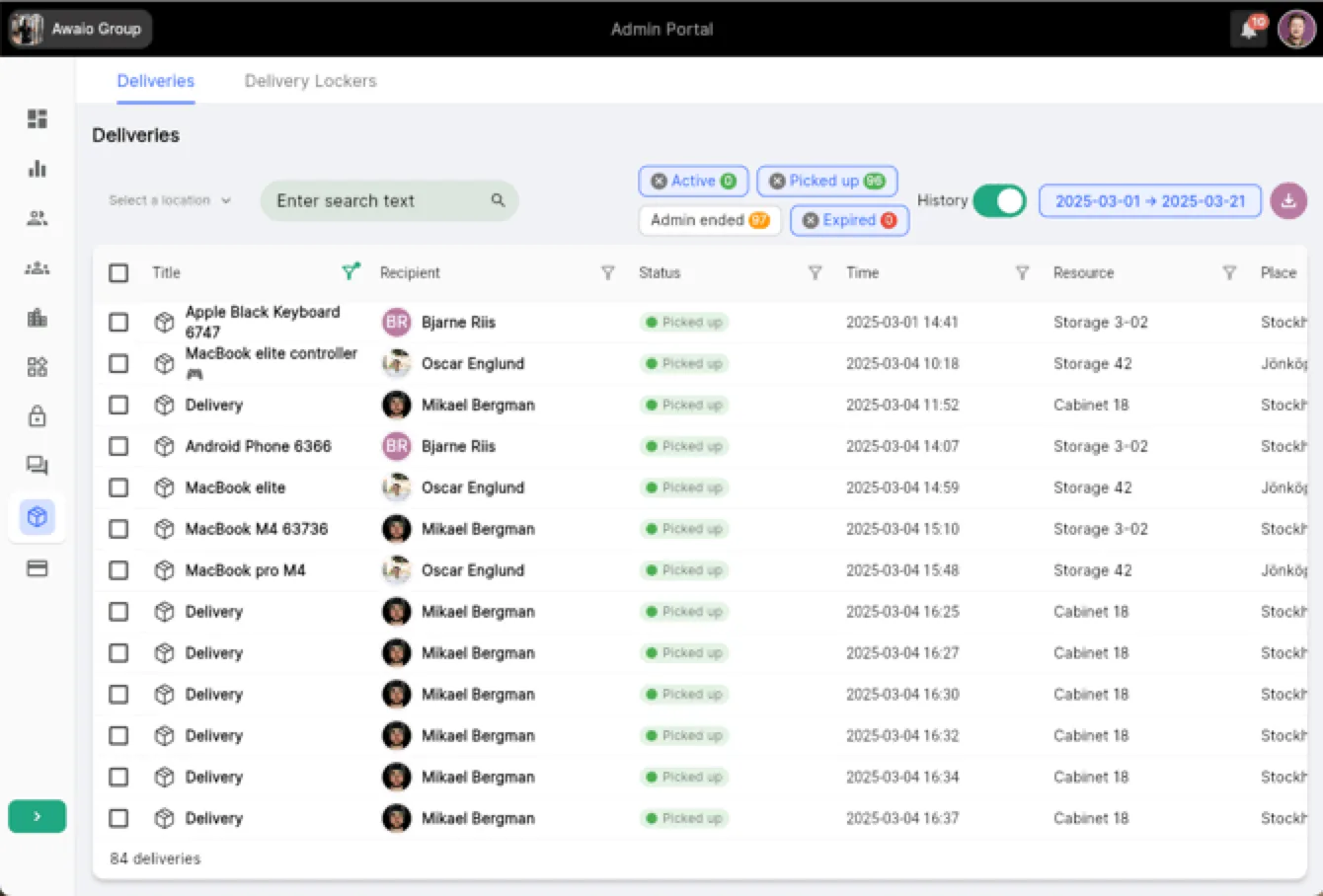
The web portal gives administrators a full overview of active, expired, and historical deliveries.
If you have further questions, feel free to contact us via our website chat (awaio.com) or email us at support@awaio.com.