

This guide explains how to receive and pick up a delivery when someone has shared access to a locker compartment with you.
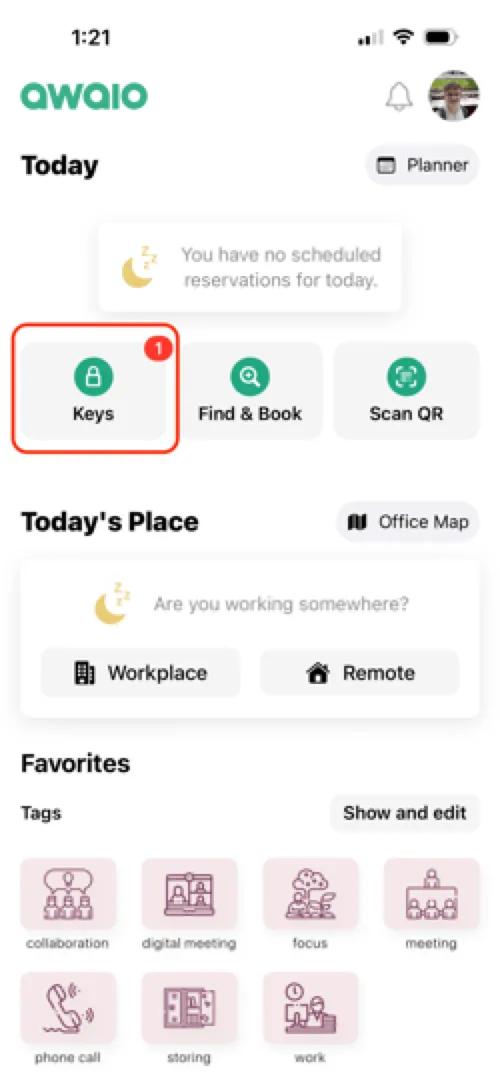
Step 1: Open Keys from the home screen
Tap Keys on the home screen. If you have a delivery waiting, you will see a notification badge on the Keys icon.
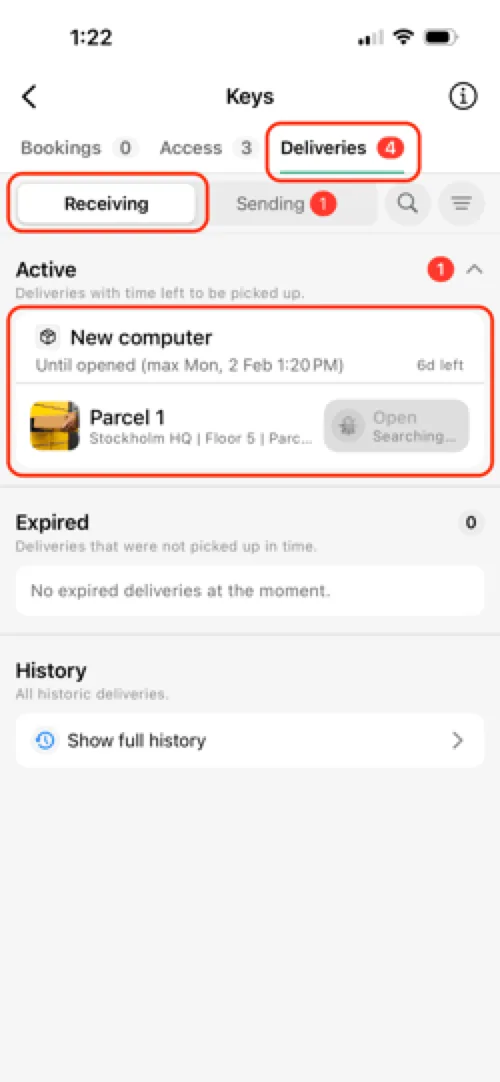
Step 2: Go to Deliveries → Receiving
Navigate to the Deliveries section and make sure the Receiving tab is active. Your active deliveries appear under the Active category.
Step 3: Connect and open
Tap the delivery you want to collect. Make sure you are within Bluetooth range of the locker so the app can connect, then tap Open to unlock the compartment.
What happens next
- The delivery is automatically marked as completed.
- It will no longer appear under active deliveries.
- You can find it later under Delivery history.
If you have further questions, feel free to contact us via our website chat (awaio.com) or email us at support@awaio.com.