

When booking confirmation is enabled for meeting rooms, a booking is not fully secured until you check in. This prevents rooms from sitting empty because someone booked but never showed up.
How it works
Before your booking starts, Awaio sends you a push notification asking you to confirm your arrival. You have a set window: defined by your admin: to confirm before the system releases the room.
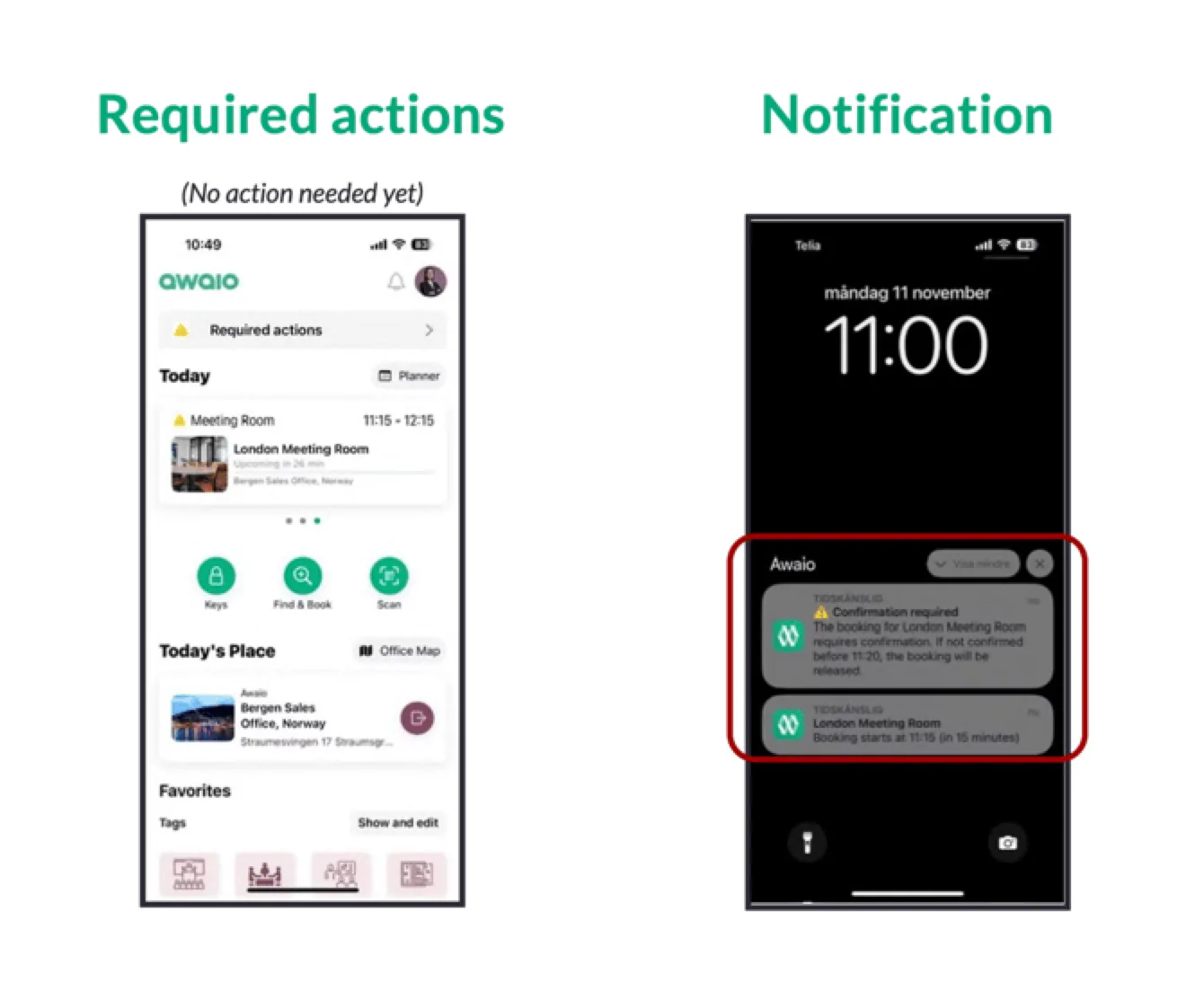
How to confirm
- Open the Awaio push notification, or navigate to your booking in the app.
- Tap Confirm (or Check in) to mark your arrival.
- The booking status updates to confirmed and the room is held for you.
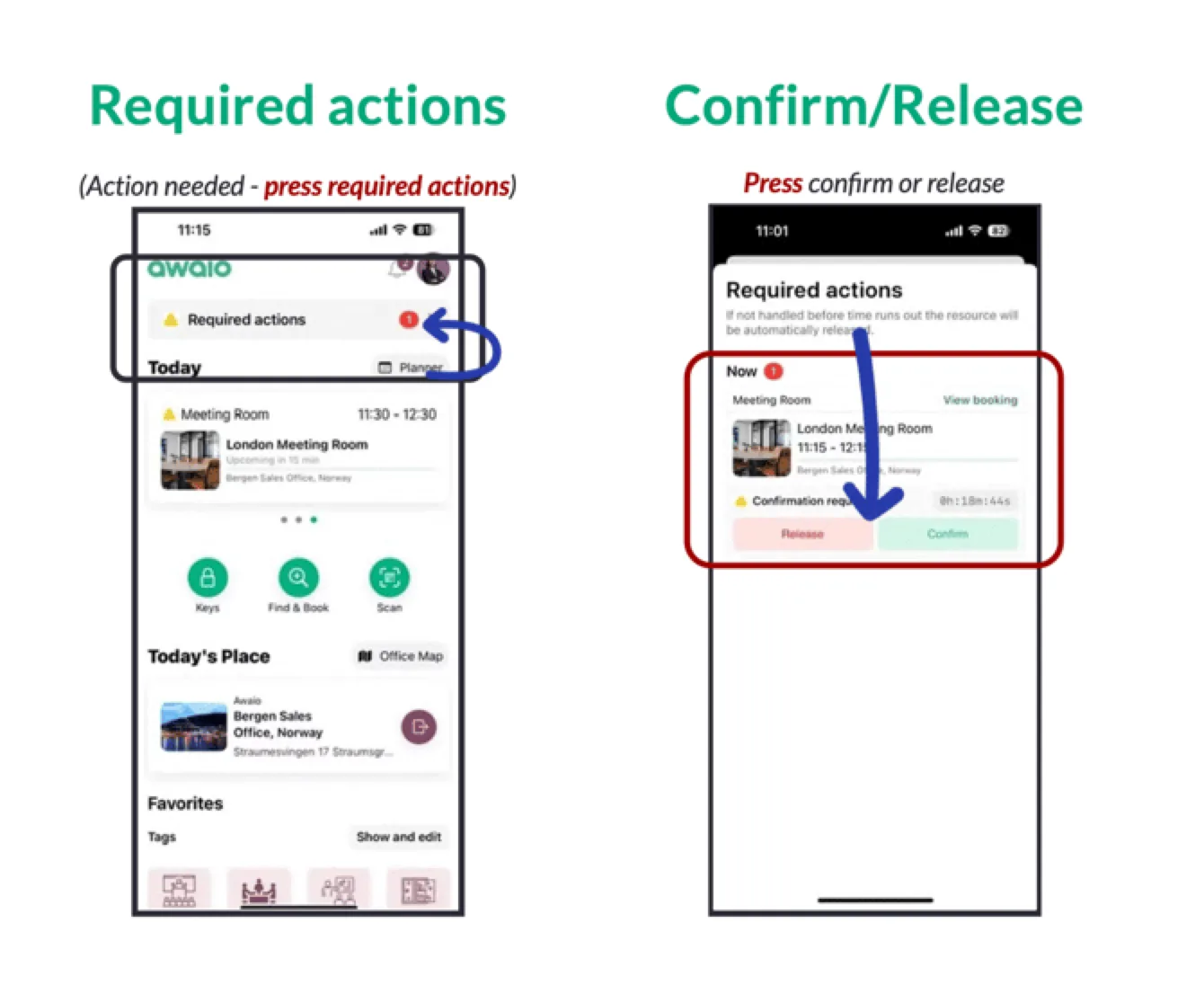
If you do not confirm in time
If confirmation is not received within the window, the booking is automatically cancelled and the room is released back into availability. Other users can book it immediately.
You will receive a notification that your booking was released. You can always rebook if the room is still available.
Admin settings
Confirmation windows and no-show rules are configured per booking rule in the Admin Portal. Contact your admin if you are unsure whether confirmation is required for a specific room.
If you have further questions, feel free to contact us via our website chat (awaio.com) or email us at support@awaio.com.