

Parking no-shows are one of the most common sources of wasted office resources: someone books a spot in the morning but works from home, and the spot sits empty all day. Awaio's confirmation feature solves this by automatically releasing unconfirmed bookings.
How it works
If your admin has enabled confirmation for parking, Awaio sends you a push notification when your booking window is about to start. You have a defined amount of time to confirm your arrival: typically 15–30 minutes after the start time.
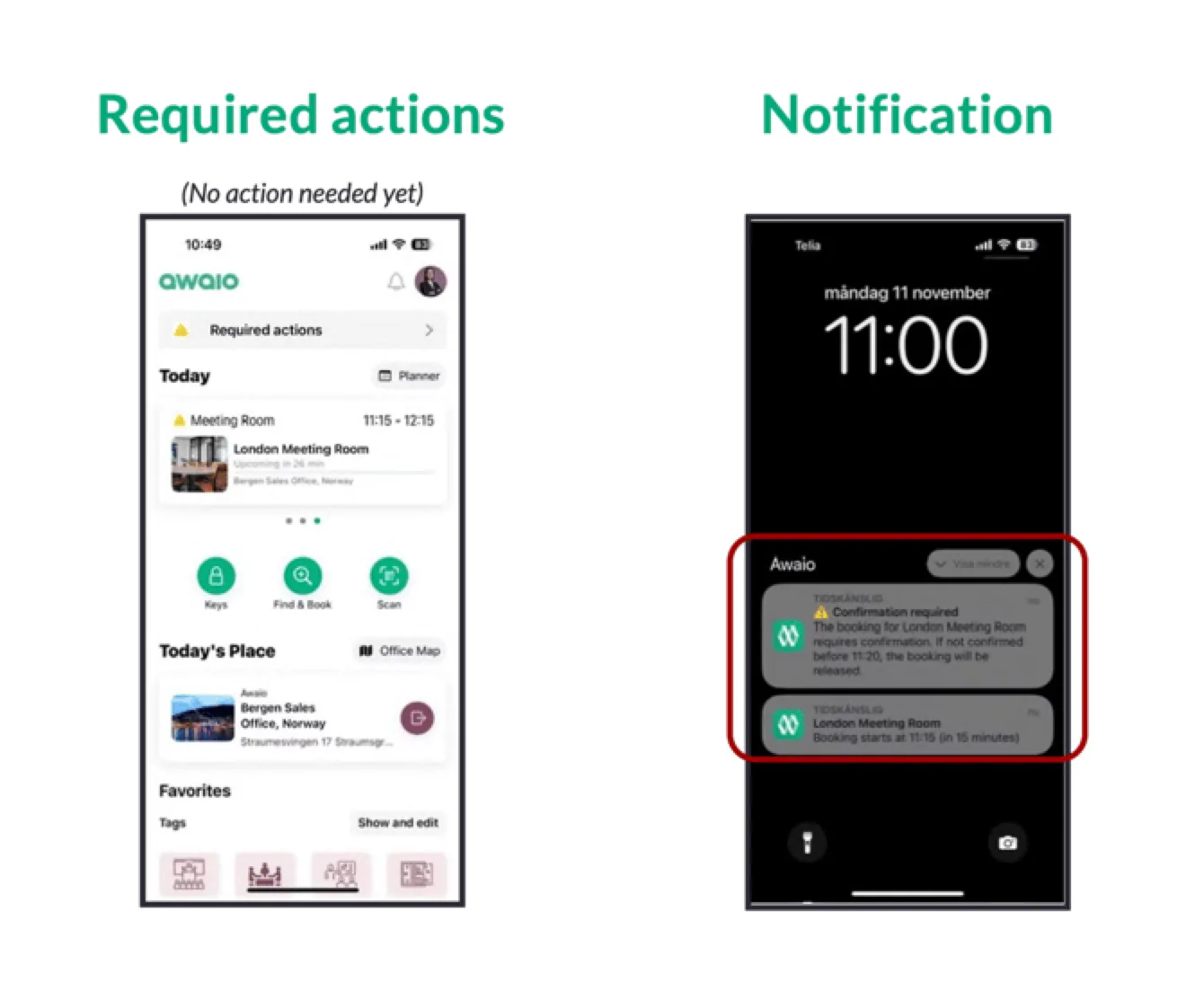
How to confirm
- Open the push notification from Awaio, or tap your upcoming booking in the app.
- Tap Confirm to check in and hold your spot.
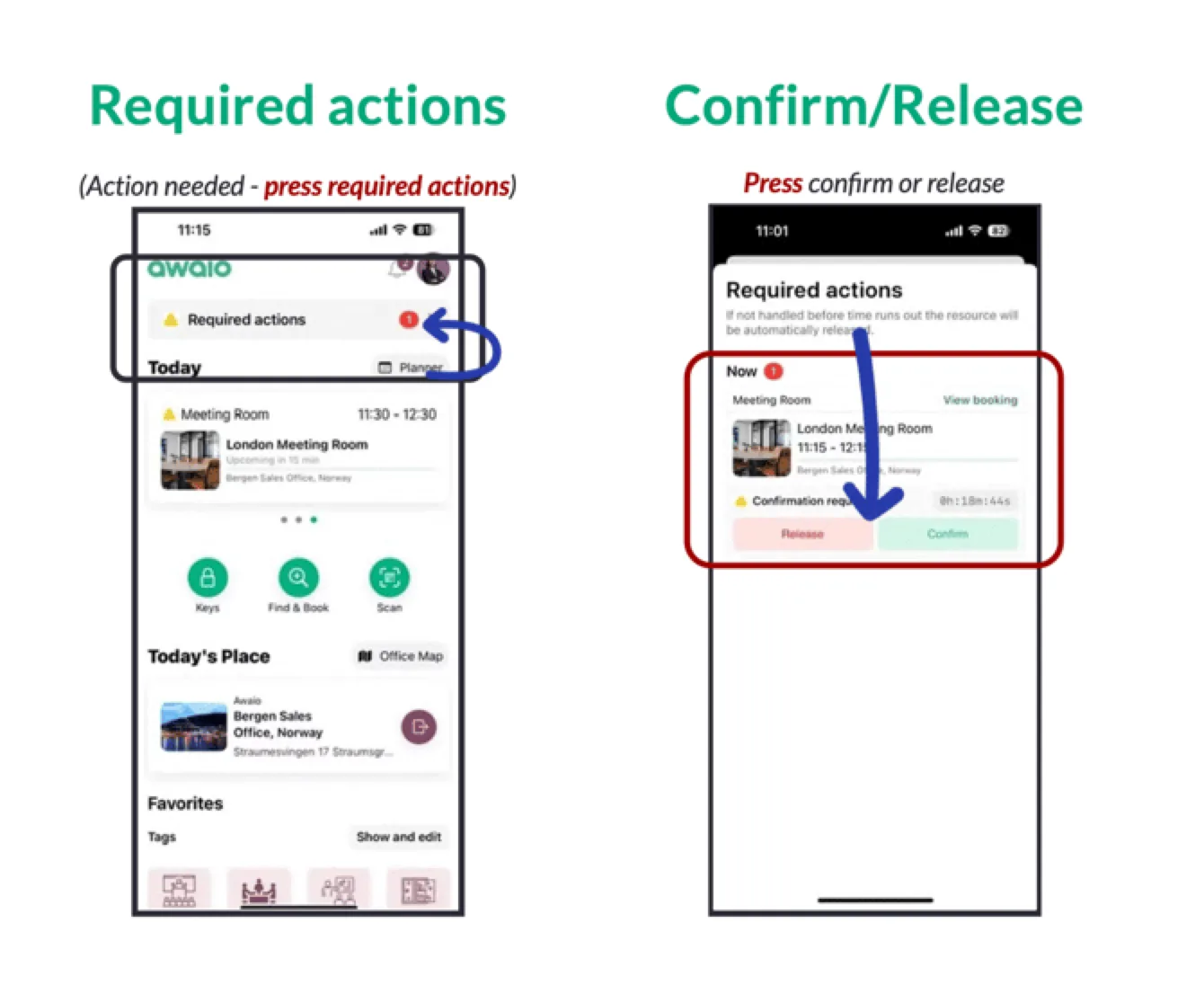
If you do not confirm in time
The spot is automatically released and becomes available for other users immediately. You can rebook if the spot is still free.
No-show data is visible to admins in the Analytics section, which helps organizations tune confirmation windows and spot allocation over time.
If you have further questions, feel free to contact us via our website chat (awaio.com) or email us at support@awaio.com.