

Reset password on your phone
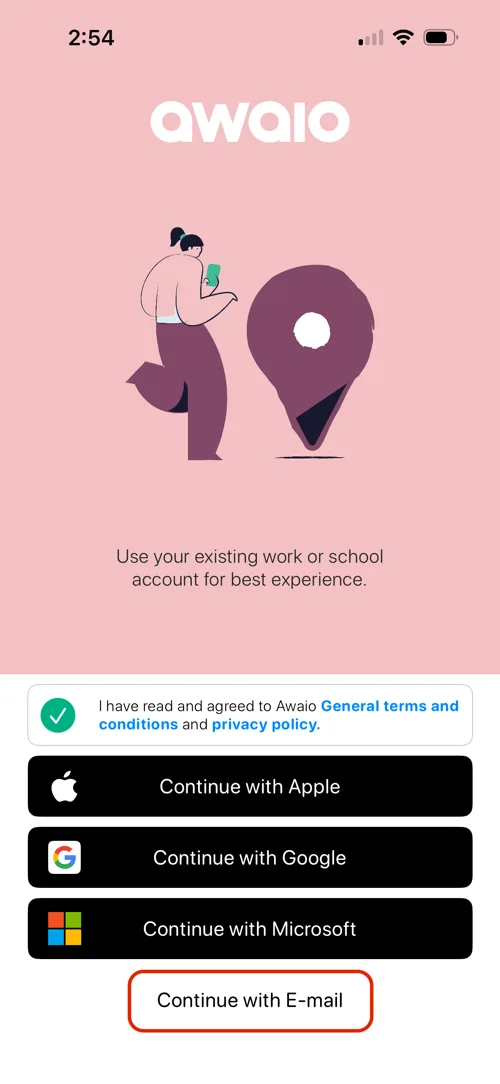
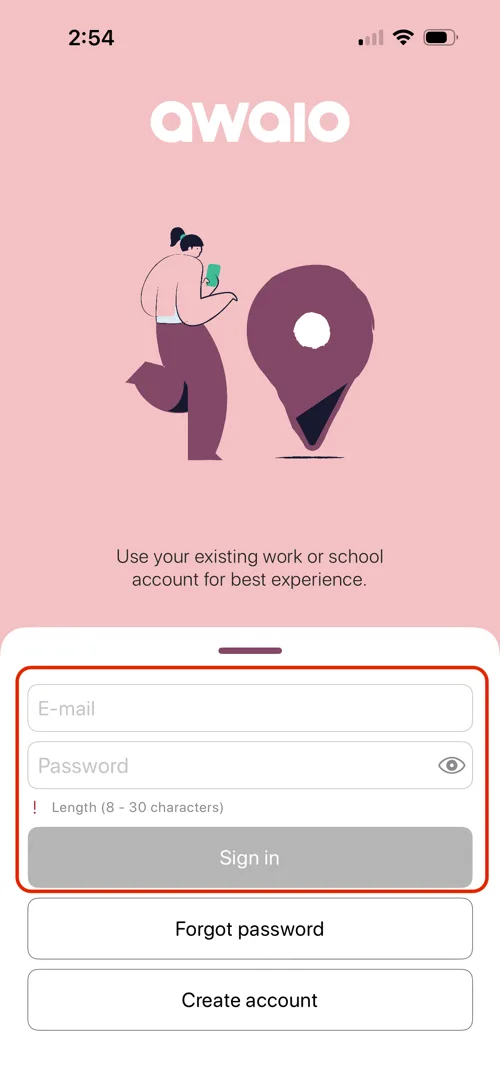
Step 1: Tap Continue with Email on the login screen.
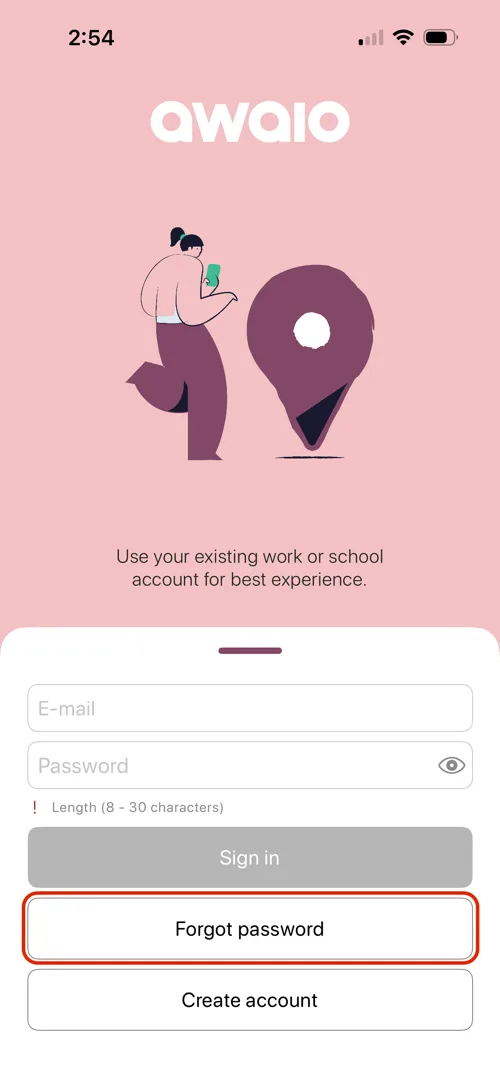
Step 2: Tap Forgot password.
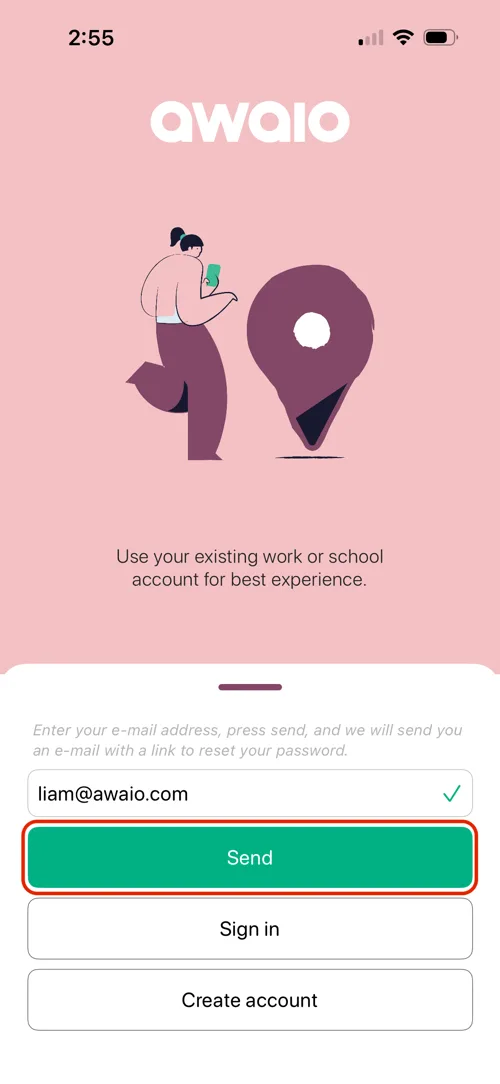
Step 3: Enter your email address and press the green Send button.
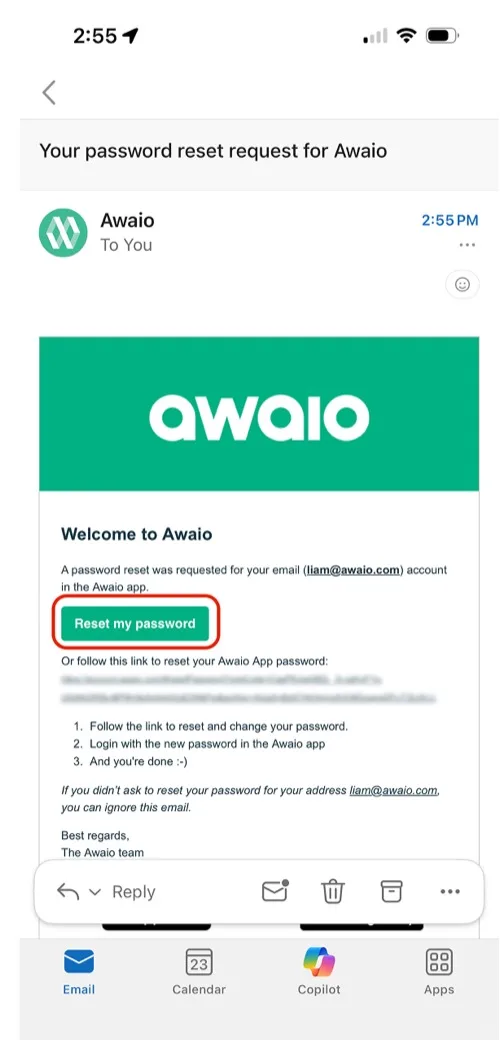
Step 4: Open the password reset email and click Reset my password.
Step 5: Choose a new password: it must be at least 8 characters long.
.webp)
Step 6: Return to the Awaio app and tap Continue with E-mail.
Step 7: Enter your email and new password, then tap Sign in.
Reset password on your desktop or laptop
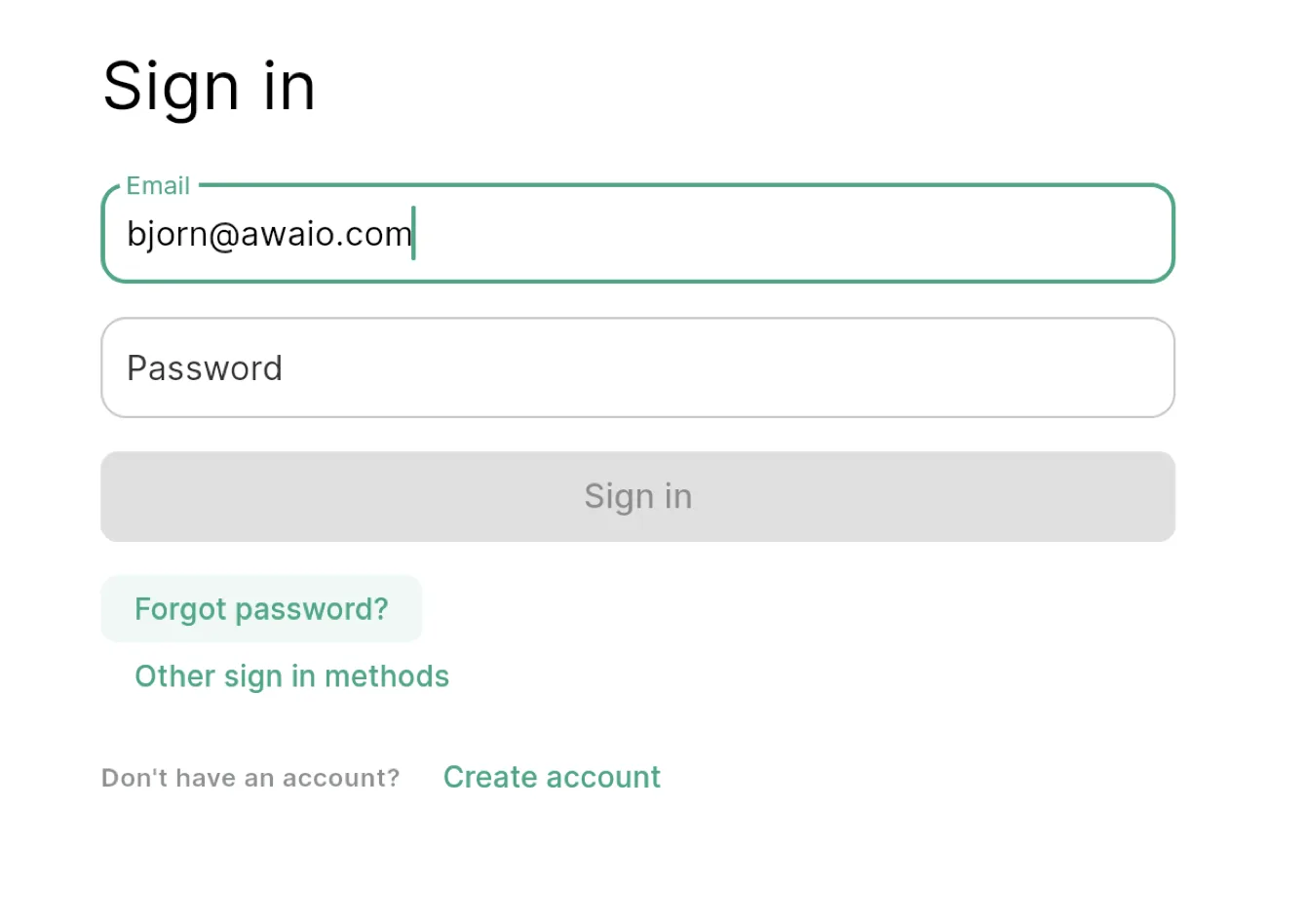
On the sign-in screen, click Forgot password?, enter your email, and click Forgot password. You will receive an email with instructions to create a new password.
If you have further questions, feel free to contact us via our website chat (awaio.com) or email us at support@awaio.com.